
If a background removal tool saves you 8 seconds but forces you into 2 minutes of manual Photoshop masking later, it’s not a “time-saver”—it’s a liability. In the world of high-volume ecommerce, edge quality at 400% zoom is where tools go to die.
I’m Millie, a self-diagnosed AI tool obsessive, and I’ve just finished a brutal comparison between PromeAI Background Remover and the “old guard” like remove.bg and PhotoRoom. From “hair torture tests” to the nightmare of clear plastic packaging, I’m sharing the exact scoring we gave these tools so you can stop guessing and start shipping clean product pages.
Tools referenced and tested in this post: remove.bg, PhotoRoom, Clipdrop, Removal.ai, and PromeAI Background Remover.
Comparison Table
We tested PromeAI as the “new kid we want to like,” then put it head-to-head with the tools most teams already have bookmarked.
Tools tested
- PromeAI Background Remover (web tool)
- remove.bg (web + API)
- PhotoRoom (web + mobile: ecommerce-friendly editing)
- Clipdrop (web: part of a broader creative toolkit)
- Removal.ai (web + API)
For the dataset, we used:
- 10 clean studio shots (mostly product on near-white)
- 10 real-life messy shots (busy table, shadows, wrinkles)
- 10 “edge torture tests” (hair/fur, transparent plastics, reflective surfaces)
Scoring criteria
We scored each tool 1–5 in the stuff designers actually fight with:
| Tool | Edge quality (zoomed) | Hair edges | Transparent objects | Edge cleanup effort | Speed (single) | Batch workflow | Notes |
| PromeAI | 4 | 4 | 3 | 3 | 4 | 3 | Strong general cuts: some halos on tricky shots |
| remove.bg | 5 | 5 | 4 | 4 | 5 | 4 | Fast + clean: very consistent across messy inputs |
| PhotoRoom | 4 | 4 | 3 | 4 | 4 | 4 | Great “product workflow” feel: easy touch-ups |
| Clipdrop | 4 | 4 | 3 | 3 | 4 | 3 | Good results: sometimes needs manual polish |
| Removal.ai | 4 | 4 | 3 | 3 | 4 | 4 | Solid and steady: batch-friendly |
A note on honesty: these scores come from our tests this week on real ecommerce-style images, not lab-perfect samples. Your mileage will change based on lighting, compression, and how chaotic the original background is.
And yes, edge cleanup is the real cost. If a tool saves 8 seconds but adds 2 minutes of masking later, it loses.
Edge Quality Tests
If you only read one section, read this one. Ecommerce “background removal” lives or dies at 200–400% zoom.
We exported PNGs, dropped them onto:
- pure white (#FFFFFF)
- light gray (#F2F2F2)
- a darker brand color block
That’s where halos, jaggies, and weird transparency show up.
Hair and fur
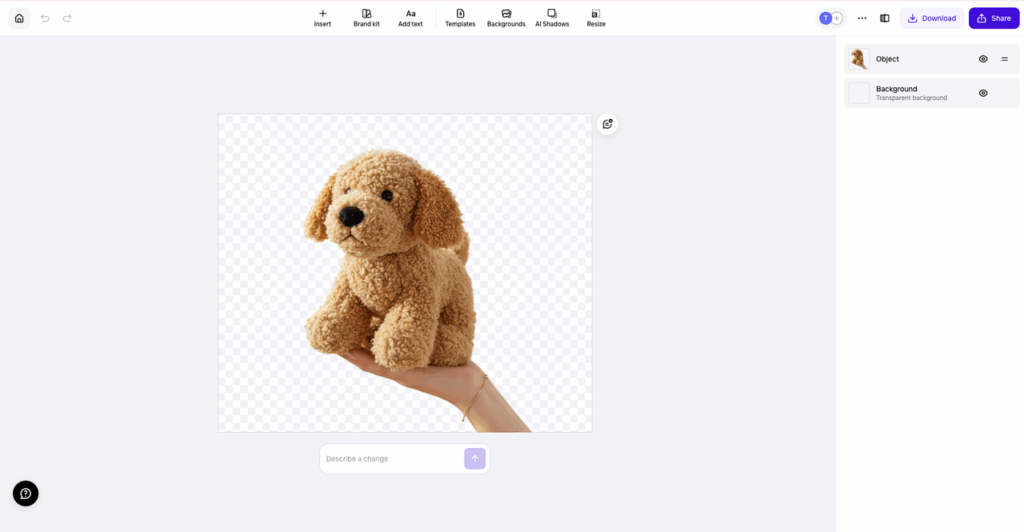
Our hardest test image: a plush dog toy with fuzzy fibers + a model’s hand holding it.

What we saw:
- PromeAI surprised us here. It held onto a lot of fine fibers without turning the edge into crunchy pixels. But on 2/10 hair shots, we got a faint “glow” halo, especially visible on dark backgrounds.

- remove.bg was the cleanest overall. It consistently kept hair detail while avoiding that cut-out look.
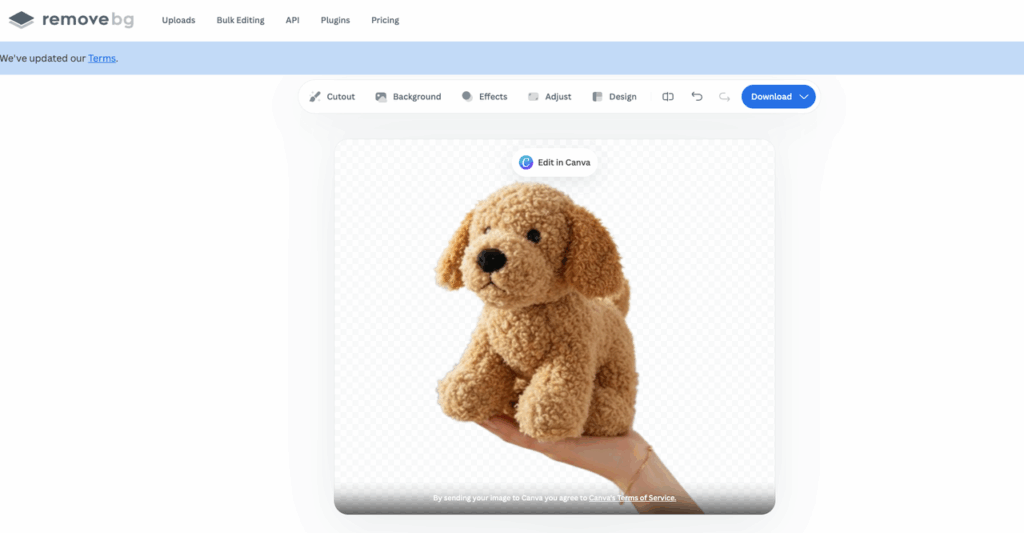
- PhotoRoom was close, but it sometimes slightly softened edges (which can actually look nicer for lifestyle ecommerce, depending on the brand).
Our quick edge cleanup trick (works across tools):
- If you see a halo, bring the PNG into Photoshop/Figma and add a 1–2px inside stroke (same as the target background) OR do a tiny contract selection before refining.
- If hair looks “melted,” try placing the cutout on slightly off-white (#FAFAFA) instead of pure white. Pure white is unforgiving.
Transparent objects
We tested a clear acrylic stand and a translucent pump bottle cap. This is where background removers often panic.
What we saw:
- PromeAI usually chose one of two behaviors: either (1) cut too aggressively (losing the clear edge), or (2) keep extra background as “fake transparency.” It wasn’t terrible, but it didn’t feel reliable enough for high-end glass/clear packaging without manual work.
- remove.bg did best at preserving believable edges, but even it can’t fully “understand” refraction. These tools aren’t doing true physically accurate transparency, they’re making a best guess.
If you do lots of clear objects, our real advice is boring but true:
- Plan on manual touch-up (or re-shoot on a sweep) for hero images.
- Use AI removal for secondary images and variants.
Complex backgrounds
We used a sneaker shot on wrinkled fabric, plus a product on a cluttered desk (cables, plant leaves, shadows).
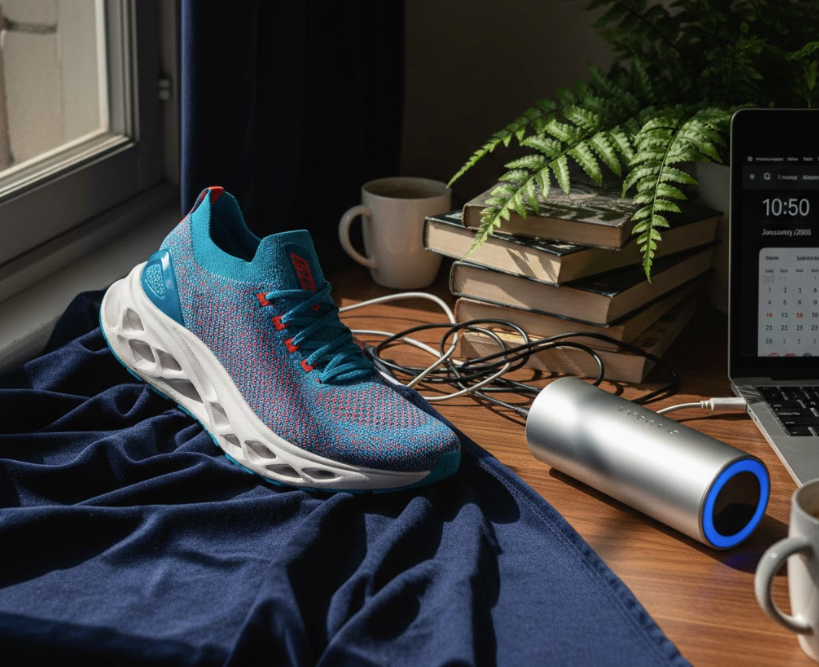
What we saw:
- PromeAI handled the basic silhouette well, but struggled more with soft shadows. It sometimes chopped shadow areas into weird “stains.”

- PhotoRoom is nice when you want more than removal, because after the cut, you’re already in a flow to add a shadow, set a background, and export.
- remove.bg stayed the most consistent with fewer edge artifacts.
One practical call: if your team shoots messy backgrounds often, consistency matters more than “best possible on one perfect image.” The tool that’s predictable wins.
Speed & Workflow
Speed isn’t just “how fast the PNG downloads.” It’s how fast we can go from folder of images → usable assets without wanting to throw our laptop.
Why Captions Matter in E-commerce Product Videos
In e-commerce content creation, clean visuals alone are not enough to capture customer attention and improve engagement. Product videos become significantly more effective when they include accurate captions, especially for audiences watching without sound on mobile devices or social platforms. During product demonstrations, comparison videos, and AI background removal showcases, captions help viewers quickly understand key features, workflow tips, and editing improvements without missing important details. For brands managing hundreds of SKUs and promotional assets, adding subtitles also improves accessibility, increases watch time, and creates a more professional shopping experience for international customers. Whether teams are showcasing edge quality tests, transparent product handling, or before-and-after editing results, using captions makes the message clearer and easier to follow. E-commerce creators and marketing teams can easily generate professional subtitles and improve video communication with caption video, helping product content look more polished, informative, and conversion-focused across marketplaces, ads, and social media campaigns.
Single image
For one-off images (the kind we’re fixing five minutes before a presentation):
- remove.bg is basically instant. Upload → done → download. Minimal thinking.
- PromeAI felt quick too. It’s not slow: it’s just slightly more “tool-like,” meaning we’re aware we’re inside a platform rather than a single-purpose remover.
- PhotoRoom is fast, but the real win is that it nudges you into finishing the asset (background color, padding, shadow) instead of stopping at the cutout.
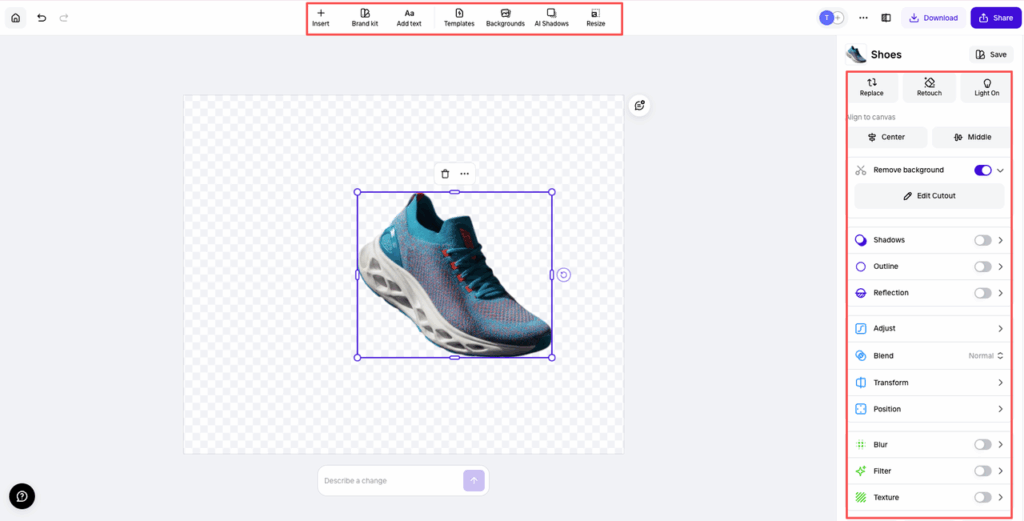
If we’re doing a single product cutout and we care about clean edges, our usual order is:
- try remove.bg
- if it fails on a weird edge, try PromeAI or Clipdrop as a second opinion
- if it’s a listing image that needs polish, open PhotoRoom
Batch processing
Batch is where ecommerce teams live.
What we liked:
- Tools like remove.bg and Removal.ai feel more “built for volume,” especially if you’re thinking about repeatable processing (and potentially API usage).
- PhotoRoom can handle volume too, but it’s more “batch + edit” than “batch + done.” That can be good or bad depending on your pipeline.
Where PromeAI fit in our batch workflow:
- Great when we wanted decent results across a mixed folder (clean + messy) and we were already using PromeAI for other creative steps.
- Less great if the only job is “process 500 SKUs today with consistent output rules.” Dedicated tools still feel calmer for that.
Tiny workflow tip that saved us time:
- Before batch runs, we renamed files with a simple pattern:
SKU_color_angle.jpg. - After removal, we exported PNGs and kept the same names. Sounds obvious. Still, it prevents chaos when you hand off to marketing or upload to Shopify.
Privacy note (worth saying out loud): any online background remover means you’re uploading images to a third-party service. If your assets are sensitive (unreleased products, client NDA work), check the provider’s terms and privacy policy before you go all-in. Start with their official pages: PromeAI’s tool page is here, and remove.bg’s is here.
When to Choose Which
Here’s the part we actually wanted before testing: a simple decision guide that doesn’t pretend one tool is perfect.
PromeAI advantages
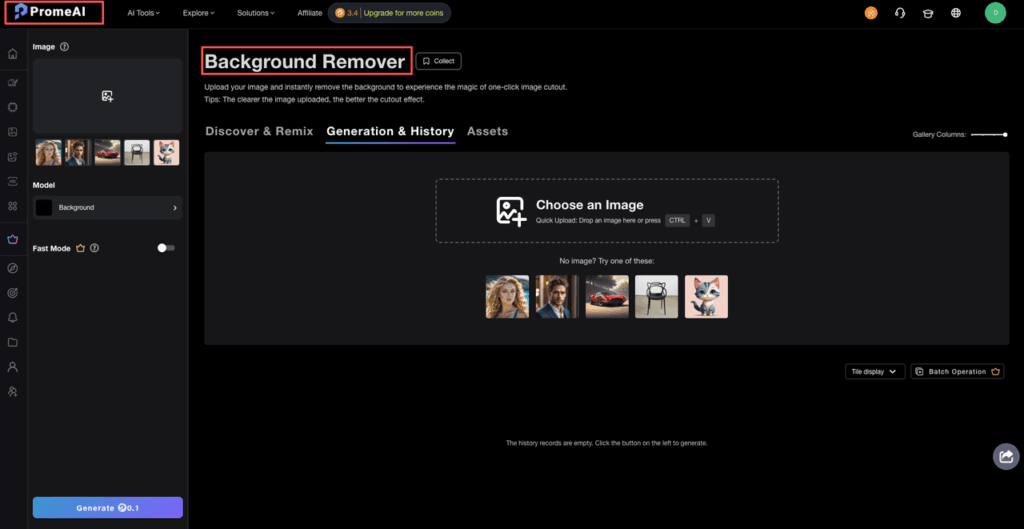
We’d pick PromeAI background removal when:
- We want a strong general-purpose background remover AI that’s “good enough” on most ecommerce shots.
- We’re already inside PromeAI for other tasks and want fewer tool hops.
- We’re dealing with tricky edges where it’s worth trying a second engine (because sometimes PromeAI nails an image that another tool slightly fumbles).
Where we still expect to do edge cleanup:
- clear/transparent products
- objects with very soft shadows that should stay (beauty, glassware)
Dedicated tool advantages
We’d reach for dedicated removers when:
- We need the most consistent “upload → perfect cutout” experience (this is where remove.bg kept winning in our tests).
- We’re setting up a repeatable batch workflow for lots of SKUs.
- We want a smoother production pipeline with fewer surprises at 300% zoom.
If your main pain is hair edges, our honest pick is:
- try remove.bg first for reliability
- keep PromeAI as a strong alternative when one image just won’t behave
If you want the “we finished the product image” feel (not just removal), PhotoRoom is a really comfy middle ground.
We’ve tested our algorithms against the industry’s best to ensure your product pages stay clean and professional. You can start using PromeAI Background Remover today to compare the results against your current workflow—no complex setup required.
Now we want to hear the real pain:
Where do you usually get stuck, hair edges, transparent packaging, or just getting a clean batch workflow without babysitting every file?
Frequently Asked Questions
Is PromeAI background removal good for ecommerce product photos?
Yes—PromeAI background removal is a strong general-purpose option for ecommerce. In our tests it scored well on overall edge quality and handled mixed folders (clean and messy) reliably. Expect occasional halos on tricky edges and more manual cleanup for transparent products or very soft shadows.
PromeAI background removal vs remove.bg: which is better for edge quality and hair edges?
For pure consistency, remove.bg won most edge-quality checks, especially on hair and fur. PromeAI background removal was surprisingly good at preserving fine fibers, but produced a faint glow/halo on a couple hair-heavy images when placed on darker backgrounds. If hair edges are your main pain, try remove.bg first.
How do you fix halos after using an AI background remover for ecommerce images?
If you see a halo, drop the PNG into Photoshop or Figma and add a subtle 1–2px inside stroke matching the target background, or contract the selection slightly before refining. If edges look harsh on pure white, try placing the cutout on off-white (#FAFAFA) to reduce artifacts.
Why do transparent objects look wrong after background removal (acrylic, glass, clear packaging)?
Most background removers aren’t recreating physically accurate transparency or refraction—they’re estimating edges. That can lead to aggressive cutouts (missing clear rims) or “fake transparency” that keeps bits of the old background. For hero images of clear packaging, plan manual touch-ups or reshoot on a clean sweep.
What’s the best way to batch remove backgrounds for 500+ SKUs without chaos?
Prioritize tools built for volume (often with APIs) and keep outputs predictable. Before batching, rename files with a consistent pattern like SKU_color_angle.jpg, then export PNGs with the same names for easy Shopify/marketing handoff. Dedicated tools tend to feel calmer for strict, repeatable batch rules than all-in-one platforms.
Recommended Reads
Leave a Reply