If you want to turn a basic white stucco box into a client-ready visual without spending hours tweaking sliders, you’re in the right place. I’m Millie, and I believe in efficiency over guesswork. That’s why I spent the last seven days building the ultimate architecture render styles prompt library. This isn’t just theory; it’s a practical, grab-and-go guide reflecting how AI is rewiring design and practice, containing copy-paste recipes for every crucial scenario.
Whether you need a brutally honest midday harsh light for massing studies or a cozy interior warm light setup that doesn’t look like orange soup, this guide gives you the exact keywords and “anti-glare” constraints you need to control the vibe instantly.
Lighting Prompt Table
This is the stuff we actually reuse. The base prompt format we kept consistent:
- Prompt = scene + light + materials + vibe + constraints
- Seed = lock a look you like (if PromeAI exposes it in your workflow)
- Model/Mode = whatever PromeAI image mode you’re using (we keep notes like “Realistic” vs “Stylized” so we can reproduce)
Below: each lighting type has a copy/paste prompt plus quick knobs.
Morning light
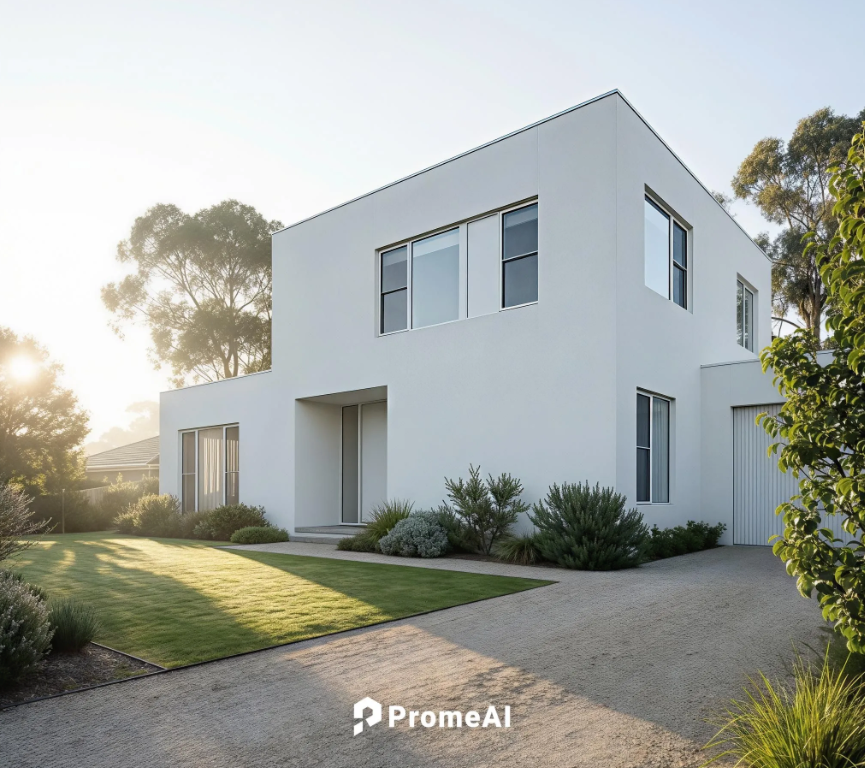
Use this when you want clarity without drama. Think “8:30 AM site photo,” adhering to classic 10 tips to perfect your architectural photography.
Prompt: “architectural exterior, soft morning light, sun low in the sky, long gentle shadows, slightly cool color temperature, crisp edges, realistic materials, clean white stucco facade, natural greenery, no lens flare, no bloom, high dynamic range, photoreal” Best for: concept boards, planning sets, “calm and credible” marketing Quick tweaks:
- More warmth: add “slightly warmer highlights”
- More shadow shape: add “stronger directional shadows”
Midday harsh
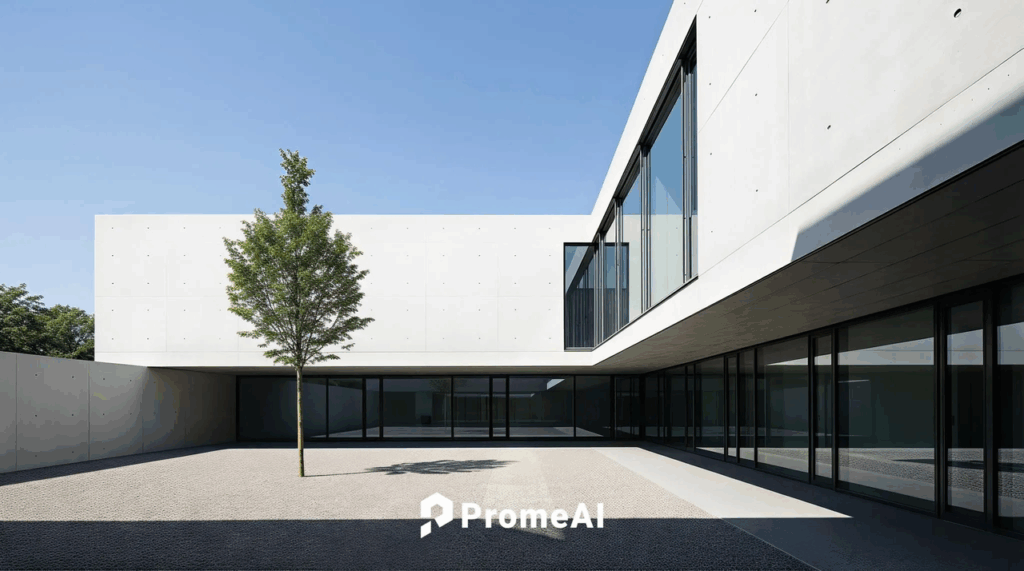
This is the brutally honest one. Great for massing readability… and showing if your overhangs actually work.
Prompt: “architectural exterior, midday harsh sunlight, sun high overhead, short hard shadows, high contrast, neutral white balance, sharp sunlight patches, realistic exposure, no haze, no flare, photoreal” Best for: sun/shade studies (conceptual), facade rhythm, material truth Quick tweaks:
- If it looks too crunchy: add “slight atmospheric haze”
- If whites blow out: add “protect highlights, balanced exposure”
Golden hour
Yes, the classic golden hour render. It makes almost anything look expensive. Use responsibly.
Prompt: “architectural exterior, golden hour sunlight, warm low-angle sun, long cinematic shadows, glowing highlights on facade edges, warm reflections in glass, soft sky gradient, realistic materials, subtle haze, no lens flare, no overbloom, photoreal” Best for: hero shots, marketing, competition boards Quick tweaks:
- Less ‘Instagram’: add “natural color grading”
- More drama: add “slightly stronger volumetric light” (but keep it subtle)
Blue hour
The blue hour look is where PromeAI can accidentally turn everything neon. The trick is: cool ambient + warm interiors, and keep it believable.
Prompt: “architectural exterior at blue hour, deep blue ambient sky light, soft low contrast shadows, warm interior lights visible through glazing, realistic street context, natural reflections, balanced exposure, no neon saturation, no bloom, photoreal” Best for: mixed-use, hospitality, anything with big windows Quick tweaks:
- If the sky goes purple: add “true blue twilight sky”
- If interiors are too orange: add “soft warm interior glow”
Night scene
For night render AI, we got the best results by calling out where the light is coming from. Otherwise it invents random glow.
Prompt: “architectural exterior night scene, realistic street lighting, warm wall washers on facade, subtle ground lights along pathway, interior lights softly glowing, dark sky, deep shadows, controlled highlights, no exaggerated glare, no lens flare, photoreal” Best for: lighting design mood, signage moments, entry sequence Quick tweaks:
- More legible building shape: add “moonlight rim light subtle”
- Less ‘wet street’: add “dry pavement”
Interior daylight
Interior daylight is harder than people admit. The model loves turning windows into white portals.
Prompt: “interior architectural rendering, daytime natural window light, soft bounce light, realistic exposure, visible window view (not blown out), neutral color temperature, true-to-life materials, no overbloom, photoreal” Best for: residential, workplace, productized interiors Quick tweaks:
- If windows blow out: add “retain exterior detail through windows”
- If it looks flat: add “directional light from left window”
Interior evening
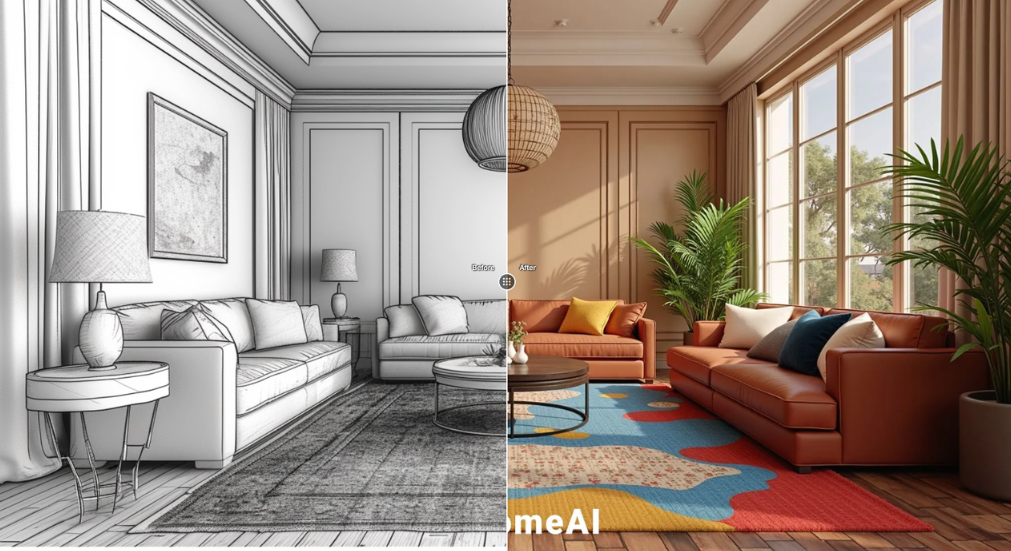
This is where interior warm light shines. For the best design ideas for AI images (evening), we keep it layered: practicals + cove + a little bounce.
Prompt: “interior architectural rendering, evening interior warm light, 2700K warm practical lamps, soft cove lighting, gentle shadows, cozy ambience, realistic exposure, no orange oversaturation, no bloom, photoreal” Best for: restaurants, lounges, living rooms, boutique retail Quick tweaks:
- More upscale: add “warm accent lighting, subtle contrast”
- Less orange cast: add “neutral whites, accurate skin-tone lighting” (even if no people)
Mini workflow note (what we actually do):
- Generate 6–12 variations per lighting type.
- Pick the one with the best shadow logic.
- Then we iterate with tiny edits, not huge prompt rewrites. Lighting prompting is like salting food, you can always add more, but you can’t un-salt easily.
Camera Keywords for Lighting
If the light prompt is the “mood,” camera keywords are the “proof.” They make PromeAI commit to a believable photographic result. Here are the camera phrases we keep on sticky notes:
- “24mm wide-angle, eye-level”: makes exteriors feel architectural (not toy-like)
- “35mm, natural perspective”: our default for calm marketing shots
- “50mm, compression”: great for facades and pattern repetition
- “tilt-shift lens, verticals straight”: huge for credibility (no leaning towers)
- “shallow depth of field”: use sparingly on architecture: nice for interiors + details
- “long exposure”: perfect for night scenes (headlights, soft ambience)
Copy/paste add-ons that played nicely with architectural lighting prompts:
- Prompt add-on: “tilt-shift, vertical lines straight, realistic lens distortion”
- Prompt add-on: “balanced exposure, highlight roll-off, natural dynamic range”
We also keep one simple rule: if we’re asking for a serious daytime exterior, we avoid anything that screams “cinema” unless the brief wants it. (Otherwise the client asks why the building looks like a movie set.) If you want official background on how prompt-based image systems interpret camera cues, OpenAI’s guidance is a helpful reference for phrasing and specificity: OpenAI image generation prompting best practices.
Avoiding Unrealistic Glare
PromeAI can absolutely nail lighting… and then randomly add a glowing halo on every edge like your facade is powered by electricity. Here’s how we cut that down.
Common mistakes
1) Saying “cinematic” without guardrails What happens: bloom, flare, crushed blacks, overdone contrast. Fix: keep the vibe, constrain the artifacts. Prompt patch: “cinematic lighting, controlled highlights, no lens flare, no bloom”
2) Asking for “hyper-real” + “HDR” + “ultra detailed” all at once What happens: sharpness overload, sparkling reflections, fake glare. Fix: pick one. Prompt patch: “photoreal, natural dynamic range, realistic exposure”
3) Not naming the light source What happens: random glowing windows, mystery spotlights. Fix: state the fixture type and placement. Example: “warm wall washers on facade, recessed downlights at canopy, pathway bollards”
4) Glass goes nuclear What happens: mirror-like reflections that don’t match the scene or unintended lens flare. Fix: tell it what reflections should show. Prompt patch: “glass reflections show sky gradient and surrounding trees, no blown highlights”
5) Over-saturated blue hour What happens: the blue hour turns into nightclub lighting. Fix: reduce saturation explicitly. Prompt patch: “low saturation twilight, natural color grading”
Our quick “anti-glare” line (we paste this constantly): Prompt add-on: “controlled specular highlights, no exaggerated glare, no bloom, no lens flare”
Trust note: if your project images are sensitive (client NDA, private residence), treat any AI upload like a real vendor handoff. We double-check what PromeAI stores and how it uses uploads before we run client work through it. (Their policies can change: always read the current terms on the official site.)
Examples Gallery
Here are “gallery-style” prompt recipes we used, with the specific lighting goal for each. If you try them, keep your geometry constant so you’re comparing lighting, not redesigning the building by accident.
Example 1: Clean exterior, client-friendly morning
- Goal: calm, legible, believable
- Model/Mode:Realistic
- Prompt: “architectural exterior, soft morning light, sun low, long gentle shadows, neutral grading, 35mm lens, eye-level, tilt-shift verticals straight, realistic materials, no lens flare, no bloom, photoreal”
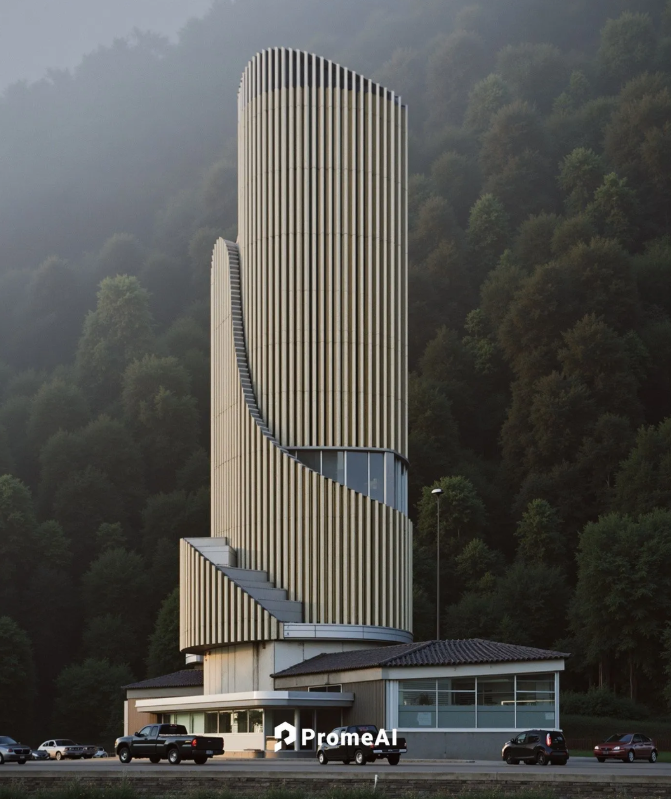
- Seed:Use one seed and iterate (lock it once you find a shadow pattern you like)
Example 2: Golden hour hero shot (without the cheesy flare)
- Goal: warm hero image, still plausible
- Model/Mode:Realistic
- Prompt: “golden hour render of modern residential architecture, warm low-angle sun, long shadows, soft haze, warm reflections in glazing, balanced exposure, highlight roll-off, 24mm wide-angle, tilt-shift, no lens flare, no bloom, photoreal”
- Fix if it gets too orange: add “natural white balance”
Example 3: Blue hour + warm interior contrast
- Goal: that “people are inside” feeling
- Model/Mode:Realistic
- Prompt: “architectural exterior at blue hour, deep blue ambient, low saturation, warm interior lights visible, realistic street lighting, 35mm natural perspective, balanced exposure, no neon colors, no bloom, photoreal”
- Fix if windows blow out: add “retain interior detail”
Example 4: Night render AI with fixture logic
- Goal: lighting design vibe, grounded in real fixtures
- Model/Mode:Realistic
- Prompt: “night render ai of contemporary building, warm wall washers on facade, recessed canopy downlights at entrance, subtle pathway bollards, deep shadows, controlled highlights, long exposure look, 50mm lens, no lens flare, no exaggerated glare, photoreal”
Example 5: Interior daylight that doesn’t nuke the windows
- Goal: soft, sellable interior
- Model/Mode:Realistic
- Prompt: “interior architectural rendering, natural window light, soft bounce light, neutral color temperature, realistic exposure, retain exterior detail through windows, 35mm lens, no bloom, photoreal”
Example 6: Interior evening warm light (cozy, not orange soup)
- Goal: interior warm light with layers
- Model/Mode:Realistic
- Prompt: “interior evening scene, 2700K warm practical lamps, soft cove lighting, gentle shadows, cozy ambience, accurate color, controlled highlights, 50mm lens, no orange oversaturation, no bloom, photoreal”
If we’re publishing this on a studio site, we’d also add a short author bio for credibility (we’ve found it boosts trust fast): who we are, what we design, and that we’re actively testing these tools in real workflows.
One question for you, where do you usually get stuck with architectural lighting prompts: exterior glass, blue hour color, or night glare?
Reading about lighting logic is helpful, but seeing it on your own geometry is proof. You can start a session on PromeAI to verify these prompt structures and decide if they meet the standard for your client-ready boards.
Frequently Asked Questions: PromeAI Architectural Lighting Prompts Cheatsheet
What is a PromeAI architectural lighting prompts cheatsheet, and why use one?
A PromeAI architectural lighting prompts cheatsheet is a set of copy/paste prompt recipes for consistent render lighting (morning, midday harsh, golden hour, blue hour, night, and interiors). It helps you keep geometry constant, compare lighting objectively, and iterate faster with small prompt tweaks instead of rewrites.
How do I write better PromeAI architectural lighting prompts that stay consistent across variations?
Use a repeatable structure: scene + light + materials + vibe + constraints. Generate 6–12 variations, choose the best shadow logic, then adjust tiny “knobs” (warmth, haze, exposure protection). If available, lock a seed and note your PromeAI mode (Realistic vs Stylized).
What’s the best PromeAI prompt for a believable golden hour render without cheesy flare?
Ask for warm low-angle sun, long shadows, soft haze, warm reflections in glazing, and explicitly forbid artifacts. Include constraints like “balanced exposure, highlight roll-off, no lens flare, no bloom.” If it turns too orange, add “natural white balance” or “natural color grading.”
How can I stop PromeAI from adding unrealistic glare, bloom, or random glowing edges at night?
Add guardrails and name light sources. Use an anti-glare line such as “controlled specular highlights, no exaggerated glare, no bloom, no lens flare.” For night scenes, specify fixture logic (wall washers, recessed canopy downlights, pathway bollards) so the model doesn’t invent mystery glow.
Which camera keywords improve realism in PromeAI architectural lighting prompts?
Camera cues help PromeAI “commit” to a photographic look. Common winners are “35mm, natural perspective,” “24mm wide-angle, eye-level,” and “tilt-shift lens, verticals straight” for credible exteriors. For night, “long exposure” can add believable ambience while keeping highlights controlled.
Recommended Reads
Leave a Reply