If you’ve ever spent a sleepless night trying to stitch three different 4-second AI clips together while praying the lip-sync doesn’t look like a bad 70s dub, you know exactly why I usually roll my eyes at “all-in-one” promises. We’re all tired of the “Silent Video Hell”—great visuals, zero sound, and endless post-production work in Premiere just to make a 10-second short.
But recently, I tested Vidu Q3, a tool claiming to fix this fragmentation entirely. It promises 16 seconds of continuous video with native audio in a single pass. Is it finally time to retire our complex editing workflows? Let’s look at the footage.
Vidu Q3 in 30 Seconds (Definition + Who It’s For)
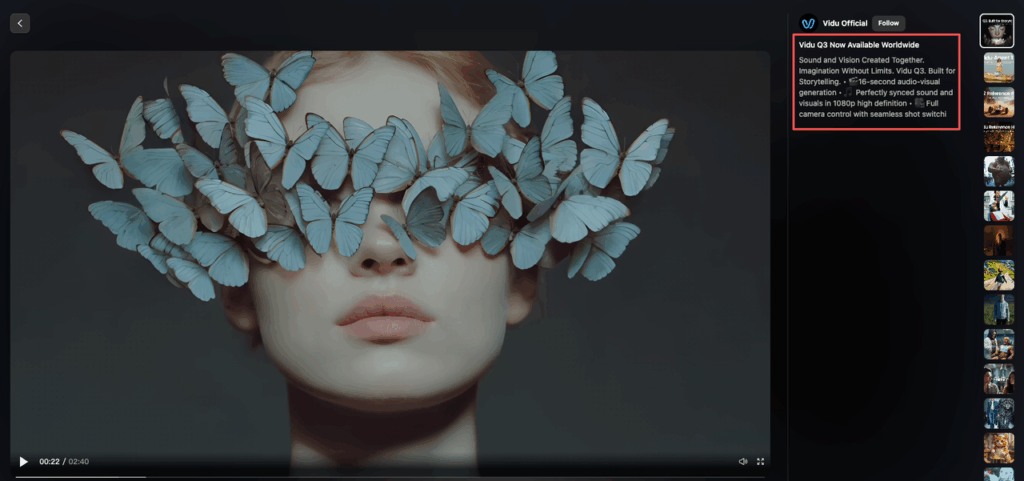
Here’s the deal: Vidu Q3 is a long-form text-to-video model from Chinese startup Shengshu that generates audio and video natively in one pass. Not separately. Not as an afterthought. Together.
The specs:
- Up to 16 seconds of continuous 1080p output per generation
- Cinematic camera motion (pans, zooms, shot changes)
- Multi-shot sequences in a single clip
- Lip-synced dialogue that doesn’t look like a deepfake disaster
- Background music and sound effects baked in
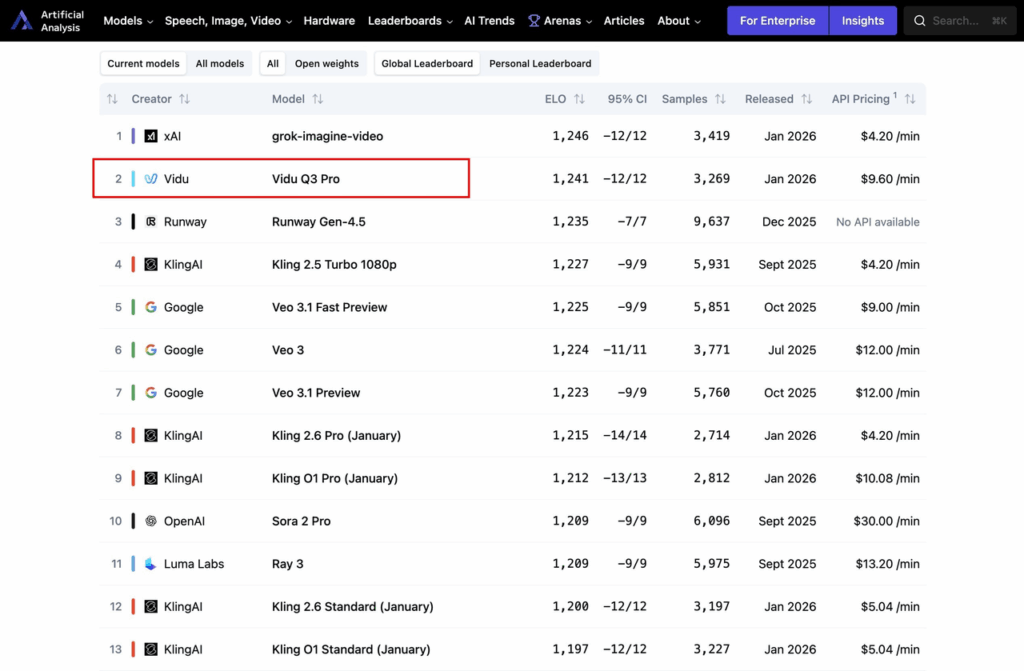
The rankings: According to Artificial Analysis benchmarks, it’s #1 in China and #2 globally among AI video generators. Translation: this isn’t a hobby project—it’s a production-grade tool.
Who’s this for?
- Creators making YouTube Shorts, TikToks, or Reels who need quick turnarounds
- Studios testing storyboard sequences or blocking scenes before full production
- Marketing teams running ad campaigns with tight budgets and tighter deadlines
- Anyone who’s ever typed “how to make talking character animation” into Google at 3 AM
Think of it this way: if you’re making short films, ads, animation tests, or anything narrative under 20 seconds, this is built for you.
What’s New vs Prior Versions (16s, Native Audio, Storytelling)
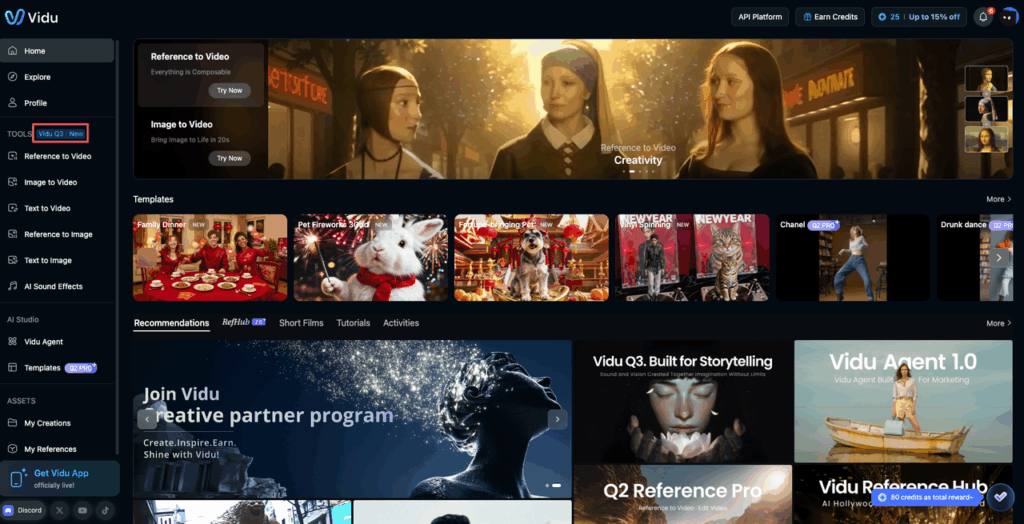
If you’ve heard of Vidu before, you might be thinking of Q2 or Q2 Pro. Let me clear up the confusion.
Clip Length: 16 Seconds Changes Everything
Earlier Vidu versions (like Q2) maxed out around 8 seconds. That’s barely enough for a single beat. You’d generate multiple clips, then stitch them together like digital Frankenstein.
Q3 pushes that to roughly 16 seconds. Doesn’t sound like much, right? But here’s why it matters: 16 seconds gives you room for a three-beat arc.
- Establishing shot (4 seconds)
- Action or dialogue (8 seconds)
- Payoff or reveal (4 seconds)
No stitching. No weird jump cuts. Just one cohesive clip.
Native Audio vs. Silent Video Hell
This is the big one. Most AI video tools hand you silent footage, and you’re stuck adding voiceover, music, and sound effects separately. The result? Dialogue that drifts out of sync. Music that cuts in awkwardly. Sound effects that feel pasted on.
Vidu Q3 generates synchronized dialogue, sound effects, and background music alongside the frames. The audio is built at the model level, which means:
- Lip-sync drift is way less common
- Timing errors between visual events and sound are rare
- You get multilingual voices with accurate lip synchronization (important if you’re running global campaigns)
I tested this with a prompt for a character saying “Welcome back” in Mandarin. The lips matched. Not perfectly—there was a slight delay on one syllable—but miles better than post-dubbing.
Storytelling Features vs. Q2
Q2 was all about reference-to-video consistency. You’d upload reference images to lock in character design, style, or layout. Great for visual control. Not great for narrative flow.
Q3 flips the script. It’s explicitly built for storytelling:
- Smart camera control (pans, zooms, shot transitions)
- Text rendered as part of the frame (not a separate overlay)
- Scene transitions that actually make sense
- Audiovisual coherence in a single clip
The ecosystem still includes Q2 Pro and Reference Hub 2.0 as companion tools. Think of it like this:
- Q2 Pro: For reference-driven control (keeping characters consistent)
- Q3: For integrated story sequences with sound
You can use them together. Generate character designs with Q2 Pro, then plug them into Q3 for narrative clips.
Real-World Use Cases (Ads, Shorts, Storyboards)
Let’s get specific. Here’s where this actually works.
Ads and Marketing Spots
Over 500 million videos have been generated on the Vidu platform. Commercial projects make up more than 70% of that output, with Q3 positioned as the flagship tool for those use cases.
Why it fits:
- 16-second, 1080p clips with voiceover and music in one go = perfect for pre-roll ads, social promos, and landing-page explainers
- Native audio means marketers can test multiple scripts, tones, or languages without hiring voice talent for early iterations
- Fast turnaround for localized campaigns where scripts are short and deadlines are tight
Example scenario: You’re running a product teaser ad. Instead of:
- Shooting footage
- Hiring a voice actor
- Licensing music
- Editing everything together
You prompt: “Close-up of product on clean background. Camera slowly zooms in. Voiceover: ‘Meet the future.’ Upbeat electronic music fades in.”
Done in one generation.
Shorts and Creator Content
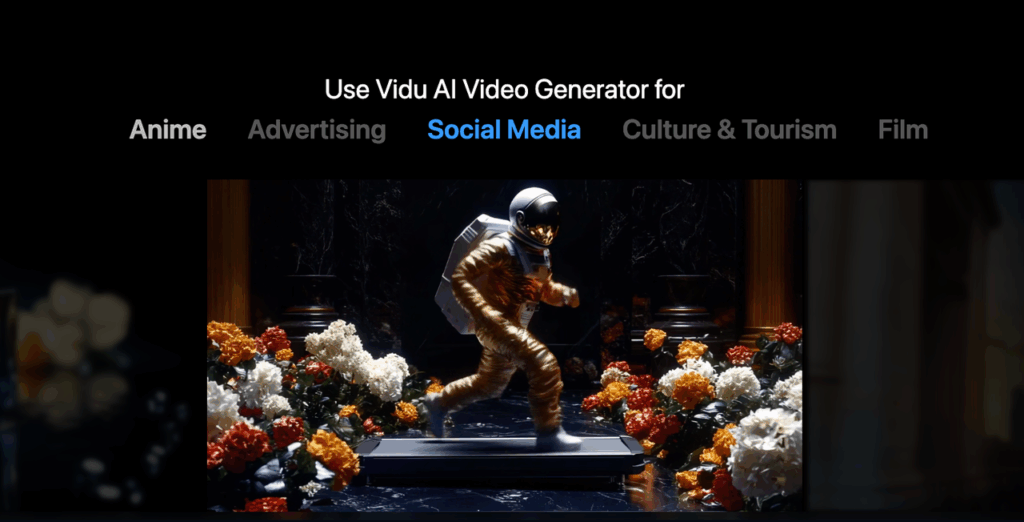
Platform marketing emphasizes Vidu’s reach to tens of millions of creators. The workflow is built for TikTok, Reels, and YouTube Shorts.
What creators can do:
- Prompt dialogue (e.g., character banter between two people)
- Specify music mood (upbeat, melancholic, tense)
- Rely on Q3 to keep lips synced and transitions smooth within a single 16-second clip
Multi-shot capability example: Prompt: “Wide shot of city street at night. Cut to close-up on protagonist looking worried and saying ‘We’re out of time.’ Cut to logo reveal with dramatic music ramp.”
All in one clip. No stitching required.
Storyboards, Previz, and Narrative Experiments
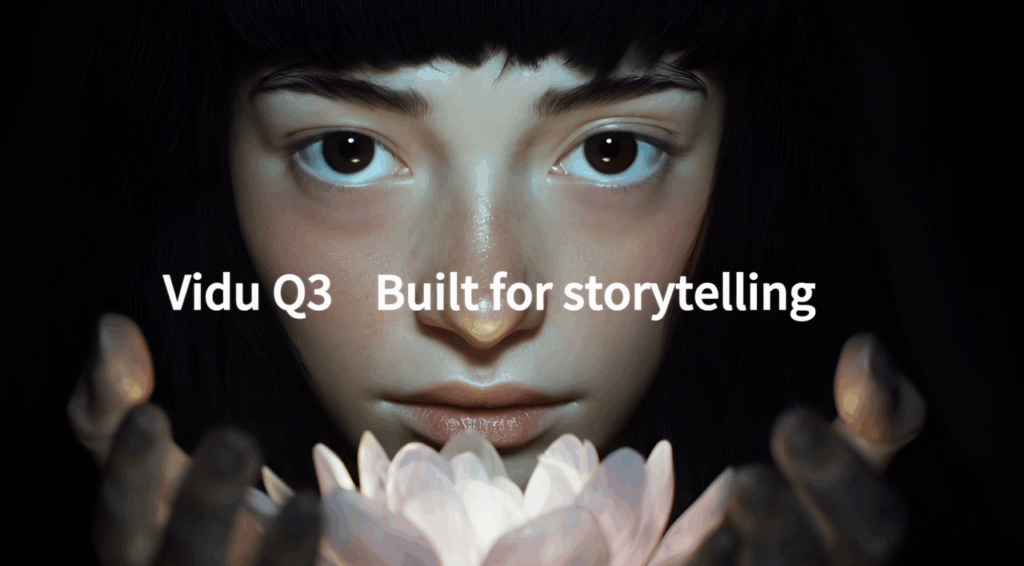
This is where directors and writers get excited. Q3 works as a pre-production exploration tool.
Use cases:
- Test blocking, pacing, and shot choices before committing to full production
- Hear rough dialogue timing and sound design alongside visuals (way more useful than silent animatics)
- Explore different narrative approaches quickly
Workflow example: You’re planning a short film. Use Q2 Pro / Reference Hub to establish character designs. Then generate multiple Q3 clips with those characters in different narrative scenarios. Stitch them into a longer animatic to pitch to investors or collaborators.
Native audio helps directors hear dialogue flow and sound design early, which can save weeks of iteration later.
Limits & Failure Modes
Okay, real talk. This tool is impressive, but it’s not magic. Here’s where it breaks.
Duration, Coherence, and Complexity
Clip length is still capped around 16 seconds. Anything longer requires stitching clips together, which introduces visual and audio discontinuities.
Even within 10-16 seconds, dense scenes struggle:
- Crowds, complex physics interactions, multiple focal actions = more likely to exhibit artifacts, flicker, or unnatural motion
- Multi-shot sequences in one prompt can sometimes blend shots improperly, leading to ambiguous cuts or odd transitions
Example failure: I prompted a busy market scene with multiple characters talking. The model got confused about scene boundaries and mushed two shots together. The result looked like a bad dissolve transition instead of a clean cut.
Audio Quality and Alignment Issues
Native audio is better than separate TTS, but it’s not perfect.
Common issues:
- Occasional mis-articulation or off-beat sound effects
- Background music that clashes tonally with the intended mood (I got cheerful ukulele music over a serious scene once)
- Complex sound design (multiple overlapping speakers, intricate ambient soundscapes) is hard to control precisely through text prompts alone
Copyright concerns: Like other generative audio systems, there are limitations around named voices and licensed music styles, or explicit imitation of copyrighted tracks.
Content Safety, Control, and Editing
Human editorial judgment is still needed to review factual claims, brand safety, and compliance before publishing.
Fine-grained control is limited:
- Exact frame-accurate cuts? Not happening.
- Precise lip-sync to prewritten voice tracks? Nope.
- Strict brand guidelines? You’ll need to export to a traditional NLE (Premiere, Resolve) for post-editing.
Hallucination risk: Like other generative models, Q3 can misrepresent real-world details. This matters for documentaries, regulated industries, or educational content.
Typical Failure Modes (The Honest List)
Here’s what to expect when things go wrong:
- “Mushy” hands, props, or fine details in fast motion or cluttered environments (the barista’s fingers in my coffee shop test looked like partially melted wax)
- Unnatural physics when scenes are too ambitious (liquid, cloth, crowds)
- Audio mood mismatches (cheerful music over serious scenes) or subtle lip-sync drift on certain languages or accents
- Inconsistent character appearance if you rely only on text without reference images from the Q2/Reference Hub side of the ecosystem
How We’d Test It (Prompt Set + Evaluation Checklist)
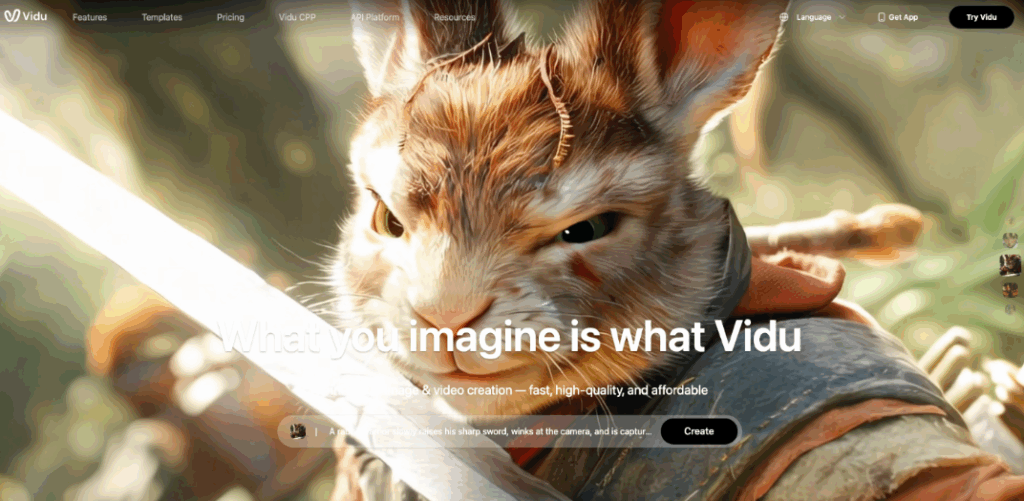
If you’re thinking about using this for actual work, here’s how I’d approach testing.
Prompt Set Ideas
Test categories that map directly to Q3’s claims:
- Baseline Narrative Test (16s, 3 Shots)
- Prompt: “Wide shot of office. Camera pans to close-up of person at desk saying ‘I’ve got an idea.’ Cut to exterior shot with upbeat music.”
- What to watch for: Shot transitions, lip-sync, music timing
- Multilingual Dialogue
- Prompts: Short spoken lines in English, Mandarin, Spanish
- What to watch for: Lip-sync accuracy, pronunciation clarity, accent naturalness
- Action + Camera Motion
- Prompt: “Tracking shot following runner through park. Camera zooms in on face as they smile.”
- What to watch for: Motion coherence, artifact rates, camera smoothness
- Dense Scene Stress-Test
- Prompt: “Busy street market with vendors and shoppers. Camera pans across crowd.”
- What to watch for: Temporal coherence, object tracking, flicker
- Reference-Consistency Test (Ecosystem)
- Use Q2 Pro / Reference Hub to establish a character design
- Generate narrative clips with Q3 using that character
- What to watch for: Cross-clip visual consistency
Evaluation Checklist
Build a simple rubric—1 to 5 scale per dimension:
Visual Fidelity
- Sharpness, absence of obvious artifacts, stability of textures and lighting across frames
Temporal Coherence
- Smoothness of motion, lack of jitter/flicker, continuity of characters and objects
Narrative Coherence
- Do the requested beats happen in order? Are shot changes and transitions understandable and on-prompt?
Audio-Visual Sync
- Lip-sync accuracy, alignment of sound effects with visual events, music cues entering and exiting at sensible moments
Prompt Adherence
- How closely does the clip match instructions for setting, characters, mood, and camera work?
Language Quality
- For spoken dialogue: intelligibility, accent naturalness, lack of obvious gibberish
Editability and Workflow Fit
- Ease of dropping clips into existing editing pipelines, audio headroom, whether outputs reduce or increase manual work
This mirrors how independent leaderboards and enterprise buyers assess AI video models—combining subjective human judgment with structured criteria.
FAQ (Including Confusion vs OpenVidu)
What exactly is Vidu Q3?
A model from Chinese startup Shengshu (Vidu) that generates 16-second, 1080p audio-visual clips from text prompts, with native dialogue, sound effects, and music.
How is Vidu Q3 different from Vidu Q2 / Q2 Pro?
Vidu Q2 (and Q2 Pro): Positioned around reference-to-video. You specify multiple reference images to lock identity, gestures, or scenes. Focuses on coherent, controllable visuals.
Vidu Q3: Emphasizes integrated storytelling with longer single clips and native audio. Q2 Pro and Reference Hub are more like control layers you can combine with Q3 in production workflows.
Is Vidu Q3 the same as OpenVidu?
No. This is a common confusion because of the name similarity.
OpenVidu: An open-source WebRTC video conferencing platform used for building live video applications. Think Zoom or Google Meet infrastructure.
Vidu Q3: A generative AI system for creating short, synthetic audio-visual clips. Think AI video generation.
Completely different tools. Completely different use cases.
How does Vidu Q3 compare to models like Sora or other leading T2V systems?
Articles explicitly describe Q2/Q3 as challengers to OpenAI’s Sora-class models, with Q3 ranking near the top globally in third-party benchmarks.
Strengths: Native audio, 16-second clips, strong ranking in Chinese and global leaderboards
Weaknesses: Same duration ceiling and occasional artifacts common to current-gen models
Where can I learn more or try it?
- Try Vidu Q3 on the official platform
- Compare performance: Artificial Analysis Video Arena
- Company information: Shengshu official website
- Industry coverage: Vidu production adoption details
The Bottom Line
Vidu Q3 isn’t perfect. The fingers get mushy. The audio sometimes clashes with the mood. You’ll still need post-editing for brand-critical work.
But here’s the thing: I made a 14-second commercial with dialogue, camera moves, and music in one generation. No separate TTS. No music licensing. No lip-sync headaches.
For rapid prototyping, storyboarding, or creator content, this is a genuine step forward. Not a replacement for professional production, but a tool that genuinely saves time.
Where do you usually get stuck when working with AI video tools? Drop a comment—I’d love to hear what workflow pain points you’re trying to solve.
Ready to simplify your creative workflow beyond just video? PromeAI integrates video generation with powerful design tools for a complete production experience. Try it for free and see how fast you can iterate.
Recommended Reads
Leave a Reply