Are you tired of the “shiny object syndrome” every time a new model drops? One week everyone is shouting about Flux, the next it’s a new Midjourney version, and suddenly you’re paying for four subscriptions that do mostly the same thing. As designers, we don’t need more hype; we need a reliable pipeline.
After testing the best AI image generator for designers against real client briefs (and rejecting a lot of bad geometry), I’ve built a no-nonsense framework to stop the tool-hopping. Whether you need an interior design AI workflow or quick concept art, here is how to pick the tool that actually pays for itself.
(Quick transparency: models and pricing change fast. We’re writing this February 2026, and we’re linking official docs where it matters.)
Decision Framework
Choosing the best ai image generator for designers isn’t about “which one is best.” It’s about “which one fits how we work.”
Here’s the framework we keep coming back to, because it prevents tool-hopping (and keeps teams from buying three subscriptions that do the same thing).
Your workflow needs
Start with the moment you need the image.
- Fast ideation (minutes): we want prompt → variations → pick one → minor edits.
- Presentation-grade (hours): we need control: consistent style, correct materials, believable lighting.
- Pipeline-friendly: can we export, iterate, and reuse in Photoshop/Figma/Blender without friction?
A quick tell:
- If we’re constantly saying “close, but…” we need tools with strong editing (inpainting, reference images, control features).
- If we’re saying “wow, that’s actually usable” on the first batch, we need tools with high hit-rate and good default aesthetics.
Budget considerations
Budget isn’t just the monthly price. It’s the cost of reruns and rework.
We look at:
- Cost per usable concept (not cost per image)
- Whether we need team seats
- If we’re paying extra for commercial usage
If you’re doing client work, budget also includes the “legal calm” factor. Some tools are crystal-clear on commercial terms: others leave us squinting at fine print.
Output requirements
This is the part people skip… and then regret.
Ask these before we pick anything:
- Do we need photoreal or stylized?
- Do we need text in-image to be correct?
- Do we need consistency across a series (same character/product/space)?
- Do we need architecture ai style massing/exterior concepts, or precise interior materials?
Also: what’s the failure we can’t tolerate?
- Architects: broken perspective + weird structure = instant no.
- Product teams: logo distortion = no.
- Marketers: brand colors drifting = no.
If we define the “nope list” early, selection gets easier fast.
Scoring Methodology
We like scorecards because they keep us honest. Otherwise, the “shiniest” tool wins.
How we evaluated
We ran a simple test set across tools with the same prompt pattern:
- One photoreal brief
- One stylized brief
- One hard mode brief (hands, reflective product, or interior with repeating elements)
Then we scored 1–5 on:
- Speed (time-to-first-good-image)
- Control (inpainting, reference image handling, ability to steer composition)
- Consistency (can we keep a look across 10 images?)
- Licensing clarity (easy to understand commercial rights)
- Output quality (materials, lighting, anatomy, perspective)
We also tracked “rerun pain”:
- How many generations until we got something we’d show a client?
If you want a super practical mini-metric for speed comparison:
- We time first usable result, not first result.
And because we’re designers, we also kept a “vibe check” note:
- Does it feel like a tool we’ll actually open again next week?
For broader context on popular options, PCMag’s comprehensive comparison of the best AI image generators is helpful for sanity-checking what’s current.
Tool Recommendations by Role
Below is what we’d recommend if a friend texted us at 11 PM: “Which one should I use tonight?”
We’re keeping this practical. And yes, we’re including the annoying parts.
Architects
For architects, we usually want concept massing, mood, and material storytelling, but we can’t accept broken geometry.
Our picks:
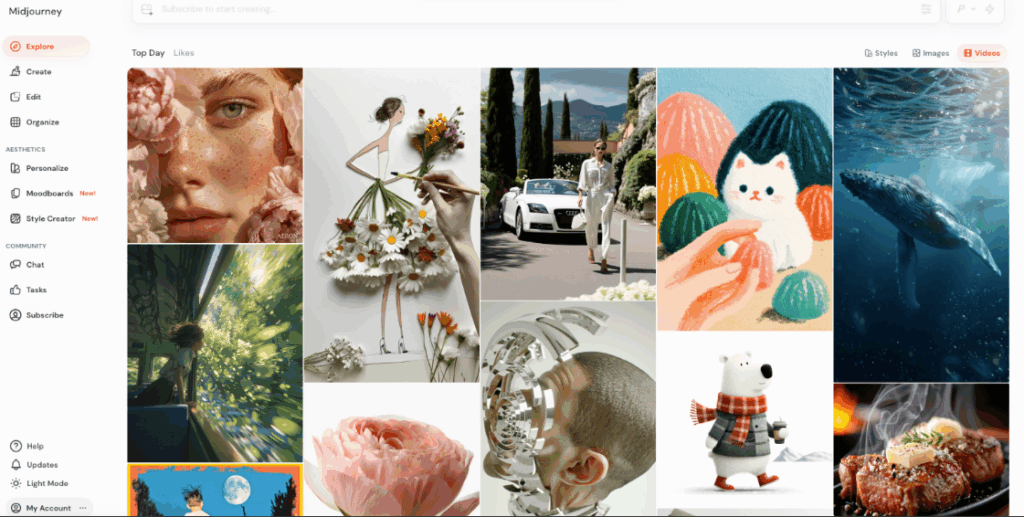
- Midjourney for fast concept moodboards and exterior vibe exploration (high aesthetic hit-rate).
- Stable Diffusion (with a good UI like ComfyUI or a hosted platform) when we need deeper control, custom workflows, or on-prem constraints.
- Adobe Firefly when the licensing needs to be very clean for client-facing marketing and we want smoother integration with Adobe workflows.
What we’ve noticed in practice:
- Midjourney gets us “this sells the idea” images quickly, but it can fight us on precision.
- Stable Diffusion shines when we want to lock composition or run repeatable workflows (but setup time is real).
If you’re working specifically in architecture and interiors, ArchDaily has been tracking how AI-powered rendering crushes bottlenecks in architecture and interior design and how AI is rewiring design and practice (worth reading before your team builds a whole pipeline).
Interior designers
Interiors are sneaky hard: repeating patterns, consistent lighting, believable materials, and “why is that chair melting?”
Our picks:
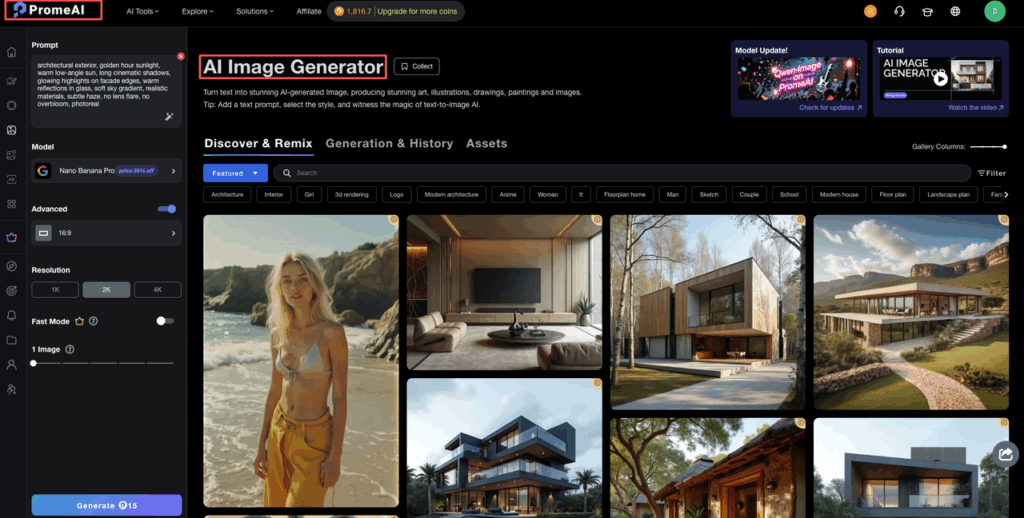
- PromeAI (especially for photo-to-design concept flows) when we want to turn a real space photo into multiple concept directions quickly.
- Midjourney for style exploration (materials palettes, decor directions, mood).
- Firefly when we need safer commercial clarity for marketing deliverables.
Why PromeAI gets a callout:
- The photo-to-concept workflow is genuinely useful when we’re starting from an actual client space. Here’s PromeAI’s walkthrough on transforming interior photos into design concepts.
Our “save your sanity” tip:
- Start with one clean reference photo, then iterate on one variable at a time (lighting or style or materials). Prompting is like seasoning, dumping everything in makes it taste weird.
Stop paying for subscriptions that don’t fit your actual daily work. If your workflow involves transforming existing spaces rather than starting from scratch, PromeAI is designed to reduce that friction. Explore our features to see how we handle real-world client briefs.
Product photographers
Product imagery is where AI can look amazing… until it quietly breaks your logo or changes the product silhouette.
Our picks:
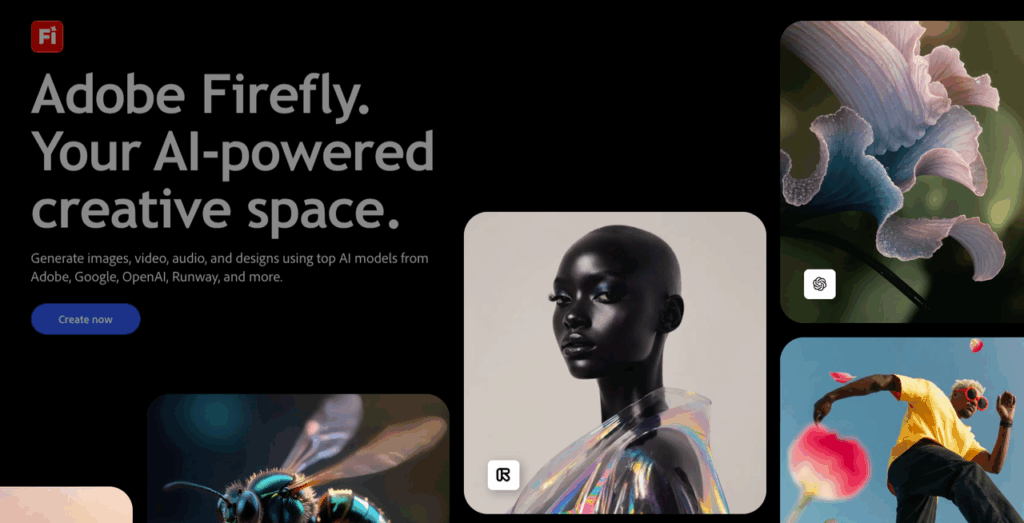
- Firefly for marketing assets where licensing clarity matters and we’re mixing AI generation with Adobe editing.
- Stable Diffusion when we need controlled compositions, background swaps, and repeatable setups.
- DALL·E (via OpenAI) for quick concept scenes and “try five angles” ideation.
What we actually do:
- We generate backgrounds and lighting concepts, then comp real product photography back in. It’s faster than fighting the model to keep every detail perfect.
If your team cares about how training data and usage rights work, Adobe’s Firefly AI approach documentation is unusually explicit about their methodology.
Concept artists
Concept art is where speed and taste matter, and the “happy accident” factor can be a feature.
Our picks:
- Midjourney for rapid ideation and style exploration.
- Stable Diffusion if we want fine control, custom models, or consistent characters.
- DALL·E when we want quick iterations and a straightforward UI.
A practical workflow we keep using:
- Generate 20–40 roughs fast → pick 3 → iterate with reference images/inpainting → paintover in Photoshop.
And if you want inspiration (and a reality check that the space is moving fast), Dezeen’s roundup of top AI projects in 2025 is a fun scan.
Mini “Cheat Sheet” prompt template (copy/paste)
We use this structure across tools so comparisons are fair:
- Prompt: Subject + environment + materials + lighting + lens + mood + constraints
- Negative prompt (if supported): “extra fingers, warped text, deformed geometry, low detail, blurry”
- Seed: lock it when you want controlled iteration
Example (interior):
- Prompt: “modern Japandi living room, oak slat wall, linen sofa, travertine coffee table, warm indirect lighting, 35mm lens, realistic materials, clean composition, magazine photo”
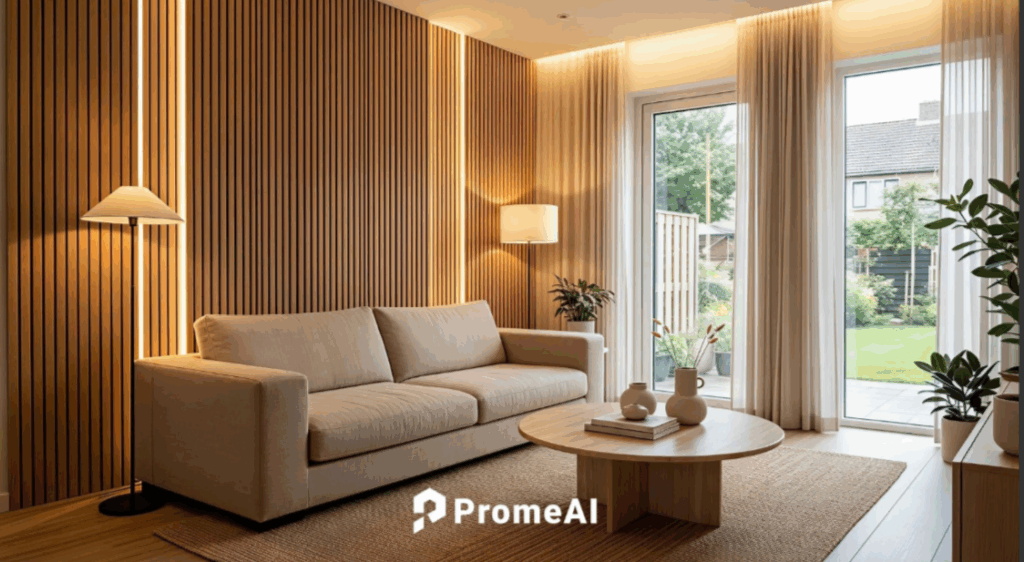
- Seed: 221104
Example (product):
- Prompt: “studio product photo of a matte black water bottle on wet stone, softbox lighting, shallow depth of field, crisp edges, high detail, premium ad style”

- Seed: 90417
If a tool can’t keep materials believable with prompts like these, it’s probably not our daily driver.
Cost & Licensing Summary
This is the part that saves us from awkward client calls.
Here’s the quick licensing comparison mindset we use (not legal advice, always check the current terms):
- If we’re doing client work at scale: we prioritize tools with clear commercial usage language and a track record of enterprise-friendly policies.
- If we’re experimenting for internal ideation: we can be looser, but we still track where images might end up later.
A simple checklist we run before a team adopts a tool:
- Can we use outputs commercially?
- Do we need to attribute?
- Are there restrictions on training with our inputs?
- Can we opt out of having our content used for model improvement?
- Are there brand safety / content policy constraints we need to know?
For licensing clarity specifically:
- Adobe Firefly is widely discussed as a more business-friendly option because Adobe has published clear notes about how Firefly is built and positioned for commercial use.
For understanding the broader legal landscape, the U.S. Copyright Office’s guidance on AI and copyright provides official context on how copyright law applies to AI-generated content.
For cost, we don’t just ask “what’s the monthly plan?”
We ask:
- How many images do we generate before we get 5 keepers?
- Does the tool charge per generation, per fast mode minute, or per credit?
- Does the team need multiple seats?
If you want the simplest rule we’ve found:
- Pick one “fast ideation” tool + one “control/finish” tool. Two tools beats five.
Before you go: where do we usually get stuck in your workflow, licensing anxiety, speed, or getting consistent outputs across a whole set? If you tell us your role and the kind of images you make, we’ll suggest a starting stack.
Frequently Asked Questions
How do I choose the best AI image generator for designers without tool-hopping?
Use a simple decision framework: start with your workflow moment (fast ideation vs presentation-grade vs pipeline-friendly), then factor budget as cost per usable concept, not cost per image. Finally, define output requirements and a “nope list” (e.g., broken perspective, logo distortion) to narrow tools fast.
What scoring method should designers use in an ai image generator selection guide?
Run the same prompt set across tools (photoreal, stylized, and a “hard mode” like hands or reflective products). Score 1–5 for speed (time-to-first-usable), control (inpainting/reference/steering), consistency across a series, licensing clarity, and output quality. Track “rerun pain” to compare rework.
Which AI image generators are recommended for architects and interior designers?
For architects: Midjourney for fast mood and exterior vibe, Stable Diffusion for deeper control and repeatable workflows, and Adobe Firefly when commercial licensing clarity and Adobe integration matter. For interiors: PromeAI for photo-to-concept from real spaces, Midjourney for style exploration, and Firefly for safer client-facing marketing deliverables.
Why do designers time “first usable image” instead of “first image” in an ai image generator selection guide designers rely on?
Because speed isn’t the first output—it’s how quickly you get something you’d actually show a client. A tool that returns fast but needs many reruns can be slower in practice. Timing “first usable result” captures real workflow cost, including prompt tweaks, retries, and quality failures like anatomy or materials issues.
How can I keep characters, products, or interiors consistent across 10+ AI images?
Use tools with strong control features (reference images, inpainting, and composition controls) and lock variables: keep a seed when supported, iterate one change at a time, and reuse a prompt template that specifies materials, lighting, and lens. For high consistency needs, Stable Diffusion workflows often perform better than pure “vibe” tools.
Recommended Reads
Leave a Reply