
This guide contains 10 architecture render styles in PromeAI with copy-paste-ready prompts and exact parameter settings. Whether you need photorealistic visualizations for client presentations or conceptual sketches for early-stage design, you’ll find the optimal style configuration here.
Millie is here, and after months of testing PromeAI for architectural visualization, these are the styles that deliver professional results without the usual learning curve.
Style Prompt Library (Copy/Paste Ready)
Let’s skip theory and get to the good part.
Each style block below is written so we can:
- Swap room / building type
- Swap materials
- Keep the style DNA consistent
Structure we like to use:
- Model (or rendering engine)
- Camera (wide / focal length / angle)
- Core style phrase
- Lighting
- Detail level
You can drop these into tools like PromeAI or Midjourney prompts. Just replace the parts in brackets.
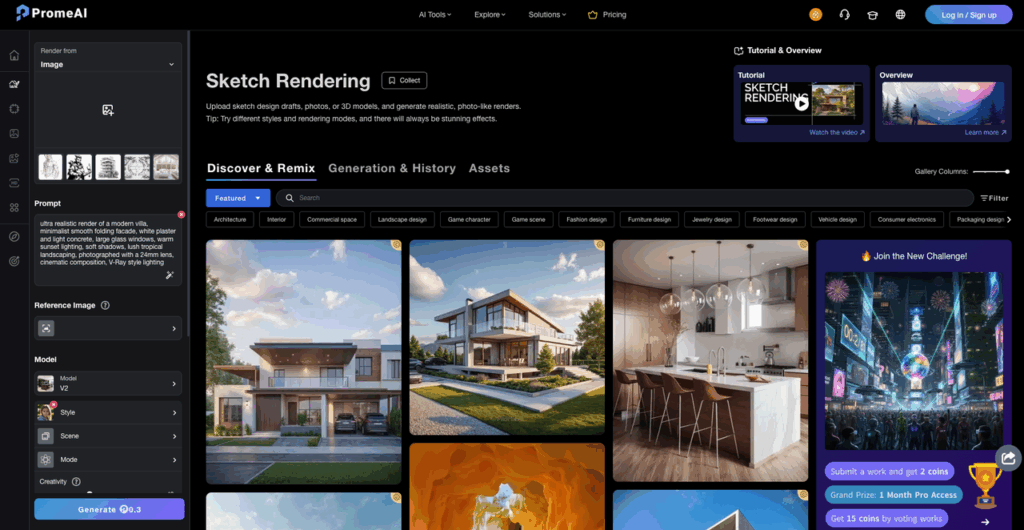
Modern minimalist
Clean, calm, and client‑friendly. Great for early design approvals.
Prompt (exterior)
“Ultra clean modern minimalist [two‑story house] with flat roof, white stucco, slim black aluminum frames, full‑height glazing, subtle shadow gaps, simple rectilinear volumes, wide angle street‑level view, overcast soft daylight, no clutter, no cars, 8k photoreal render, architectural photography style.”
Prompt (interior)
“Modern minimalist [living room] with low white sofa, pale oak floor, hidden storage, flush skirting, ultra thin black frame windows, neutral palette, soft indirect LED cove lighting, 35mm lens eye‑level view, photoreal, styled like high‑end interior magazine shoot.”
Brutalist concrete
Raw, heavy, moody. Clients either love it or panic, which is fun.
Prompt (exterior)
“Brutalist concrete [city museum], massive monolithic volumes, board‑formed concrete, deep reveals, cantilevered block, dramatic shadows, low sun golden hour, cloudy sky, 24mm lens slightly low angle, cinematic photoreal render, reference brutalist architecture from the 1960s.”
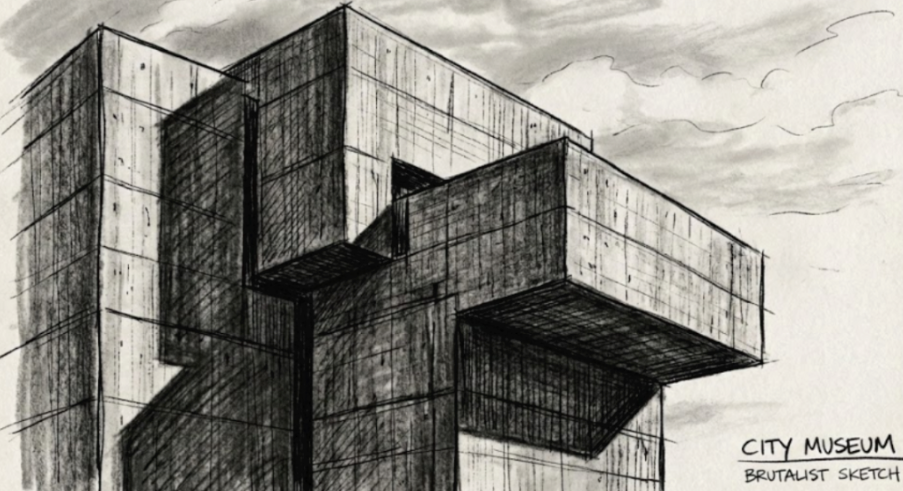
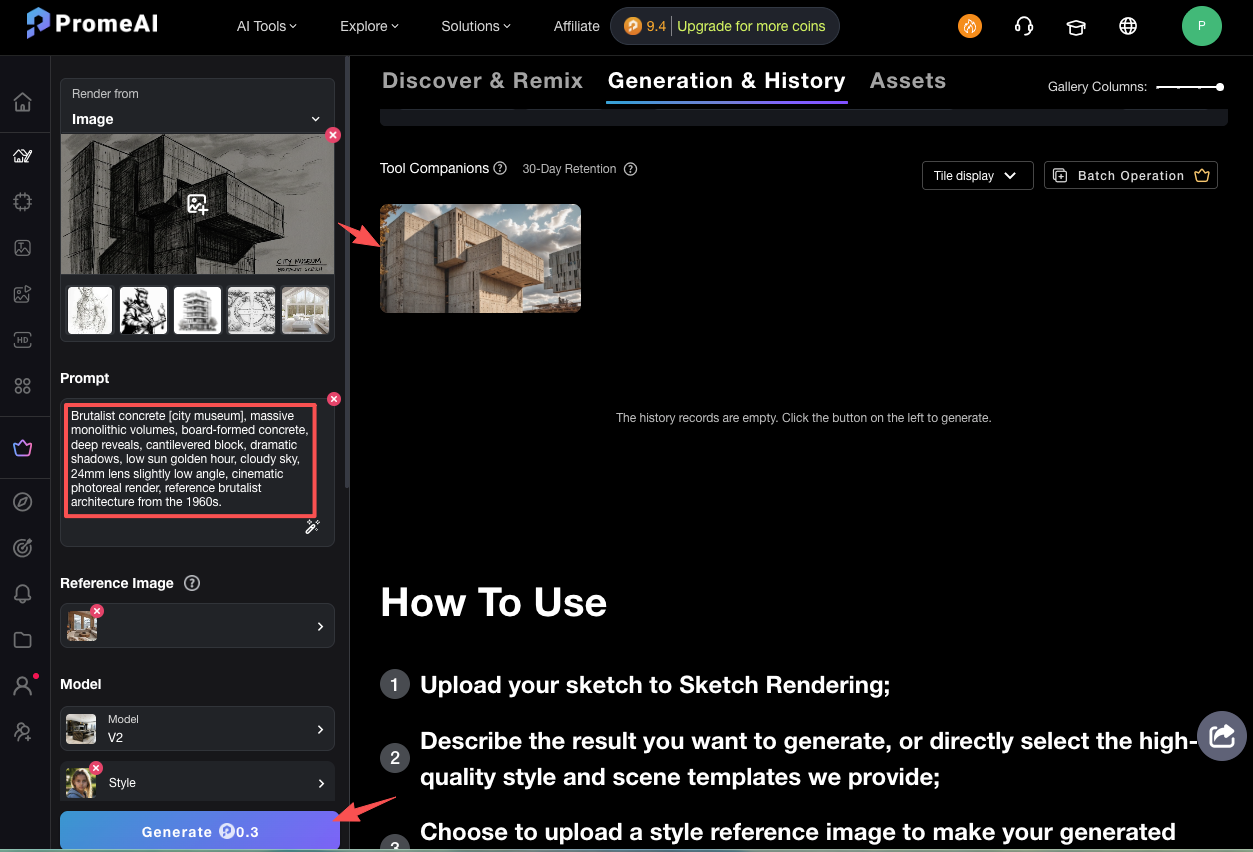
For reference images and vocabulary, we like browsing ArchDaily’s brutalist architecture tag.
Japandi fusion
Think Scandinavian calm plus Japanese warmth and order.
Prompt (interior)
“Japandi style [open‑plan living and dining], light oak wood everywhere, off‑white plaster walls, low profile furniture, thin black accents, rice paper style screens, organic ceramics, linen textiles, lots of negative space, large window with soft morning light, 50mm lens, warm photoreal render, cozy and minimal.”
This matches how sites like Real Simple explain Japandi style: clean lines, muted tones, and natural textures.
Scandinavian warm
More hygge, less stark showhome.
Prompt (interior)
“Scandinavian warm [apartment living room], light ash floorboards, white walls, warm beige textiles, layered wool rugs, oak coffee table, indoor plants, soft window sheers, table lamps and floor lamps creating pools of light, cloudy afternoon, 35mm lens, lifestyle photo look, subtle clutter (books, mugs) for realism.”
Mediterranean villa
Sun, stone, and pools that make clients forget the budget.
Prompt (exterior)
“Mediterranean villa [cliffside house], whitewashed stucco walls, rounded corners, arched openings, natural stone base, wooden pergolas, olive trees, infinity pool, warm sunset light, slightly hazy sky, 24mm lens, drone view from above pool looking to sea, vibrant yet soft photoreal render.”
Industrial loft
Perfect for office reuse projects or edgy marketing decks.
Prompt (interior)
“Industrial loft [workspace], exposed brick walls, black steel window frames, visible ducts, polished concrete floor, reclaimed wood desks, mismatched vintage chairs, cable trays, hanging pendants with warm light, late afternoon sunlight casting long shadows, 28mm lens, high detail photoreal render.”
Art deco
Great for boutique hotels or dramatic lobbies.
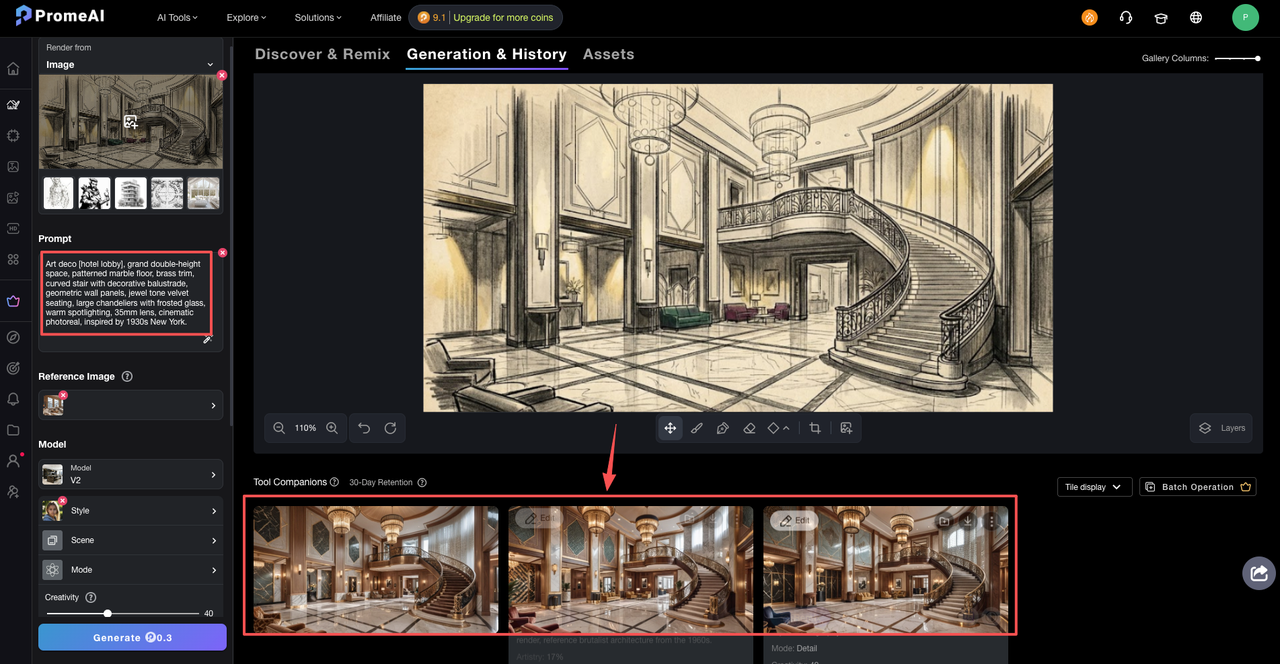
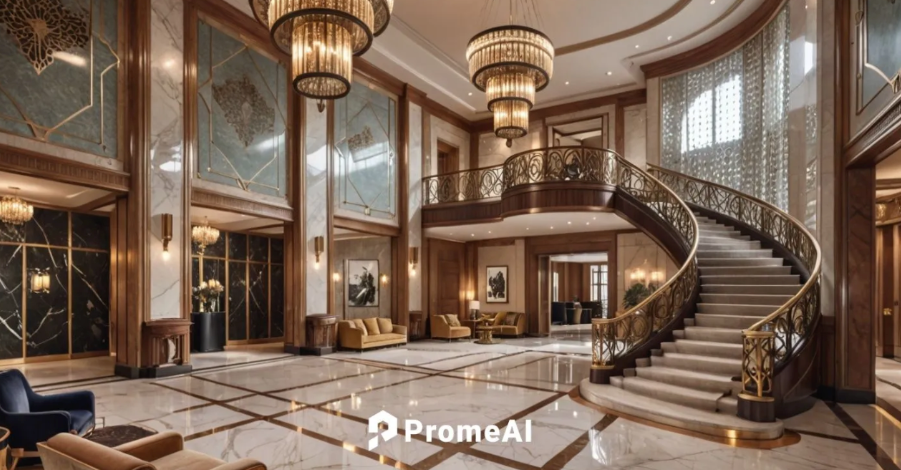
Prompt (interior)
“Art deco [hotel lobby], grand double‑height space, patterned marble floor, brass trim, curved stair with decorative balustrade, geometric wall panels, jewel tone velvet seating, large chandeliers with frosted glass, warm spotlighting, 35mm lens, cinematic photoreal, inspired by 1930s New York.”
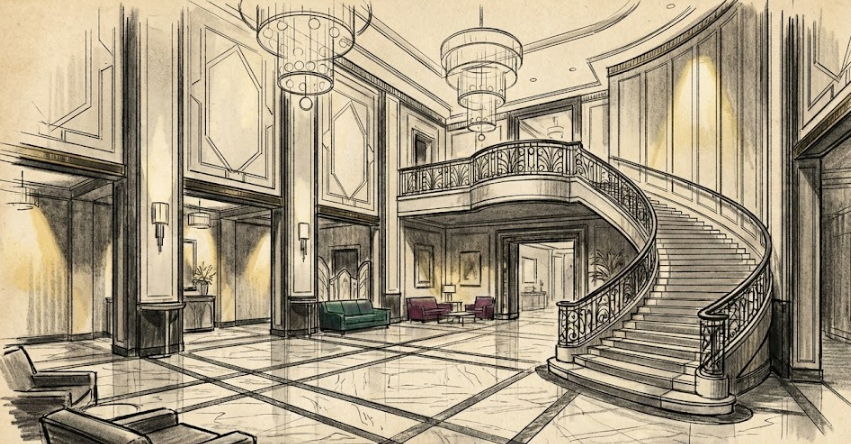
Tropical resort
The “wish you were here” style. Helpful for hospitality pitches.
Prompt (exterior)
“Tropical resort [beachfront villa], thatched roof, exposed timber structure, open sides, infinity pool, lush palm trees, ocean view, sun loungers, sunset golden hour, slightly saturated colors, 24mm lens, lifestyle photoreal render with people relaxing subtly blurred.”
Mid-century modern
Still one of the easiest sells for residential visuals.
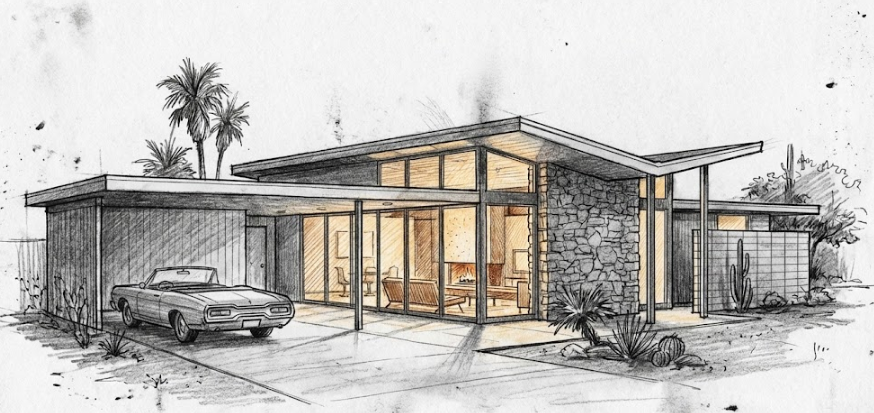
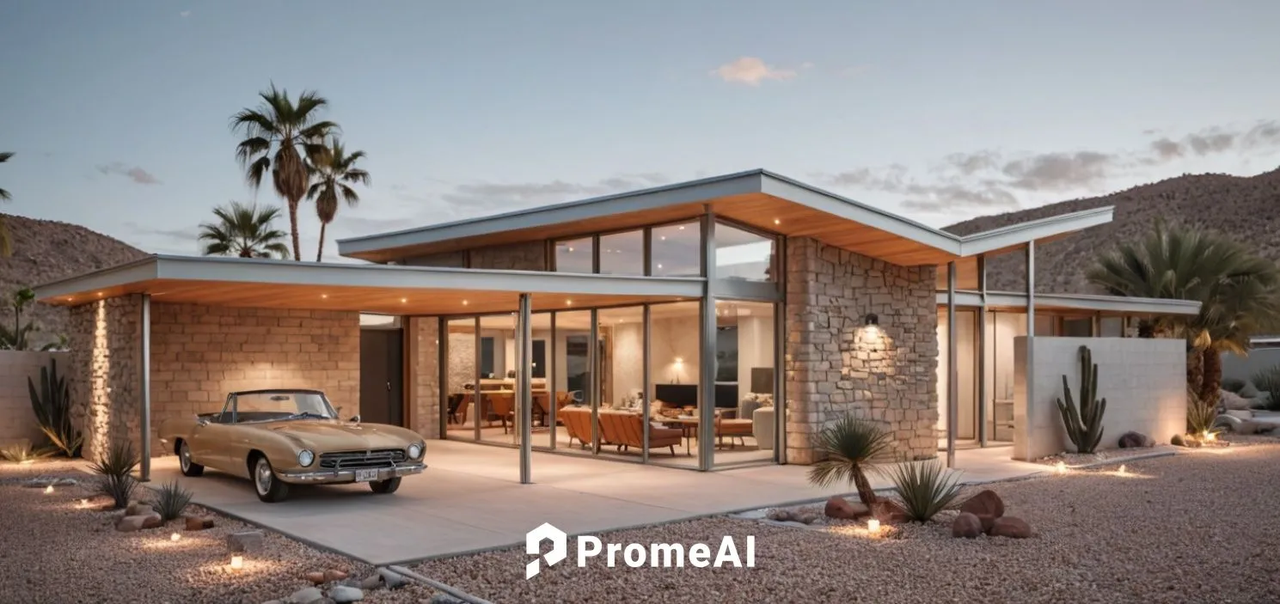
Prompt (exterior)
“Mid-century modern [single‑story house], low horizontal profile, flat and butterfly roofs, floor‑to‑ceiling glass, stone feature wall, slim steel columns, breeze blocks, vintage car in driveway, dusk blue hour with warm interior glow, 35mm lens, photoreal render, inspired by Palm Springs mid-century modern architecture.”
Good background reading: The Spruce’s explainer on mid‑century modern architecture.
Futuristic parametric
For those “wow” competition boards and experimental concepts.
Prompt (exterior)
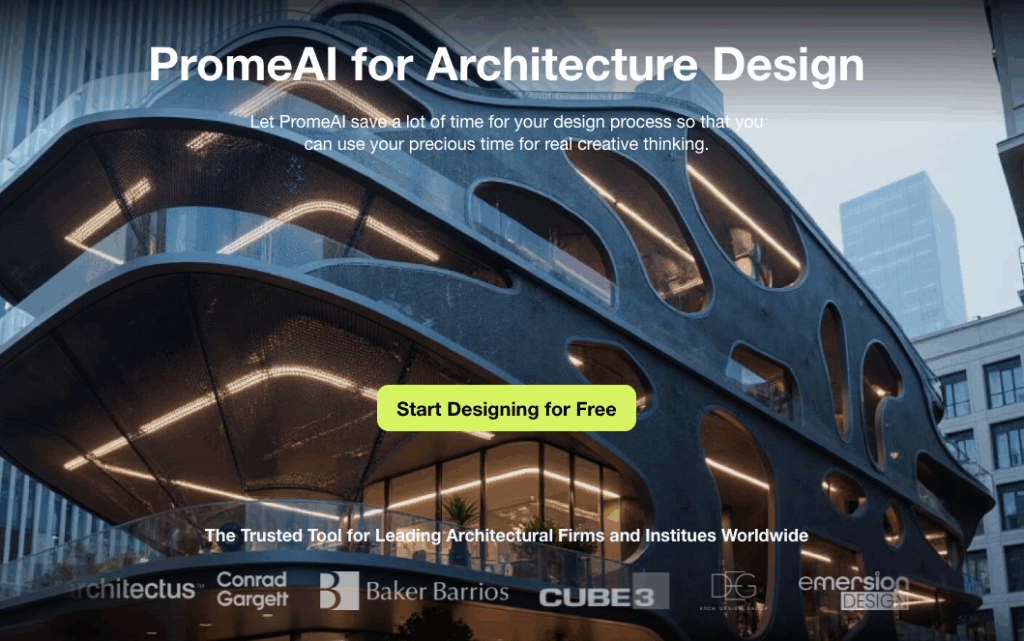
“Futuristic parametric [cultural center], flowing organic shell structure, perforated metal skin, curved glass, integrated LED lines, reflective water pool, night scene with glowing facade, distant city lights, 18mm lens dramatic low angle, ultra detailed photoreal render, inspired by contemporary parametric architecture.”
We like running this style through PromeAI’s Blender add‑on to test massing quickly, then sending it back into a renderer for polish.
Exterior vs Interior Variations
We’ve noticed that using the exact same style prompt for both exterior and interior often gives weird results, wrong scale, flat light, strange camera.
So we keep two quick switches in mind:
Camera language
- Exterior: “24mm lens, slightly low angle, street‑level view” or “drone view, 35m height.”
- Interior: “35mm lens eye‑level, human perspective,” or “50mm detailed close‑up.”
Context clues
- Exterior: mention street, landscape, neighbors, cars, sky.
- Interior: mention floor material, furniture type, window treatment, decor.
Example split for a Scandinavian warm style:
- Exterior version: “Scandinavian warm exterior [timber house], vertical pale wood cladding, simple gable roof, big windows, pine forest background, soft overcast daylight, 24mm lens.”
- Interior version: “Scandinavian warm interior [family living room], light wood floor, white walls, wool rug, layered textiles, indoor plants, cloudy afternoon light, 35mm lens eye‑level.”
Same vibe, but the model gets clear hints about where we are and how to frame it.
Material Keywords That Work
Materials are where renders usually fall apart. Concrete looks like plastic, timber looks like a sticker, and stone turns into noise.
Here are material phrases we’ve had good luck with:
- Concrete: “board‑formed concrete,” “smooth cast concrete with subtle variation,” “exposed structural concrete, crisp edges.”
- Timber: “light oak with visible grain,” “dark walnut veneer,” “weathered cedar planks,” “oiled timber, matte finish.”
- Stone: “rough limestone blocks,” “polished white marble with gray veining,” “split‑face granite,” “terrazzo floor with small aggregate.”
- Metals: “brushed brass,” “blackened steel,” “anodized aluminum,” “patinated copper.”
- Glass: “low‑iron glass,” “slightly reflective glass,” “fritted glass with subtle pattern.”
We like to hook materials on to the element:
“pale oak herringbone floor, white matte plaster walls, black powder‑coated aluminum frames, honed concrete countertop.”
Short, specific, textural. Think like you’re writing specs, just in normal language.
Lighting Keywords for Realism
Lighting is seasoning. Same design, different light, totally different story.
Here are phrases that consistently give us usable results:
Time of day
- “soft morning light”
- “overcast daylight”
- “golden hour sunset”
- “blue hour, warm interior glow”
Light quality
- “soft diffused light, gentle shadows”
- “harsh direct sun, sharp shadows”
- “backlit scene, silhouettes”
Interior lighting
- “warm 2700K interior lighting,” “cool 4000K office lighting”
- “indirect cove lighting,” “recessed downlights,” “accent spotlights on artwork.”
Photography language
- “long exposure night photo”
- “architectural photography style”
- “HDR balanced exposure, no blown highlights.”
Example full line:
“dusk blue hour exterior, warm 2700K interior lights visible through windows, wet ground reflections, cinematic contrast.”
We’ve found this matches quite well with real‑world photography advice from sources like ArchDaily’s pieces on AI rendering, which still lean on standard photo language.
Consistency Tips Across Multiple Renders
The hardest part isn’t getting one nice render. It’s getting six that look like they belong in the same project set.
Here’s what we’ve been doing on live projects:
1. Lock one “master” style sentence
Copy the same core phrase into every prompt:
“Scandinavian warm interior, light oak floor, white walls, soft indirect lighting, 35mm lens eye‑level, photoreal.”
Then just change room type and key objects.
2. Keep focal length consistent
We stick to 35mm for almost all interiors, 24–28mm for most exteriors. Changing it constantly makes the project feel random.
3. Reuse lighting phrases
For a set of day views, keep “overcast daylight” or “soft morning light” across all of them. For night views, use the same “blue hour, warm interior glow” line.
4. Name styles in your files
We literally paste the main style line in the file name or layer name:
projA_scandiwarm_35mm_overcast_v03.
Future us will thank current us.
5. Control chaos settings (for AI tools)
In Midjourney or similar, we lower chaos / variation when we need a consistent series. In tools like PromeAI, we keep the same style preset and only change geometry.
If you want to go deeper, tools like PromeAI’s sketch transformation help us keep the core massing and layout consistent while we swap styles.
We’re still refining this library, but these architecture render styles prompts have already saved us hours on mood boards and quick client options.
You have the sketches; we’ve provided the style DNA. Copy these exact parameters into PromeAI to see how they interpret your specific massing and geometry. Start rendering your concepts today.
Where do you usually get stuck: style, materials, or lighting? If we build a deeper prompt pack next, which of those should we tackle first for you?
Frequently Asked Questions
What are architecture render styles prompts and why should I use them?
Architecture render styles prompts are structured text descriptions that define style, camera, materials, and lighting for AI or CGI renders. Using them speeds up ideation, reduces vague client feedback, and gives you consistent, reusable language for tools like PromeAI, Midjourney, DALL·E, Stable Diffusion, or traditional render engines.
How do I structure an effective architecture render styles prompt for AI tools?
A reliable structure is: model or rendering engine, camera setup (focal length, angle), core style phrase, lighting description, and detail level. Then plug in project‑specific elements like room or building type and materials. This helps AI understand style “DNA” while letting you swap geometry easily.
What are some material and lighting keywords that improve architecture render styles prompts?
Use specific, textural phrases. For materials: “board‑formed concrete,” “light oak with visible grain,” “polished white marble with gray veining,” “blackened steel,” “low‑iron glass.” For lighting: “soft morning light,” “overcast daylight,” “blue hour, warm interior glow,” “indirect cove lighting,” or “architectural photography style” for more realistic results.
How can I keep multiple architectural renders stylistically consistent across a project?
Create one “master” style sentence and reuse it in every prompt, only changing room or view type. Keep focal length consistent (e.g., 35mm interiors, 24–28mm exteriors) and repeat the same lighting phrases. Also, name files with the style line and keep AI chaos or variation settings low for series work.
Which AI tools work best with architecture render styles prompts?
Prompts like these work well in PromeAI, Midjourney, DALL·E, and Stable Diffusion, plus plugins for Blender or other 3D software. Choice depends on your workflow: concept mood boards and quick studies favor image‑generation AIs, while detailed production images often combine AI outputs with a traditional renderer for refinement.
Leave a Reply