If you’re using AI for professional storyboarding or branding, “close enough” isn’t good enough. You need PromeAI consistent character identity that actually stays locked across different scenes.
I’m Millie, and instead of giving you theoretical fluff, I’m handing over the exact “Identity Lock” guide I developed through trial and error. We’ll cover how to set up “passport-style” reference images, the logic of prompt anchoring, and the seed tricks that stop your characters from changing their faces. If you’re ready to treat your AI characters like real brand assets rather than random generations, let’s dive in.
Why Identity Drifts
Identity drift isn’t a bug, it’s the default.
Most diffusion models are built to keep surprising us. That’s great for mood boards. It’s terrible if we’re trying to keep the same brand character across a 40‑slide deck.
How AI generation works
Quick version, without the math headache:
- The model starts from random noise.
- It slowly “subtracts” that noise following our prompt and training patterns.
- There’s a seed that controls how that noise starts.
Even if we write the same prompt twice, a new seed means a different starting point, which easily nudges:
- Nose shape
- Face proportions
- Hair volume
- Little things like freckles, earrings, wrinkles
Diffusion models are trained on huge, very mixed datasets. They learn what “a smiling architect” usually looks like, not one specific architect.
So by default, each generation is like the model saying:
“Here’s a character that fits your prompt” – not “Here’s the same character again.”
Tools like PromeAI Consistency Rendering step in to fix that. They give the model a memory anchor: a reference image AI can lock onto.
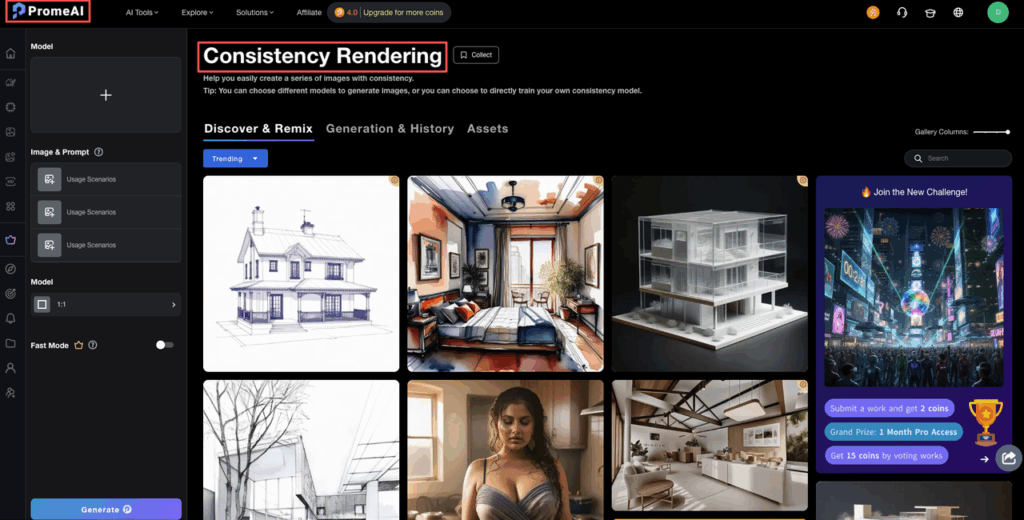
Quick side note: if you want to geek out on how these models think, the Google ML glossary has a nice plain‑English breakdown of terms like diffusion and latent space in their machine learning glossary. We leaned on that a lot while testing different prompts.
Reference Image Rules
If prompts are the “words,” your reference image is the passport photo.
Get the reference wrong, and no consistency trick will fully save you.
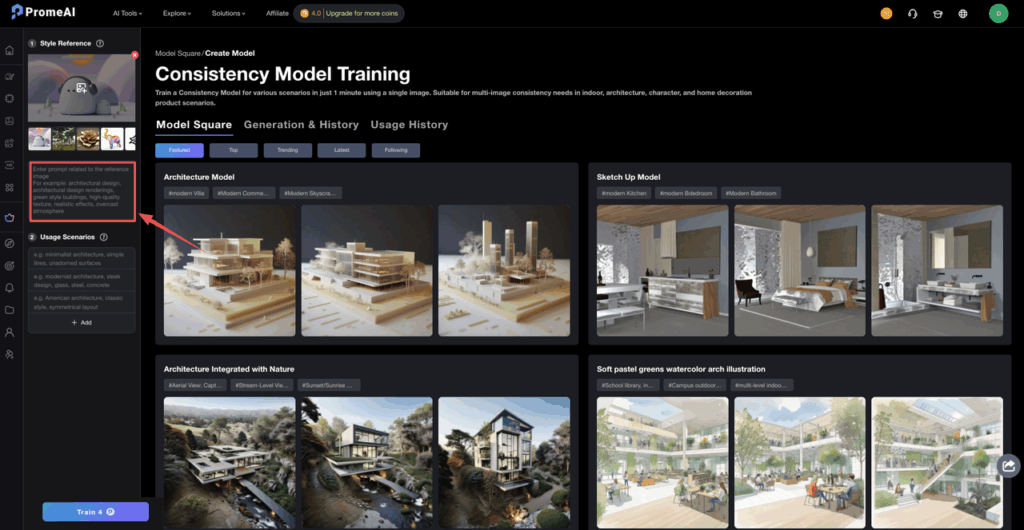
PromeAI has an entire flow around this with its Consistency Rendering and Consistent Model features, and our tests lined up with their guidance.
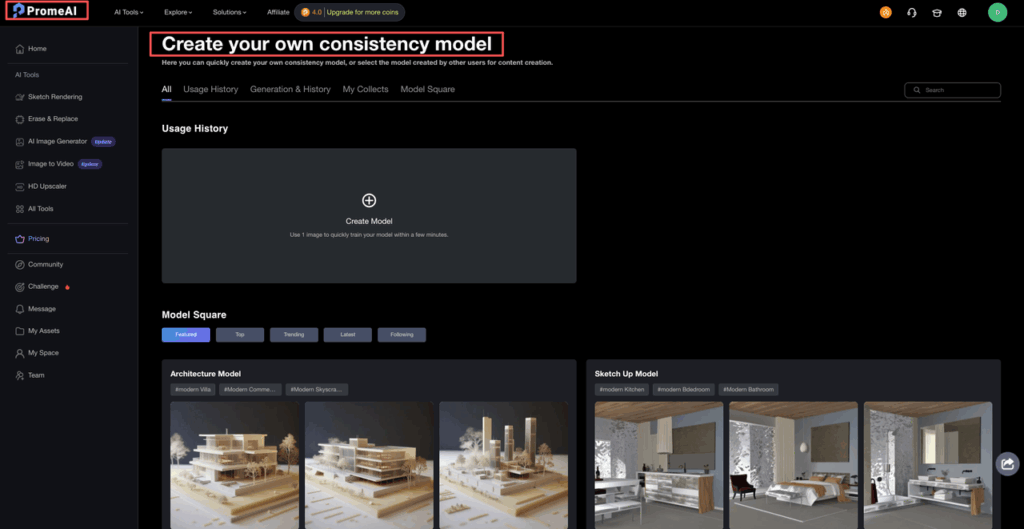
Best reference formats
From our runs, these settings gave the most stable identity:
Use this as your baseline:
- Image type: Clean, front or 3/4 view
- Crop: Head and shoulders, or full body with clear silhouette
- Resolution: At least 1024×1024 if possible
- Background: Simple, low contrast, no busy patterns
- Lighting: Even light, no harsh shadows
Bad references we’ve tried that made identity drift worse:
- Selfies with dramatic perspective (phone way too close)
- Heavy color filters
- Background full of other people or faces
- Low‑res screenshots from a deck
We also learned fast that illustration style matters. If we feed a loose sketch as reference but ask for “hyper‑realistic studio lighting” in the prompt, the model struggles.
So we now do this:
- Match style to reference first.
- Once identity is consistent, we gently shift style with small prompt changes.
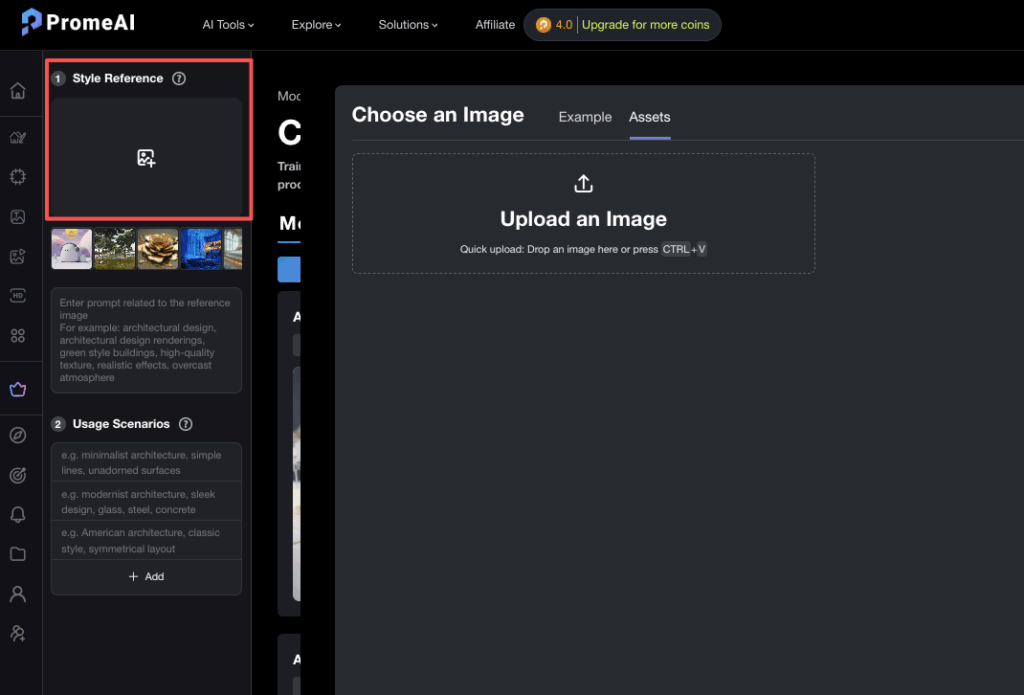
PromeAI’s model training docs touch on this idea too: the more coherent the starting data, the more controlled the results.
Multiple angles
One reference is okay.
Three to five is where it starts to feel like a real character.
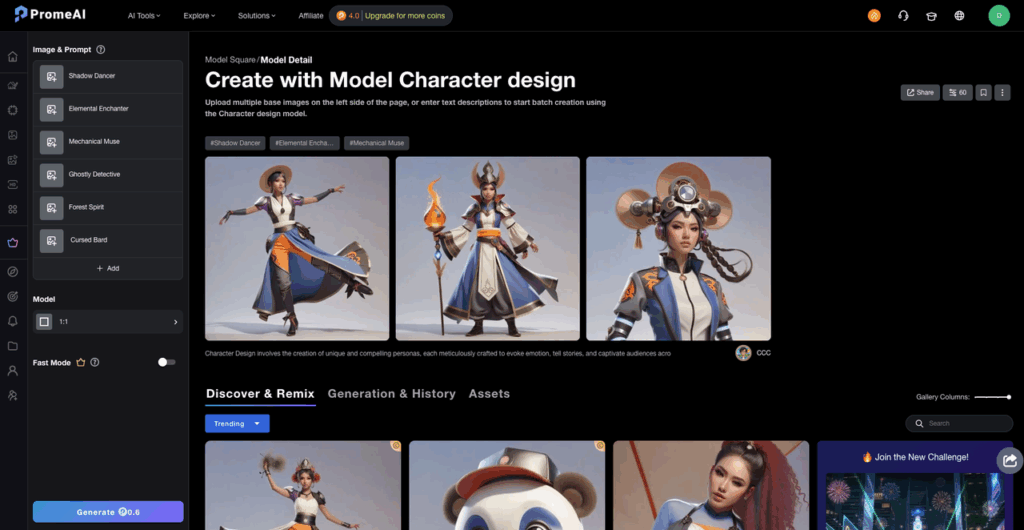
We treat it like creating a character sheet:
- Front view (neutral expression)
- 3/4 view (slight smile)
- Side view (profile)
- Full body (standard pose)
- Key expression (laughing, concerned, etc.)
We then:
- Generate each angle once.
- Save the best outputs.
- Feed those back in as reference images for future scenes.
This “character sheet first, production later” workflow feels a lot like how illustrators work in tools like Photoshop or Illustrator. Adobe’s illustration guides actually talk about character sheets a lot, and we’ve basically stolen that structure and applied it to AI.
Once that sheet is locked, we stop fighting identity drift and start focusing on framing, props, and story.
Style Lock Tactics
Keeping a consistent AI character isn’t just about the face.
If the lighting or art style shifts wildly between frames, clients feel it instantly, even if they can’t explain why.
That’s where we lean hard on style lock tactics inside PromeAI.
Seed management
We used to ignore seeds.
Now we treat them like project IDs.
In diffusion models (including the ones behind PromeAI and tools in services like Amazon Bedrock’s Stability AI image services), the seed is what controls the random starting noise.
Our current habits:
- Pick one seed per character.
- Log it in a simple doc: project name, character name, seed.
- Keep that seed when we want tiny variations.
- Change the seed when we want new ideas from the same reference.
A seed doesn’t guarantee an identical pose, but it tightens the “feel” enough that our brand characters stop looking like cousins.
Quick cheat sheet:
- Use same seed + same reference + similar prompt → strongest identity lock
- Same seed + same reference + new pose in prompt → consistent character in new situation
- New seed + same reference → still consistent, but with more chance of small changes
We treat seeds like version numbers for our character.
Prompt anchoring
Prompting is like seasoning.
Too little, and everything tastes bland.
Too much, and the core flavor disappears.
For promeai consistent character identity, we now write prompts in layers:
- Character anchor (do not change):
- “female marketing manager, mid‑30s, curly dark hair, round glasses, soft jawline, medium build”
- Style anchor (change rarely):
- “flat illustration, clean vector lines, soft pastel palette”
- Scene details (change often):
- “presenting campaign results in modern office, wide shot, confident smile”
So a full prompt we’d actually use:
Prompt: “female marketing manager, mid‑30s, curly dark hair, round glasses, soft jawline, medium build, flat illustration, clean vector lines, soft pastel palette, presenting campaign results in modern office, wide shot, confident smile”
We keep the character anchor text in a snippet manager, so we just paste it into every prompt.
If we need a new pose:
- We only change the scene details at the end.
- We avoid re‑describing age, face shape, or hair in a new way.
For deeper reading on style control tricks (cross‑attention, conditioning, etc.), we found this piece on six ways to control style and content in diffusion models very close to what we saw in practice.
We just wrapped all that theory into two rules:
- Lock the character words.
- Play with the scene words.
Multi-Variation Selection
Even with great references and tight prompts, some generations just… miss.
So we treat PromeAI like a casting call.
Picking best results
Here’s our quick selection pass when we generate a batch of 8–16 images:
We scan in this order:
- Identity match
- Does the face shape match our character sheet?
- Are the eyes, nose, and mouth roughly in the same layout?
- Are any weird “AI artifacts” showing up (extra teeth, warped glasses)?
- Style match
- Same line thickness?
- Same color temperature?
- Similar contrast and shading style?
- Pose & storytelling
- Does this help the storyboard or campaign moment?
- Is the pose readable at slide size or mobile size?
We keep:
- Top 1–2 as “hero” images.
- Next 3–4 as backup references for future runs.
We delete anything that breaks identity, even if it looks pretty. That strictness actually speeds things up later, because our reference pool stays clean.
PromeAI’s model details and academy tutorials talk a lot about iteration and controlled variation. We saw the same thing: the magic wasn’t in a single prompt, but in this generate → filter → reuse best results loop.
One last practical tip:
- Make a character sheet board for each project (Miro, Figma, or even a simple folder).
- Pin your approved character sheet at the top.
- Under it, collect only the images that pass your identity + style test.
Any time we feel drift creeping back in, we stop, reopen that board, and restart from those solid references.
Now that you’ve mastered the logic of prompt anchoring and character sheets, it’s time to build your own. Explore the PromeAI Consistency features now and see how our identity lock workflow handles your most demanding character requirements.
If you want to go deeper into how diffusion models respond to prompts and constraints, Amazon’s post on prompting for precision in image models lines up really well with what we’re doing inside PromeAI. For technical implementation details, the arXiv paper on diffusion model techniques provides valuable research insights.
Alright, your turn: where do you usually get stuck, reference images, prompt wording, or picking the “one” final character? That’s the part we’re most curious to help debug next.
Frequently Asked Questions
What is PromeAI consistent character identity and why does it matter?
PromeAI consistent character identity is a workflow that uses reference images, seeds, and tight prompts to keep the same AI-generated character looking stable across many images. It matters for brand mascots, product shots, and storyboards, where identity drift breaks visual continuity and weakens branding.
How do I set up reference images in PromeAI for consistent character identity?
Start with clean reference images: front or 3/4 view, head-and-shoulders or clear full body, at least 1024×1024 resolution, simple background, and even lighting. Avoid selfies, heavy filters, low-res screenshots, or busy scenes. Then reuse the best outputs as references for future poses and scenes.
What is the best workflow to keep an AI character consistent across multiple scenes?
Create a character sheet first: front, 3/4, side profile, full body, and a key expression. Save the best images and feed them back as references. Combine them with a fixed seed and stable “character anchor” prompt, then only change scene details like pose, location, and props.
How do seeds and prompts help with PromeAI consistent character identity?
Use one seed per character and log it. Keep the same seed, same reference, and similar prompt for the strongest identity lock. Structure prompts in layers: fixed character description, mostly-stable style description, then variable scene details. Change only the scene layer when you want new poses or settings.
Can I change art style in PromeAI without losing my character’s identity?
Yes, but shift styles gradually. First, match your prompts to the style of your reference images until the character is consistent. Then introduce small style changes—lighting, color palette, or line quality—in steps, checking each batch for identity drift before pushing further into a new look. You can learn more about character and paragraph styles from Adobe’s documentation for professional styling techniques.
Recommended Reads
Leave a Reply