Want to stop gambling with your credits and start getting repeatable, professional results? This isn’t just another theory article; this is a practical, copy-paste playbook.
I’m Millie, and today I’m handing over my personal PromeAI prompt framework—a tested system that breaks down the perfect prompt into five manageable pieces: Subject, Style, Materials, Lighting, and Composition. Whether you are an architect needing a specific facade or a product marketer looking for a clean hero shot, this guide acts as your AI prompt cheat sheet.
We’ll cover everything from material descriptors to negative prompts, ensuring you can generate high-quality images fast, every single time. Let’s clean up your workflow.
The 5-Block Prompt Framework
We use a simple 5‑block ai image prompt framework for almost everything in PromeAI:
Subject → Style keywords → Materials → Lighting → Camera / Composition → + Negative prompts
You don’t need all five blocks every time, but thinking in blocks keeps prompts short, clean, and easy to tweak in front of a client.
Here’s how we break it down.
Block 1: Subject/Scene
This is the “what.” If this part is fuzzy, everything that follows will be fuzzy too.
We try to answer:
- What are we showing?
- From whose point of view?
- In what context?
Good Subject Block examples:
- “daytime exterior view of a 3‑story boutique hotel on a corner lot, people walking on sidewalk”
- “compact electric coffee machine on a kitchen countertop, hero shot for a landing page”
We skip vague stuff like “modern building, dramatic angle.” That’s how you get generic stock‑image vibes.
Block 2: Style keywords
This is where things go from “generic” to “oh, that’s our brand.”
We keep a small list of style keywords next to us, pulled from PromeAI’s AI architecture generator, ArchDaily, Dezeen, and style articles like mid-century modern.
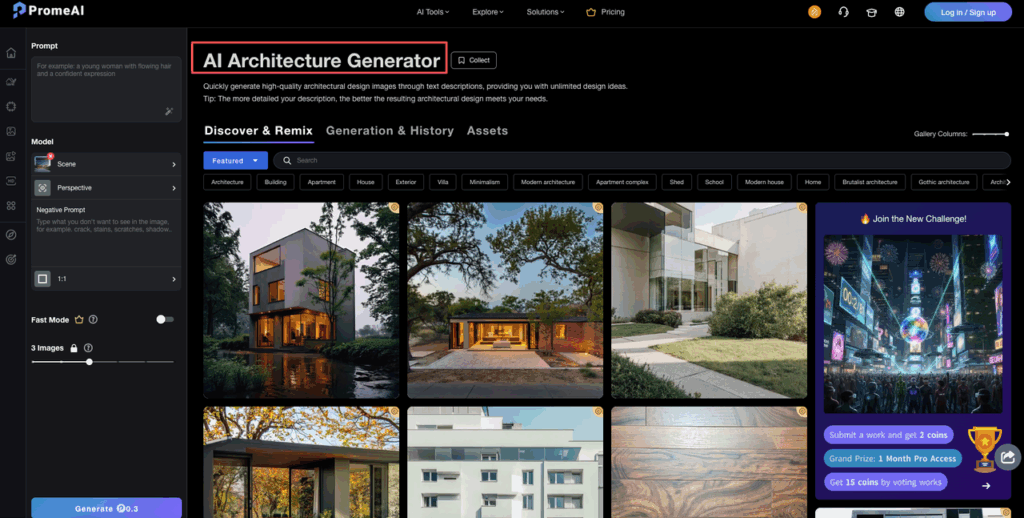
Some style examples we reuse:
- Architecture: “brutalist”, “parametric”, “mid‑century modern”, “high‑tech”, “minimalist concrete and glass”
- Interior: “Japandi”, “Scandinavian minimal”, “warm neutral palette”, “maximalist color blocking”
- Product / marketing: “Apple‑style clean”, “editorial lighting”, “high contrast, glossy finish”
In the prompt we usually format it like:
style keywords: Japandi, minimal, natural materials, clean lines
Short, punchy, no full sentences.
Block 3: Material descriptors
Think of material keywords like seasoning. Tiny changes here completely change the dish.
We call out:
- Primary structure materials
- Key surfaces
- Accents
Material examples:
- “exposed concrete, brushed aluminum, clear glass”
- “light oak, rattan, linen upholstery, plaster walls”
- “matte black ABS, frosted acrylic, stainless steel buttons”
For architectural work, we’ve seen much more believable results if we anchor materials clearly. PromeAI tends to respect specific materials far better than vague phrases like “high quality finishes.”
Block 4: Lighting setup
Lighting is mood. The same scene with different lighting feels like two different projects.
We usually specify:
- Time of day: golden hour, overcast noon, blue hour
- Type: soft ambient, harsh sunlight, studio softbox, HDRI, backlit
- Mood words: cozy, cinematic, bright and airy
Examples:
- “soft north daylight, overcast sky, subtle reflections on glass”
- “studio lighting, two softboxes, gentle shadows, specular highlights on metal”
If you work in product, borrowing language from Adobe’s photography guides helps a lot.
Block 5: Camera/composition
This is where we tell PromeAI how to frame the shot.
We usually set:
- Camera distance: wide shot, close‑up, macro
- Angle: eye level, low angle, top‑down
- Lens feel: 24mm wide, 35mm street, 85mm portrait, 120mm telephoto
- Composition prompts: centered, rule of thirds, symmetry, leading lines
Examples:
- “wide 24mm lens, eye‑level view, strong one‑point perspective, people for scale”
- “85mm product shot, shallow depth of field, centered, lots of clean negative space for text”
Put together, a full 5‑block structure looks like this:
Subject: daytime exterior view of a mid‑rise co‑working building on a corner lot, people walking Style keywords: mid‑century modern, clean lines, warm, inviting Materials: exposed brick, vertical wood slats, large glass windows, brushed metal details Lighting: golden hour sunlight, long soft shadows, glowing interior Camera/composition: 24mm wide shot, eye level, slight angle to show two facades, people for scale Negative prompts: low resolution, warped faces, incorrect perspective, weird hands
That’s the ai image prompt framework we keep copying, pasting, and tweaking all day in PromeAI.
If you want more depth, PromeAI’s own prompt guide for architecture lines up nicely with this structure, and general frameworks like PMI’s prompt tips also map well to these blocks.
Keyword Libraries
To move fast on real projects, we keep tiny keyword libraries in a notes app. Here’s a starter kit you can steal.
Architecture keywords
We mix style keywords + use cases:
- “mid‑century modern office facade, ribbon windows, pilotis”
- “contemporary glass pavilion, ultra thin roof, disappearing frames”
- “brutalist civic building, deep vertical fins, heavy concrete massing”
- “parametric facade, perforated metal screen, organic pattern”
- “sustainable timber housing, cross laminated timber, green roofs”
Plug these into your Block 2 (Style) line and then swap subject/lighting as needed.
Interior design keywords
We pull a lot of phrasing from Architectural Digest features to keep things grounded in real trends.
Some combos:
- “Japandi living room, low furniture, neutral textiles, soft textures”
- “Scandinavian kitchen, flat‑front cabinets, pale oak, white quartz counters”
- “hotel lobby, statement lighting, double‑height space, sculptural staircase”
- “cozy reading corner, built‑in bench, wall‑to‑wall bookshelves”
- “luxury bathroom, marble slab walls, freestanding tub, indirect LED lighting”
Pair these with specific material keywords like “brushed brass faucets” or “bouclé armchairs” in Block 3.
Product photography keywords
PromeAI is surprisingly good at product scenes if we treat them like mini photo shoots.
Useful blocks:
- “studio product shot, seamless backdrop, soft shadows”
- “lifestyle shot on kitchen counter, natural window light”
- “floating product, subtle reflection on glossy surface”
- “exploded view, parts separated, clean engineering feel”
- “packshot with box, front‑facing, plenty of white space for label”
For composition prompts, we love:
- “big empty negative space at top for headline”
- “centered product, symmetrical layout”
- “top‑down flatlay, carefully arranged props”
If you ever feel stuck, sites like Leonardo’s prompt examples and PromeAI’s own design ideas page are great for stealing phrasing and remixing it into your own library.
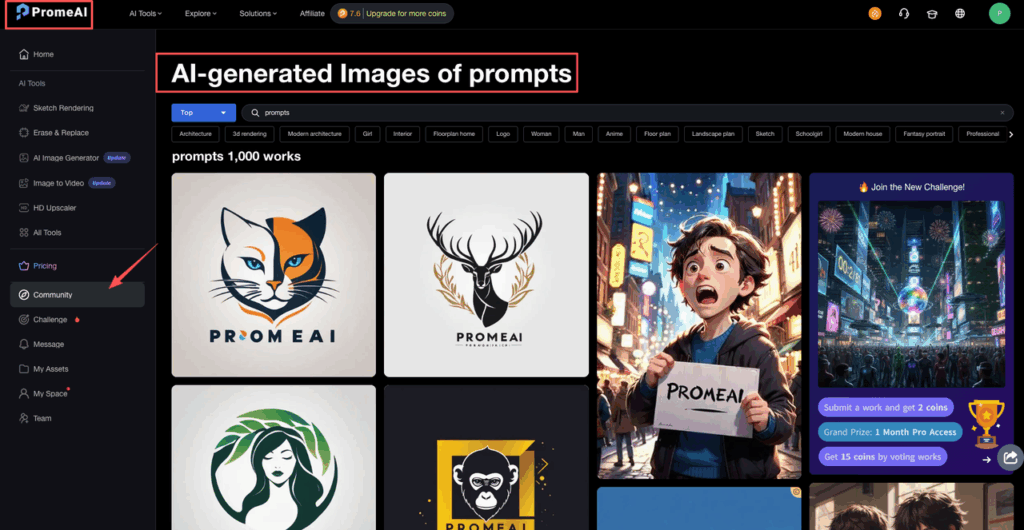
Negative Prompt List
We almost never run PromeAI without negative prompts. They’re the quiet heroes that clean up weird details.
We keep two mini lists: one for quality, one for style.
Quality fixes
These live at the end of almost every prompt:
- “low resolution”
- “blurry, noisy, pixelated”
- “distorted faces, extra limbs, weird hands”
- “warped perspective, broken geometry, crooked walls”
- “watermark, logo, text artifacts”
So the full line might look like:
Negative prompts: low resolution, blurry, pixelated, warped perspective, extra limbs, watermark, logo, text artifacts
For architectural work, “warped perspective” and “crooked walls” help a lot with keeping lines straight.
Style corrections
Sometimes PromeAI leans too glossy or too sci‑fi.
Instead of rewriting the whole prompt, we add a style correction list.
Examples:
- “no neon colors, no cyberpunk vibe”
- “no fisheye lens, no extreme distortion”
- “avoid cartoon, avoid 3D render style, no clay render”
- “no clutter, no busy background, no messy cables”
Together, your negative prompts might read:
Negative prompts: low resolution, blurry, warped perspective, extra limbs, watermark, no neon colors, no cartoon style, no fisheye lens, no clutter
If you’re curious how much this matters, try one experiment: run your next PromeAI prompt once with no negative prompts, then again with a strong list. The difference is huge, especially on product work and interiors.
10 Ready-to-Use Prompts
Here’s the fun part: 10 ready‑to‑use prompts you can copy straight into PromeAI.
We’ll keep the structure visible so you can swap blocks easily.
5 architecture prompts
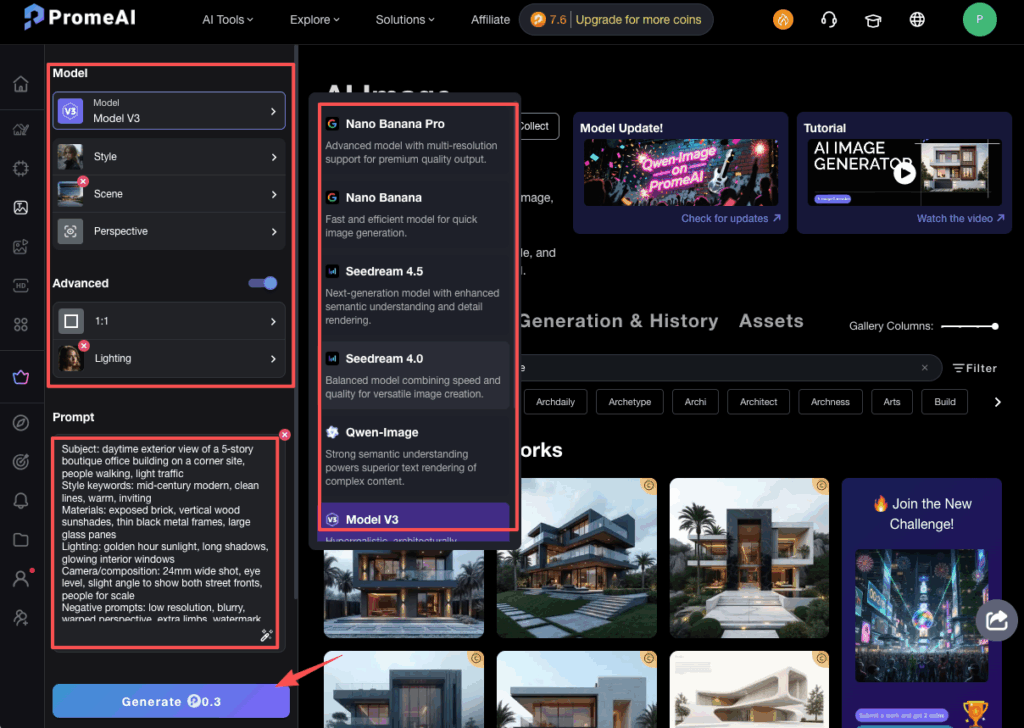
1. Boutique office building
Subject: daytime exterior view of a 5‑story boutique office building on a corner site, people walking, light traffic Style keywords: mid‑century modern, clean lines, warm, inviting Materials: exposed brick, vertical wood sunshades, thin black metal frames, large glass panes Lighting: golden hour sunlight, long shadows, glowing interior windows Camera/composition: 24mm wide shot, eye level, slight angle to show both street fronts, people for scale Negative prompts: low resolution, blurry, warped perspective, extra limbs, watermark, cartoon style
2. Parametric museum pavilion
Subject: exterior view of a small museum pavilion in a park, people gathering outside Style keywords: parametric facade, organic curves, contemporary Materials: perforated white metal panels, glass curtain walls, polished concrete base Lighting: overcast daylight, soft shadows, subtle reflections on glass Camera/composition: wide 18mm shot, slightly low angle, strong leading lines in the pathway Negative prompts: low resolution, noisy, fisheye lens, cyberpunk, neon colors
3. Japandi living room
Subject: open‑plan living room with sofa, coffee table, large window Style keywords: Japandi interior, minimal, calm, warm neutral palette Materials: light oak floor, linen sofa, rattan chair, plaster walls Lighting: soft north daylight, large window, gentle shadows Camera/composition: 35mm lens, eye level, centered composition, plenty of negative space Negative prompts: clutter, messy objects, TV screens, low resolution
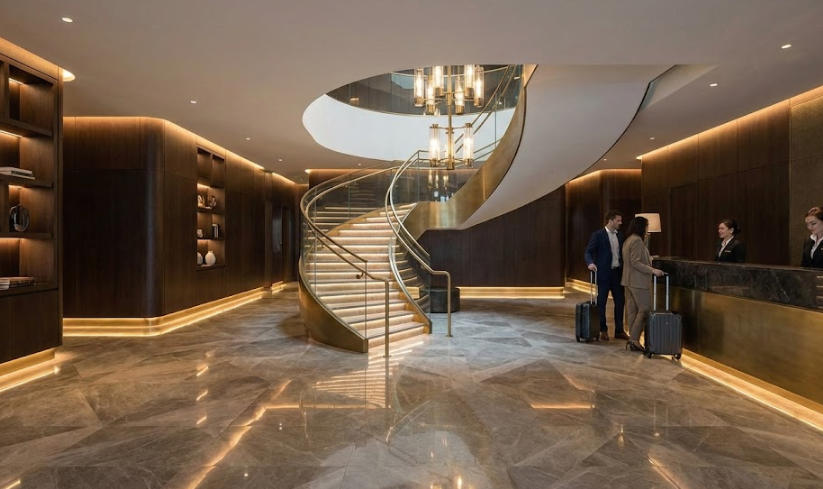
4. Hotel lobby with statement stair
Subject: hotel lobby with reception desk and sculptural staircase Style keywords: luxury, contemporary, editorial Materials: marble floor, dark wood wall panels, brushed brass details, glass balustrade Lighting: layered indirect LED lighting, warm color temperature, glowing accents Camera/composition: 24mm interior shot, slight low angle to emphasize height, people for scale Negative prompts: blurry, warped geometry, cartoon style, neon colors
5. Sustainable timber housing
Subject: exterior view of mid‑rise residential building surrounded by trees Style keywords: sustainable housing, Scandinavian, simple forms Materials: cross laminated timber, vertical wood cladding, green roofs, large balconies Lighting: late afternoon light, soft sky, warm highlights on wood Camera/composition: 28mm wide, three‑quarter view, people on balconies and in courtyard Negative prompts: low resolution, noisy, harsh contrast, sci‑fi, cyberpunk
5 product prompts
1. Coffee machine hero shot
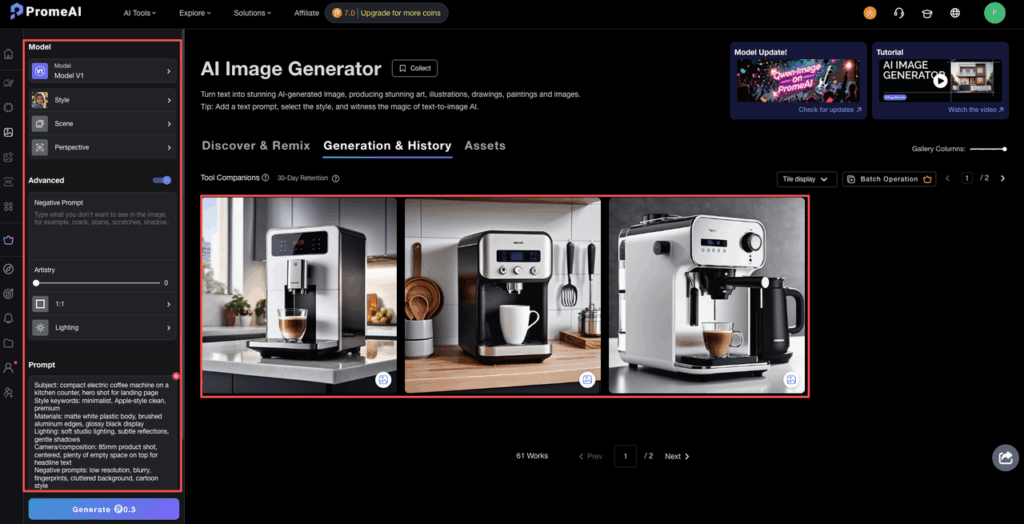
Subject: compact electric coffee machine on a kitchen counter, hero shot for landing page Style keywords: minimalist, Apple‑style clean, premium Materials: matte white plastic body, brushed aluminum edges, glossy black display Lighting: soft studio lighting, subtle reflections, gentle shadows Camera/composition: 85mm product shot, centered, plenty of empty space on top for headline text Negative prompts: low resolution, blurry, fingerprints, cluttered background, cartoon style
2. Wireless headphones on colored backdrop
Subject: wireless over‑ear headphones floating above a simple backdrop Style keywords: editorial product photo, bold color Materials: matte black plastic, soft fabric ear pads, metal sliders Lighting: high contrast studio light, crisp reflections on edges Camera/composition: 70mm shot, centered, strong shadow on backdrop, no props Negative prompts: noisy, low resolution, warped shape, text artifacts
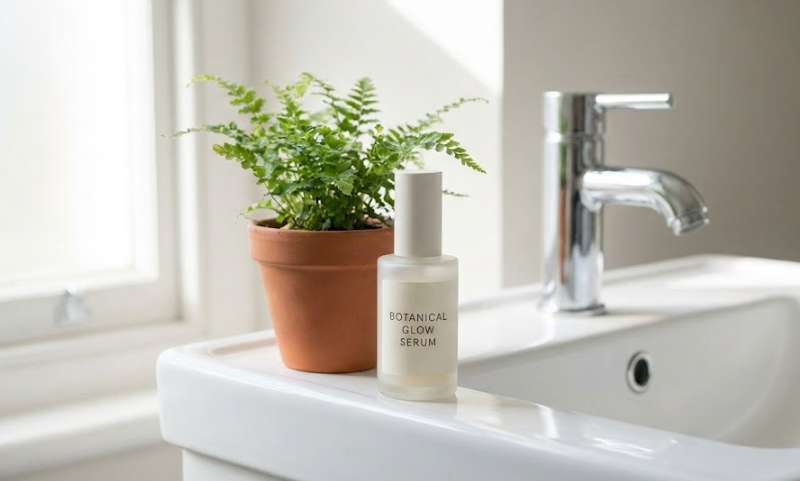
3. Skincare bottle lifestyle shot
Subject: glass skincare bottle on bathroom sink next to small plant Style keywords: natural, clean beauty, soft Materials: frosted glass bottle, matte label, ceramic sink, chrome faucet Lighting: morning window light, soft, bright and airy Camera/composition: 50mm lens, slight angle, bottle on rule of thirds intersection Negative prompts: low resolution, harsh shadows, clutter, dirty surfaces
4. Tech gadget flatlay
Subject: smartphone, earbuds, and watch arranged on desk for social media post Style keywords: modern, clean tech, social promo Materials: glass screen, aluminum frame, silicone bands, fabric desk mat Lighting: soft top‑down light, minimal reflections, smooth gradients Camera/composition: top‑down flatlay, carefully arranged grid, room for text on the side Negative prompts: messy cables, fingerprints, low resolution, cartoon style
5. Packaging packshot
Subject: product box and bottle side by side on neutral background Style keywords: e‑commerce packshot, clear, informative Materials: matte cardboard box, glossy plastic bottle, simple label Lighting: even studio lighting, almost no shadows, clean white background Camera/composition: straight‑on shot, centered, enough space around for cropping Negative prompts: low resolution, heavy shadows, busy background, warped text
We’ve mapped out the framework, but the real proof is in the render. Copy one of our “ready-to-use” prompts above, paste it into PromeAI, and start iterating on your designs today.
If you try any of these in PromeAI and tweak them for your own projects, we strongly recommend dropping them into your own prompt library.
Frequently Asked Questions
What is the PromeAI prompt framework for designers?
The PromeAI prompt framework for designers is a simple 5‑block structure for AI image prompts: Subject/Scene, Style keywords, Materials, Lighting, Camera/Composition, plus Negative prompts. It helps architects, interior designers, and product marketers get repeatable, high‑quality, on‑brand visuals without long, messy, one‑line prompts.
How do I structure a PromeAI prompt using the 5‑block framework?
Start with a clear Subject (what, viewpoint, context), then add Style keywords (brand or aesthetic), Material descriptors (key surfaces and accents), Lighting (time of day, mood), and Camera/Composition (lens, angle, framing). Finish with strong Negative prompts to avoid low resolution, warped geometry, clutter, or unwanted styles.
Why are negative prompts so important in PromeAI image generation?
Negative prompts act as quality filters. They tell PromeAI what to avoid, such as “low resolution, blurry, warped perspective, extra limbs, watermark, no cartoon style, no fisheye lens, no clutter.” Adding them dramatically reduces visual glitches and off‑brand looks, especially in architectural, interior, and product shots.
Can the PromeAI prompt framework work for both architecture and product design?
Yes. The same 5‑block PromeAI prompt framework works across architecture, interiors, and product photography. You mainly swap the subject and keyword libraries: building types and materials for architecture, room and furniture details for interiors, or studio and lifestyle language for product shots, while keeping structure and negative prompts consistent.
How does PromeAI prompt design compare to tools like Midjourney or DALL·E for architecture?
PromeAI is tuned heavily toward architecture and design, so clear materials, lighting, and perspective instructions often produce more believable buildings and interiors than generalist models. Midjourney and DALL·E can be very creative, but for realistic architectural massing, materials, and camera geometry, a disciplined PromeAI prompt framework tends to give more controllable results.
Recommended Reads:
Leave a Reply