We had one of those “okay, wait… that actually looks real” moments in the studio this week. I was testing a basic one-liner for a smart speaker product shot, and it looked like every other generic AI video. Then, I rewrote it using a structured Vidu Q3 prompt framework with just one intentional camera move. The result? Absolute magic that I could instantly drop into a client’s pitch deck.
As an AI video creator who spends hours pushing these tools to their breaking points, I know how frustrating unpredictable generations can be. That’s why I’m opening up my workflow today. In this guide, you’ll get my personal cheat sheet featuring 40 camera moves and practical multi-shot story beats that you can literally copy and paste.
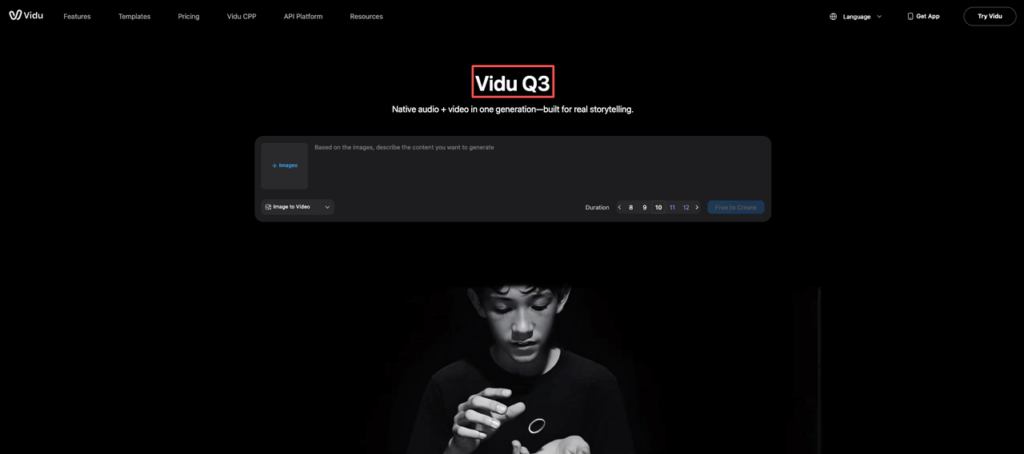
Prompt framework (one-liner → production prompt)
A good Vidu Q3 prompt is basically a well-written creative brief… squeezed into one paragraph.
Here’s the structure we keep coming back to:
- Subject: what’s on screen (be literal)
- Setting: where it is + time of day
- Action: what changes during the shot
- Camera: lens vibe + movement
- Look: lighting + texture + color grade
- Constraints: what to avoid (hands, text, logos, etc.)
The one-liner (what we start with)
“Minimalist smart speaker on a desk in a modern home office.”
The production prompt (what we actually run)
Copy-paste this and swap the bracketed bits:
- Prompt: “A [product / subject] on a [surface] in a [setting], [time of day]. The camera [camera move] to reveal [one key detail] while [small action] happens naturally. Soft directional lighting, realistic materials (matte plastic, brushed aluminum), subtle dust and micro-scratches, shallow depth of field, clean modern color palette, cinematic contrast, natural motion blur. No text, no logos, no watermarks, no extra objects, avoid distorted edges.”
And here’s a filled example we liked:
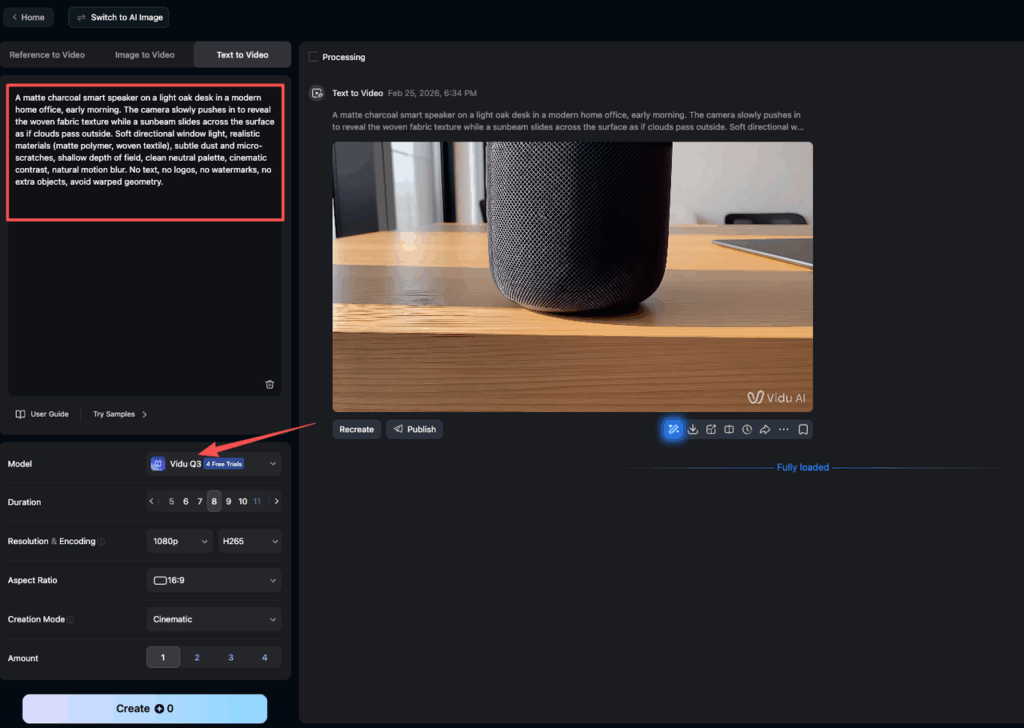
- Prompt: “A matte charcoal smart speaker on a light oak desk in a modern home office, early morning. The camera slowly pushes in to reveal the woven fabric texture while a sunbeam slides across the surface as if clouds pass outside. Soft directional window light, realistic materials (matte polymer, woven textile), subtle dust and micro-scratches, shallow depth of field, clean neutral palette, cinematic contrast, natural motion blur. No text, no logos, no watermarks, no extra objects, avoid warped geometry.”
Quick seasoning tips (so it doesn’t look like “AI video”)
Prompting is like cooking, salt matters more than more ingredients.
- Pick one hero detail: “woven fabric texture,” “condensation beads,” “machined chamfer edge.”
- Add one natural change: “sunbeam moves,” “steam curls,” “screen reflection shifts.”
- Keep constraints blunt: “No text. No logo. No extra fingers.”
If we’re working with brands, we’ll also keep a safe version that avoids trademarked shapes and recognizable UI. Better boring than risky.
Camera-move library (grouped by intent)
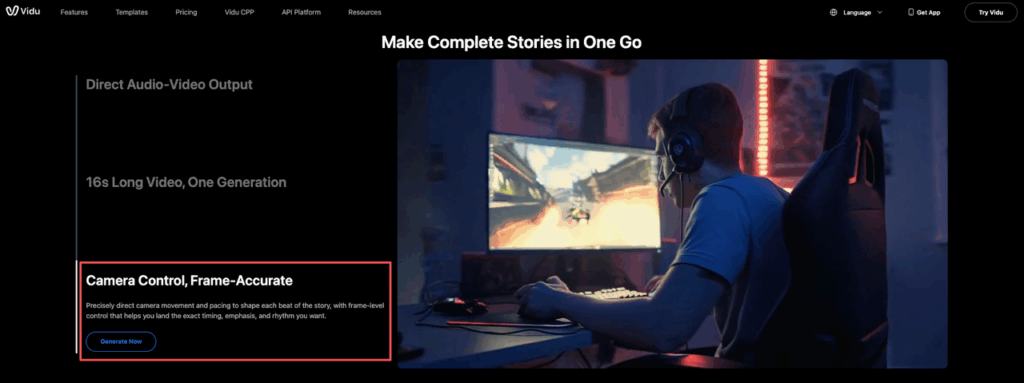
Camera moves do a ridiculous amount of work in Vidu Q3. They signal “real crew was here,” even when the scene is simple. For a deeper dive into standard camera terminology and prompt examples, Runway’s reference guide is a solid industry baseline worth bookmarking.
Below are our go-to moves, grouped by what they feel like.
Push/track/orbit/handheld examples
Intent: make it feel premium (product / architecture beauty shot)
- Push-in: “camera slowly pushes in, steady, slight parallax from foreground”
- Micro-dolly: “gentle dolly forward 10–20cm, smooth gimbal”
Intent: reveal context (space / environment storytelling)
- Track left/right: “camera tracks left past a foreground object to reveal the subject”
- Follow track: “camera tracks behind the subject as it moves through frame”
Intent: show form (industrial design / object clarity)
- Orbit: “slow 30-degree orbit around the subject, consistent distance, smooth”
- Arc reveal: “camera arcs from 3/4 front to side profile, steady”
Intent: make it feel candid (marketing / lifestyle)
- Handheld: “subtle handheld sway, natural drift, not shaky”
- Breathing cam: “tiny vertical float like a human operator breathing”
Tiny warning from our tests: if we stack two moves (like orbit + push-in), the motion can get weird fast. We usually pick one primary move and maybe add “subtle handheld” as flavor.
Multi-shot storytelling recipes (3-beat + 5-beat)
If we’re making videos for clients (or internal concepts), single shots are nice… but multi-shot is where Vidu Q3 starts paying rent.
We’ll often generate each shot separately with a consistent prompt core:
- same subject description
- same lighting + palette
- same constraints
- only change: camera + action
3-beat recipe (fastest path to “story”)
Beat 1, Establish (where are we?)
- Prompt add-on: “wide establishing shot, clean composition, subject in context”
Beat 2, Detail (why should we care?)
- Prompt add-on: “close-up macro detail of [hero material], shallow depth of field”
Beat 3, Payoff (what changed?)
- Prompt add-on: “the key action completes: [light turns on / lid opens / reflection shifts]”
This works great for: product launches, architectural reveals, app + device concepts.
5-beat recipe (client-friendly, more cinematic)
- Beat 1, Hook: “tight crop, strong foreground blur, camera peeks past an object”
- Beat 2, Context: “wide shot, balanced framing, calm motion”
- Beat 3, Interaction: “hand enters frame (optional), presses button” or “device reacts to sound”
- Beat 4, Detail: “macro fabric, micro-scratches, realistic specular highlights”
- Beat 5, Brand mood: “slow push-in, clean negative space, premium lighting”
Smart-cuts friendly transitions
If we’re editing with quick cuts, we try to make transitions “matchable”:
- Match on motion: end shot 1 with a left-to-right move, start shot 2 with the same direction.
- Match on shape: cut from a circular speaker grill → circular ceiling light.
- L-cut planning: generate a shot where the action starts early so audio can lead.
Also: we’ll reuse a consistent phrase like “soft directional window light, neutral palette, cinematic contrast” across all shots. That’s our glue.
Audio add-ons for each recipe
Even if your final export won’t use generated audio, we’ve found that writing audio into the prompt helps us think like editors. It forces clarity: what’s the moment, what’s the mood, what’s the “texture” of the scene?
For the 3-beat recipe
- Beat 1 (Establish): “quiet room tone, soft HVAC hum, distant city birds”
- Beat 2 (Detail): “subtle cloth rustle, tiny plastic tap, close mic intimacy”
- Beat 3 (Payoff): “gentle confirmation chime, soft whoosh as light turns on”
For the 5-beat recipe
- Beat 1 (Hook): “single soft impact, low airy whoosh, then silence”
- Beat 2 (Context): “warm ambience, subtle reverb like a real room”
- Beat 3 (Interaction): “button click, capacitive beep, slight finger slide”
- Beat 4 (Detail): “fabric friction, micro movement sounds, no harsh highs”
- Beat 5 (Brand mood): “calm tonal bed, very light swell, ends clean”
Two honesty notes:
- If you’re using real brand sounds, don’t recreate them 1:1. Make something original.
- Be careful with voice. We avoid prompting for specific celebrity voices or identifiable narration styles.
Common prompt mistakes to avoid
We’ve face-planted into most of these, so you don’t have to.
- Too many “hero” ideas in one shot. If we ask for product beauty + dramatic action + complex environment, something breaks. We pick one main win per shot.
- Vague camera language. “Cinematic” alone doesn’t drive a result. “Slow push-in, shallow depth of field, soft window light” does.
- No constraints. If we forget “no text, no logos,” we’ll usually get random label-like marks. We write constraints every time.
- Over-styling the grade. Piling on “film grain, anamorphic, bokeh, bloom, HDR, teal-orange” can get crunchy. We choose one: “clean modern” or “filmic warm,” then stop.
- Hands without planning. If we need hands, we keep it simple: “one hand enters from frame right, brief interaction, exits.” Avoid “typing fast” or “complex gestures.”
- Inconsistent anchors across shots. Multi-shot fails when lighting and palette drift. We keep a shared base prompt and only swap the camera/action lines.
You now have the exact formulas and camera moves to build professional multi-shot stories. We invite you to put this cheat sheet to work. Try pasting your new production prompts into PromeAI and start directing your next scene.
Vidu Q3 Prompt FAQs
What is a good Vidu Q3 prompt structure for realistic product shots?
A strong Vidu Q3 prompt reads like a one-paragraph creative brief: Subject, Setting, Action, Camera, Look, and Constraints. This structure keeps the shot specific while preventing unwanted artifacts like text, logos, or warped geometry.
How do I turn a one-liner into a production-ready Vidu Q3 prompt?
Start with a literal one-liner, then expand it using the framework: define the subject and setting, add one natural action, specify a single camera move, describe lighting/materials, and finish with blunt constraints.
Which camera moves work best in a Vidu Q3 prompt to make video feel “real”?
Choose one primary move that matches your intent. For standard definitions of each move type, Runway’s camera terms guide is a reliable industry reference. Stacking two big moves can create unnatural motion.
Why do constraints matter so much in a Vidu Q3 prompt?
Without constraints, Vidu Q3 often invents label-like marks, extra objects, or distorted edges. Adding clear guardrails keeps outputs clean and pitch-deck ready.
Should you include audio instructions in a Vidu Q3 prompt, even if you won’t use generated audio?
Often, yes—audio notes sharpen timing and mood. Keep it generic and original: avoid recreating real brand sounds, and steer clear of identifiable voices. Vidu is developed by Shengshu Technology, whose research background informs the model’s understanding of cinematic language and motion consistency.
Recommended Reads
Leave a Reply