You know that sinking feeling at 11 PM when you decide to “just test one thing” before a deadline? usually, that ends in disaster. But recently, when I started experimenting with Animated Product Ads with PromeAI, something different happened. Instead of a chaotic After Effects timeline, I ended up with a clean, broadcast-ready 5-second product reveal using nothing but a static photo and a logo.
I’m Millie, and I’ve spent years wrestling with complex video suites. If you are a designer or marketer juggling tight turnaround times for ecommerce, the old “keyframe spiral” just isn’t sustainable. We need speed, but we can’t sacrifice quality. That’s why I’ve compiled the three PromeAI animated product ad templates I actually use, along with the exact asset checklist to make sure your results look polished, not “AI-generated weird.
3 Ad Templates
We’ll keep this practical: three PromeAI animated product ad templates that map to real deliverables we ship, launch teasers, feature callouts, and scroll-stopping context.
(Quick note: we’re talking about PromeAI’s AI video tools and templates as a workflow for animated product ad ai. Official pages worth skimming: PromeAI AI Video Generator and Image to Video.)
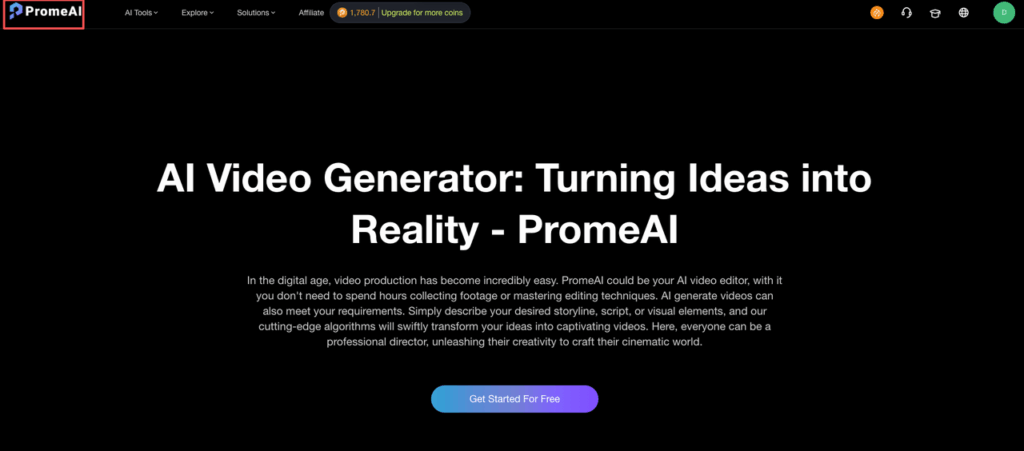
Product reveal (5s)
This is our “we need something in an hour” template.
Best for: new drops, restocks, landing page hero loops, story ads.
What we used (real test):
- 1 clean product image (we used a 3000×3000 PNG on white)
- 1 logo (SVG → PNG)
- 1 headline (6–10 words)
The vibe: quick light sweep + gentle camera push + title pop. It’s basically the visual equivalent of “excuse me, look at this.”
Our must-do tweaks:
- Keep copy short. If the template gives you two lines, fight the urge.
- If your product is glossy (skincare bottles, tech), add a highlight/shine moment right on the first beat.
- If edges look crunchy, swap in a higher-res product cutout (more on that in the checklist).
Tiny cheat sheet (copy ideas):
- “New. In stock. Ships today.”
- “Limited colorway. 48 hours.”
Feature showcase (10s)
This is the one we use when stakeholders say: “Can we show what it does?”
Best for: performance products, tools, apps, anything with 2–4 clear benefits.
Structure that works every time:
- 0–2s: product hero (clean)
- 2–8s: 3 feature cards (icons + short line)
- 8–10s: CTA + URL
What made it feel expensive (without extra work):
- We used one icon style across all features (same stroke weight).
- We limited feature text to 4–6 words each.
Constructive fix: if the template’s motion feels too “bouncy,” lower the intensity by prompting for a slow move (see prompts section). Fast motion + product text = unreadable.
Lifestyle context (15s)
This is for when the product needs a story: “Who is this for?” “Where does it live?” “Why should I care?”
Best for: home goods, wearables, furniture, food, and anything where context sells the value.
How we built it in practice:
- Start with a strong lifestyle background (kitchen counter, desk setup, gym bag, etc.)
- Layer the product in as the hero (or let PromeAI generate an environment shift)
- Use 2–3 quick scenes max (it’s still a short ad)
What we liked: it’s easier to get variety here without making 12 versions. Swap the background, keep the product consistent, and suddenly you have a mini campaign.
Honesty moment: this template is also the easiest to “overcook.” Too many scene changes and it starts feeling like a slideshow. Keep it tight.
Asset Checklist
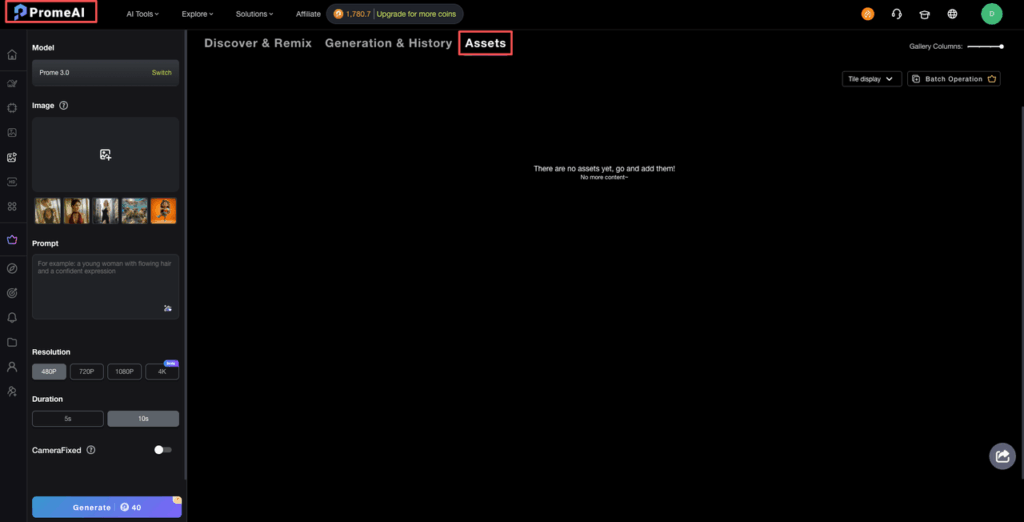
We can’t stress this enough: most “AI video looks weird” moments are actually asset prep moments.
Here’s the checklist we use before we even open a template.
Image requirements
Product image (recommended):
- Resolution: 2000px+ on the long edge (3000px is comfy)
- Format: PNG (transparent background if possible)
- Lighting: even, no harsh shadows cutting across edges
- Angle: 3/4 view usually reads best in motion (flat front can feel like a catalog)
Backgrounds (if using lifestyle context):
- 1080×1920 minimum for vertical ads
- Avoid super fine patterns (they shimmer when animated)
Pro tip from our consulting work: if you only have a mediocre product photo, upscaling helps a lot before animation. We’ve seen edge quality and label text hold up better when you start with a cleaned, higher-res source.
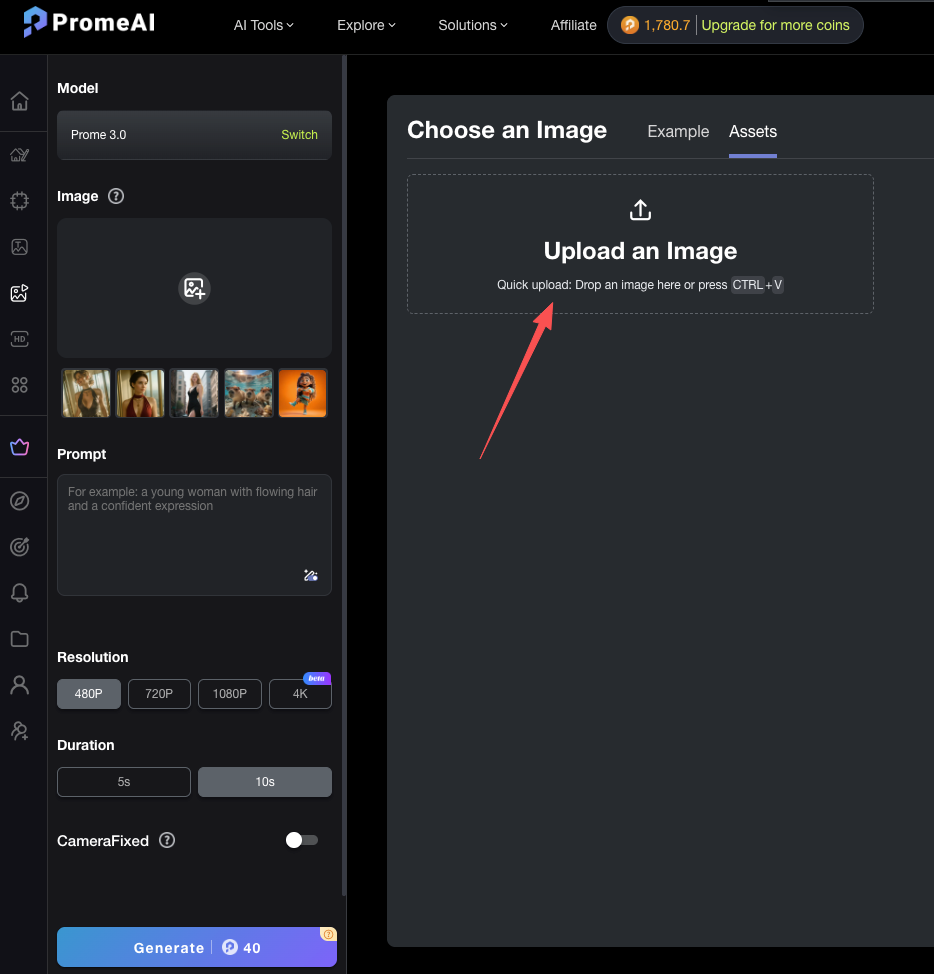
Brand assets
If you want these PromeAI animated product ad templates to look like your brand (not “template-y”), bring:
- Logo: SVG preferred: PNG backup
- Fonts: at least one headline + one body font (or pick close matches)
- Color palette: 2–3 core colors + a neutral
- Icon set: optional but powerful (for feature showcase)
- Copy blocks:
- 1 headline (max 10 words)
- 3 feature lines (max 6 words each)
- 1 CTA (2–4 words)
Quick sanity rule: if you can’t read your headline on a phone at arm’s length, it’s too small or too thin. (We learned this the hard way.)
Motion Prompts for Products
Prompting motion is like seasoning: you’re not trying to taste the salt, you’re trying to make the food taste like itself.
When we’re using PromeAI (or any image-to-video style tool), we keep prompts short, specific, and product-friendly.
Below are three motion types that consistently work for product reveal and ecommerce video ads.
Rotation
Rotation sells “3D-ness” fast, especially for bottles, gadgets, packaging, and anything with a premium finish.
Prompt we used:
- Prompt: “Slow 20-degree turntable rotation, product centered, soft studio lighting, clean background, no warping”
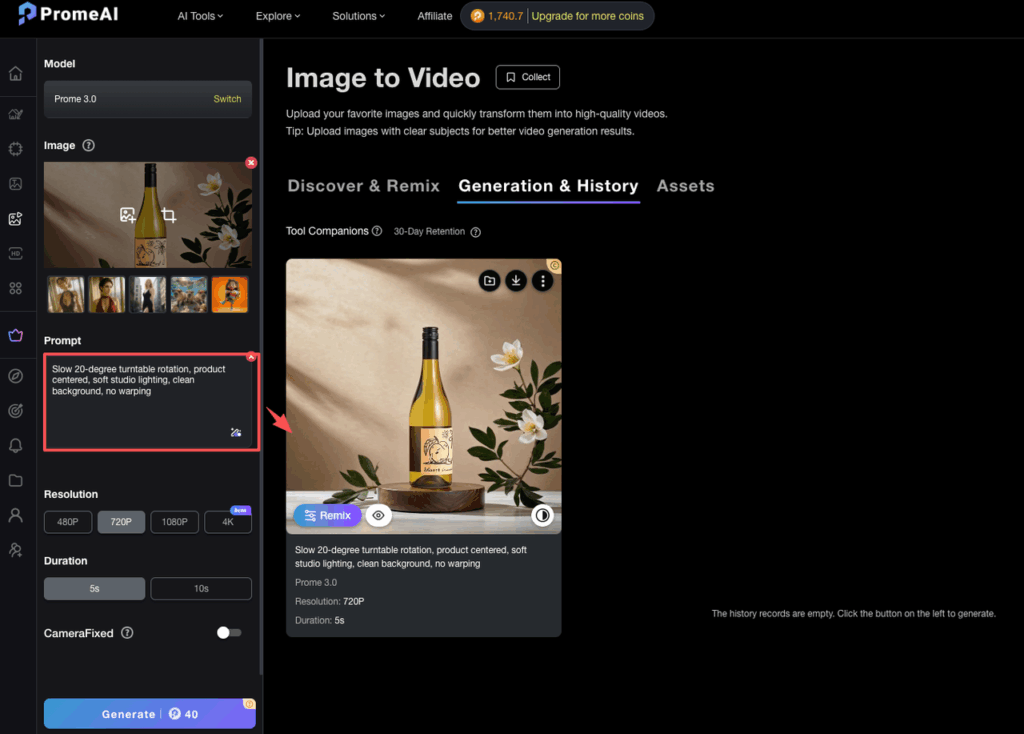
- Seed:2147 (if seeds are available in your workflow, reuse it for consistent variants)
- Model:Image-to-Video mode in PromeAI
Fix if it gets weird:
- Add “no bending, preserve label text”
- Reduce angle: “10-degree rotation”
Zoom
Zoom is the simplest way to create drama without making the product mutate.
Prompt we used:
- Prompt: “Gentle camera push-in, sharp focus on product, subtle depth of field, minimal motion”
- Seed:9031
- Model:Image-to-Video
Where zoom shines:
- Small products that need presence (jewelry, earbuds)
- “Premium” cues (tight framing + slow move feels intentional)
Environment change
This is the fun one. It can also go off the rails if we ask for too much.
Prompt we used:
- Prompt: “Keep product identical, background transitions from white studio to modern kitchen counter, natural morning light, realistic shadows”
- Seed:5520
- Model:AI Video Generator (template + prompt layer)
Guardrails we add when needed:
- “Product shape unchanged”
- “No extra objects attached to product”
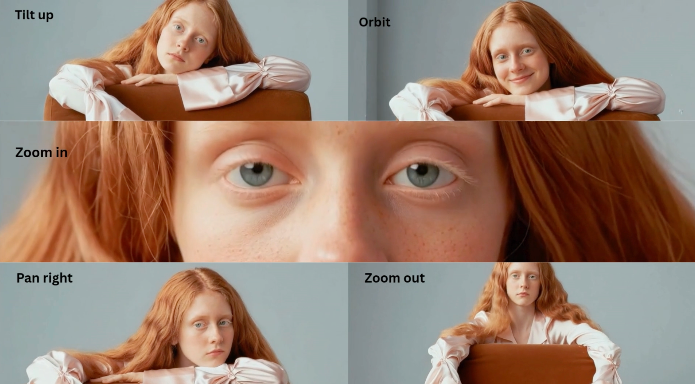
If you want inspiration for camera moves that feel like real filmmaking (and not random motion), this guide is solid: Let’s Enhance: AI video camera movements. We’ve used it like a menu, pick one move, don’t order the whole restaurant.
Export Specs by Platform
Templates are only half the win. The other half is exporting so your social video templates don’t end up blurry, cropped, or rejected by an ad manager.
We keep exports boring on purpose. Boring exports ship.
Instagram/TikTok

Goal: vertical, crisp text, minimal compression weirdness.
- Aspect ratio: 9:16
- Resolution: 1080×1920
- Frame rate: 30 fps (safe default)
- Duration: 5–15s for most short ads
- Format: MP4 (H.264)
Practical note: if your template uses tiny type, bump font size before export. These platforms love compressing fine details.
For spec cross-checks, we often reference roundups like Sprout Social’s video specs guide.
YouTube Shorts
Shorts are forgiving, but they punish muddy audio and soft text.
- Aspect ratio: 9:16 (or 1:1 if you must, but vertical wins)
- Resolution: 1080×1920
- Frame rate: 30 or 60 fps (we stick to 30 unless motion is fast)
- Safe area: keep text away from bottom UI
If you’re finishing in Premiere, Boris FX has a genuinely useful breakdown of export settings (bitrate ranges, codecs, etc.): Best export settings for Premiere Pro.
Facebook is where we see the most “Why does this look different?” moments, placements vary.
Our safest default for broad placement:
- Resolution: 1080×1080 (1:1) or 1080×1920 (9:16) depending on your campaign
- Format: MP4 (H.264)
- Keep text big: many placements display smaller than you expect
For official-ish guardrails on video ad formats, Facebook’s business docs are a good reference point: Meta/Facebook video ad specs.
If we’re being honest, PromeAI animated product ad templates hit a sweet spot for teams who need decent-looking motion fast, especially if we already have clean product images and brand basics.
And that’s the question we’ll leave you with (because this is usually where projects get stuck): what’s your bottleneck right now, getting clean product cutouts, writing the copy, or making the motion feel “expensive”?
Frequently Asked Questions
What are PromeAI animated product ad templates, and what do you need to make one?
PromeAI animated product ad templates are ready-made short ad layouts you customize with your own assets—often just one product photo, a logo, and brief copy. You pick a template, drop in assets, and refine the motion with a short prompt, without building an After Effects timeline.
Which PromeAI animated product ad templates work best for a fast 5-second product reveal?
For speed, the 5-second product reveal template is ideal for new drops, restocks, landing page hero loops, and story ads. Use one clean product image (2000px+ long edge), a logo, and a 6–10 word headline. Keep copy tight and add a quick shine beat for glossy products.
How do you structure a 10-second feature showcase ad using PromeAI templates?
A reliable 10-second feature showcase is: 0–2s product hero, 2–8s three feature cards (icons + short lines), and 8–10s CTA plus URL. Keep each feature to 4–6 words, use one consistent icon style, and reduce “bouncy” motion so text stays readable.
How can you make lifestyle context ads (15s) without overcooking the animation?
Start with a strong lifestyle background, keep the product as the hero, and limit the ad to 2–3 quick scenes. This creates variety by swapping backgrounds while keeping the product consistent. Avoid too many scene changes—when it gets busy, it reads like a slideshow and weakens the message.
What motion prompts help PromeAI animated product ad templates look more “expensive”?
Use short, product-safe prompts: “Slow 20-degree turntable rotation… no warping,” “Gentle camera push-in… minimal motion,” or “Keep product identical, background transitions… realistic shadows.” Add guardrails like “preserve label text” and “product shape unchanged” to prevent bending, warping, or unwanted add-ons.
Say goodbye to the 11 PM ‘keyframe spiral’ and the stress of complex video suites. Try PromeAI’s animated product ad templates to create polished, deadline-friendly content in minutes, not hours.
Recommended Reads
Leave a Reply