Okay, so I’ve been deep in a rabbit hole lately.
It started when I was looking at MVRDV’s recent projects — you know, the Rotterdam-based firm behind things like the Market Hall and those insane pixelated building facades — and I kept wondering: how much of what they’re doing is actually AI-assisted right now?
Because there’s a massive gap between what you read in architecture press releases (“we use cutting-edge computational tools!”) and what’s actually happening on the ground. I wanted to figure out where firms like MVRDV actually sit in the AI adoption curve. And then, more importantly, what that means for the rest of us who aren’t running a 300-person studio with a dedicated research department.
Here’s what I found out.
Why Architects Are Looking for Real AI Workflow Examples
Let me be honest about something. The question “how are top firms using AI?” is coming up a lot right now — and not just from students or junior designers. I’ve heard it from principals at five-person practices who are genuinely trying to figure out where to plug AI into their process without derailing everything.
The frustration is real. Most “AI in architecture” articles either:
- Talk in vague terms about “computational innovation”
- Or they go full tech-bro and act like every firm is already running generative design pipelines end-to-end
Neither is useful. You want to know: what are they actually doing, at which stage, and can I do something similar?
That’s exactly what this piece tries to answer.
How MVRDV Approaches AI in Design
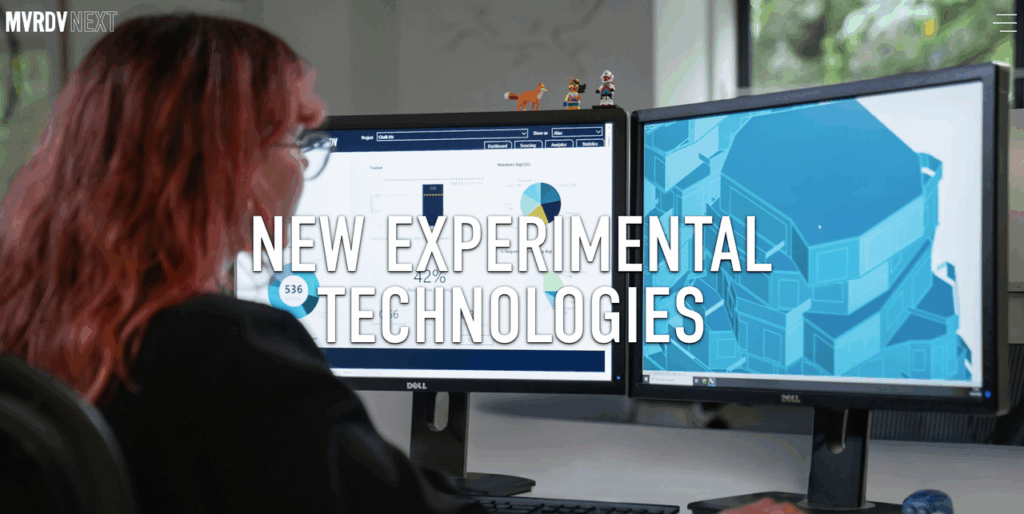
MVRDV has been public about their interest in data-driven and computational approaches to architecture for years, a movement largely driven by MVRDV NEXT, their dedicated tech and innovation group. Their work often starts from quantitative inputs — urban density data, sunlight analysis, program requirements — and then the design responds to those constraints.
Computational and parametric design
MVRDV uses parametric modeling as a core part of how they generate and test design options. This isn’t new for them — tools like Grasshopper and Rhino have been part of the process for a while. What’s shifted more recently is how AI-adjacent tools are being layered on top.
In interviews, MVRDV founders and partners have talked about using data visualization and simulation as a design driver rather than just a verification tool. Their research branch has extensively explored how data, AI, and emerging technologies shape their workflow. By factoring in variables like views, access to greenery, and even economic equity, computational analysis can directly shape building form.
AI for data-driven site analysis
This is where firms like MVRDV are genuinely ahead of most studios: they treat site data as a design input from day one. Population density maps, climate data, pedestrian flow models — these feed directly into early concept decisions.
AI-enhanced analysis tools (some built in-house, some commercial) can now process satellite imagery, zoning data, and urban context much faster than manual methods. The result? Less time spent on repetitive data gathering, more time on actual design thinking.
Concept visualization and iteration
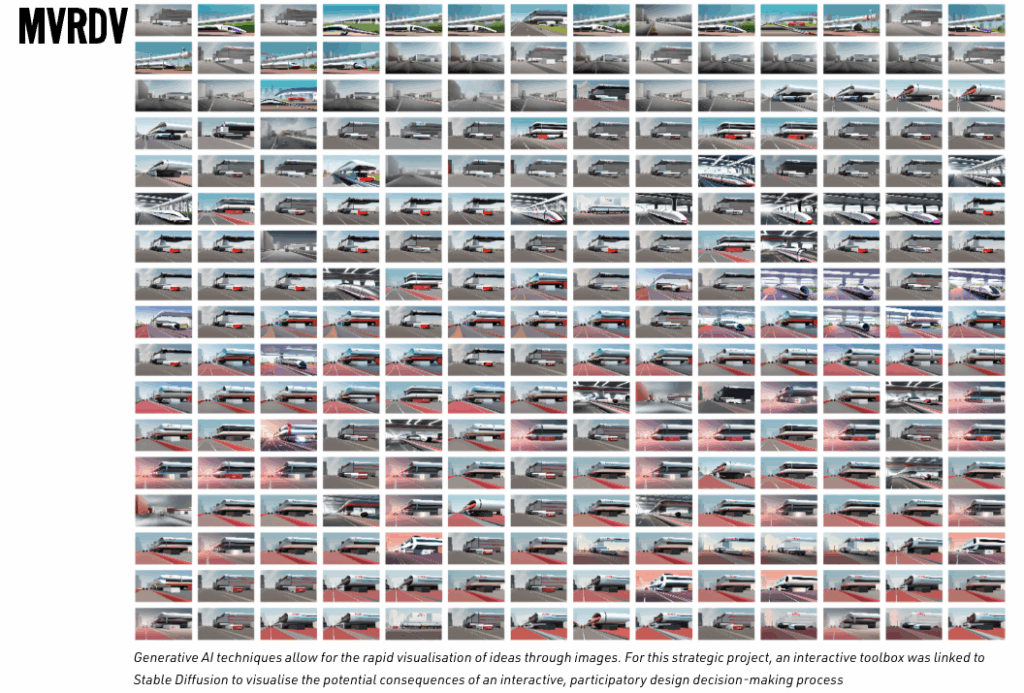
Here’s the piece that’s most relevant to smaller studios. Even at large firms, the early concept stage is messy and fast. Designers need to try ideas quickly — before investing days in full 3D models. MVRDV’s team has published material showing physical models, sketch explorations, and digital concept images side by side in early design stages. To achieve this speed of iteration at the concept phase, their experts actively advocate for integrating generative AI tools in the design process.
What Other Leading Firms Are Doing
MVRDV isn’t alone in pushing this direction. Several other large firms have been more public about specific AI tool adoption.
BIG, Zaha Hadid Architects, and others
BIG (Bjarke Ingels Group) has been open about using AI tools for energy analysis, structural optimization, and — more recently — visual exploration at early project phases, actively exploring the impact and opportunities of AI in architecture across their workflows. Bjarke Ingels himself has spoken in public forums about AI’s role in helping teams iterate faster on design options.
Zaha Hadid Architects (ZHA) has a dedicated computational design research group. They’ve explored generative AI for facade patterning, structural lattice optimization, and urban-scale planning models, which is frequently highlighted in their conference presentations on tectonics via AI. They are also pushing boundaries by integrating these complex design models with advanced rendering pipelines, as seen in recent case studies using NVIDIA Omniverse for advanced visualizations.

HOK and Gensler — both massive firms with significant tech investment — have been experimenting with AI-assisted space planning and post-occupancy data analysis. HOK recently published insights on balancing AI innovation with intentionality, while Gensler’s Design Forecast reports on AI and the future of cities have referenced artificial intelligence as a growing and critical part of their research toolkit.
Common tools and approaches at firm scale
Across these firms, a few patterns show up:
- Computational design platforms like Grasshopper, Dynamo, and custom Python scripting remain the backbone
- AI image generation is used experimentally for concept visualization — mostly Midjourney, Stable Diffusion-based tools, and some firm-specific pipelines
- Machine learning for analysis — energy modeling, structural optimization, urban data processing — is where the serious computational investment sits
- Proprietary tools built internally by larger firms for specific project types
And here’s the thing almost nobody writes about: most of these firms have dedicated people — researchers, computational designers, sometimes entire R&D departments — whose job is to figure this stuff out. That context matters a lot.
The Gap Between Firm-Level and Studio-Level AI
This is the part I really wanted to get to.
When MVRDV or ZHA talk about their computational workflows, there’s an implicit assumption: you have a team of people with time, budget, and technical depth to set this up properly. That’s just… not most architects.
What’s accessible for smaller practices
The good news? The AI tools that are genuinely useful at studio scale have gotten much better and much more accessible in the last 12–18 months.
You don’t need a Grasshopper expert or a custom ML pipeline to get real value from AI in your process. The most practical AI entry points for a small to mid-size architecture practice right now are:
- Sketch-to-render tools that turn early hand sketches or SketchUp screenshots into realistic-looking concept images (more on this in a second)
- AI-assisted specification writing and documentation — still early, but genuinely time-saving for repetitive documentation tasks
- AI search and analysis for code/zoning research — tools that can parse local building codes faster than manual review
- Client communication visualization — generating multiple style options from the same base model to show clients
None of these require a computational design background. They fit into workflows that already exist.
Where most architects actually are in AI adoption
Here’s my honest read, after talking to designers and following the space: most architecture practices — especially those under 20 people — are somewhere between “heard a lot about it” and “tried a few tools, got mixed results.”
The barrier isn’t really technical. It’s workflow fit. AI tools that require you to completely rethink how you work don’t get adopted. The ones that slot into what you’re already doing? Those stick.
Practical AI Workflow for Everyday Architecture Studios
Okay. Here’s the part that’s actually actionable.
Sketch-to-render for early-stage proposals
This is the move that I’ve seen click for architects at smaller practices. Instead of waiting until you have a detailed 3D model to generate something presentable, you take your early sketch — even a rough hand drawing or a SketchUp white model screenshot — and run it through an AI rendering tool.
The output isn’t a final render. It’s not meant to be. It’s a direction indicator. Something you can show a client at week two of a project instead of week six. Something that opens a conversation about style, materiality, and feel before you’ve committed to anything.
PromeAI is one of the tools worth knowing about here. It’s built specifically around controllable AI rendering — meaning it takes your sketch as a structural input and renders that sketch, rather than just generating something loosely inspired by your prompt. For early-stage architecture work, that distinction matters. You’re not handing off creative control to an algorithm; you’re using it to visualize what’s already in your drawing.

The workflow is straightforward:
- Upload your sketch or white model screenshot
- Select a rendering style (exterior day, exterior night, specific material directions)
- Generate multiple variations — typically takes seconds
- Pick the directions worth developing further
That’s it. You’re not replacing your V-Ray workflow for final deliverables. You’re compressing the early exploration phase from days to hours.
Iteration speed and client communication
Here’s the practical payoff: clients make decisions faster when they can see options.
Most architecture studios know the frustration of clients who can’t visualize from drawings or even from basic 3D models. AI-generated concept images — even imperfect ones — dramatically lower the visualization gap. A client who was vague about style preferences often gets very clear very fast when you put three different rendered directions in front of them.
The feedback loop tightens. You spend less time developing options the client doesn’t want, and more time refining the one they do.
Reducing pre-production overhead
The other big win is how much time you can cut from the early proposal phase. For competitive pitches especially, the ability to show a range of concept directions without burning a week of team hours on preliminary renders is significant.
Smaller studios competing against larger ones have always had to be scrappy about this. AI rendering tools are genuinely leveling that part of the playing field.
FAQ
Q1: Does MVRDV use AI in their architecture projects?
MVRDV has a long history with computational and data-driven design approaches, and their work incorporates parametric modeling and data analysis tools extensively. Specific AI tool usage at their practice has been widely discussed, including deep dives in video interviews detailing how MVRDV is using AI to design their buildings.
Q2: What AI tools are leading architecture firms using?
At large firms, the toolkit typically includes parametric design platforms (Grasshopper, Dynamo), custom Python-based analysis scripts, AI image generation tools for concept visualization, and machine learning models for energy/structural optimization. For smaller practices, the most practical entry points are AI sketch-to-render tools, AI-assisted documentation, and AI-powered code/zoning research tools.
Q3: How is AI changing the architecture design process?
The biggest shift is at the early concept stage. AI tools are compressing the time between “rough idea” and “something you can actually show someone.” That changes how quickly teams can iterate, how early clients get involved in visual decision-making, and how many directions a studio can explore before committing to one path.
Q4: Can small architecture studios use the same AI approaches as large firms?
Some of them, yes — especially on the visual side. Sketch-to-render tools, concept visualization, and client communication are all areas where small studios can see real workflow improvements without needing enterprise-level technical infrastructure. The main gap is in the more complex analytical applications (custom ML models for large-scale urban data processing), which still require resources most small studios don’t have.
Q5: What’s the difference between computational design and AI image generation?
Computational design uses algorithms and code to generate or evaluate design options based on defined parameters — think of it as math-driven design. AI image generation uses trained models to produce visual outputs from prompts or reference images. They’re often lumped together, but they serve different purposes. Computational design optimizes; AI image generation visualizes. The most interesting workflows combine both.
Where Does This Leave You?
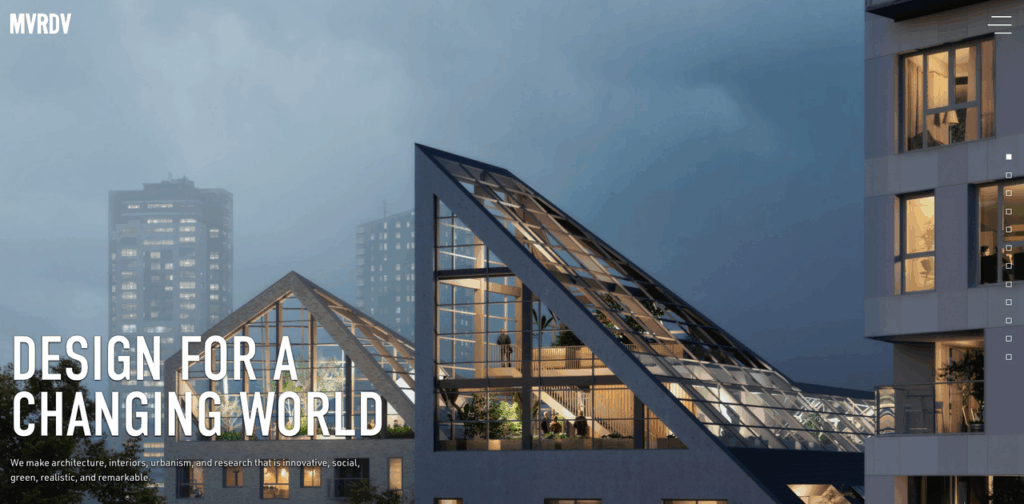
If you’re an architect watching firms like MVRDV from a distance and wondering whether AI is relevant to your practice yet — the answer is yes, but probably not in the way you think.
You don’t need a computational design team. You don’t need a custom ML pipeline. You need to find the two or three spots in your existing workflow where the friction is highest — usually early concept visualization and client communication — and see if an AI tool can reduce it.
That’s a much more tractable problem than it looks.
What’s the part of your current proposal workflow that costs you the most time before you even have client buy-in? I’m genuinely curious where the biggest friction point is for people — drop it in the comments.
Want to try sketch-to-render in your own workflow? PromeAI lets you upload your early sketches and generate multiple rendered directions in seconds — no 3D modeling required.
Recommended Reads
Leave a Reply