Let’s be honest, generating a stunning AI video only to watch it play in dead silence is the ultimate workflow buzzkill. As an AI video creator, I’ve spent countless hours dragging placeholder MP3s into Premiere just to make a client pitch feel “alive.” But mastering Vidu Q3 Audio Prompting is completely changing that painful dynamic. Over the past week, my team and I stress-tested Vidu Q3 across product explainers and architectural walkthroughs to see if its native audio generation is actually usable.
I’m Millie, and I’m here to tell you that while it won’t replace your sound engineer yet, it can generate shockingly good dialogue, SFX, and BGM right out of the gate. Here is our exact prompting guide to stop the last-minute audio panic and get cleaner lip-sync results today.
What “native audio” means in Q3 (and what it doesn’t)
If you’ve been living in “generate visuals, then fix audio in post” land (same), native audio in Vidu Q3 feels like a shortcut.
Here’s the plain-English version of what we’re seeing in practice:
- It means the model can generate audio as part of the video (dialogue, background ambience, and sometimes music-ish beds) based on your prompt.
- It does not mean you’re getting a full DAW session with separate stems, perfect mastering, or guaranteed lip-accurate phonemes.
What we can rely on (so far):
- Fast concept audio for prototypes and internal reviews
- Decent “scene glue”: room tone, street noise, soft whooshes that make a clip feel less empty
- Surprisingly usable temp VO if we prompt it like a script (more on that next)
What we still treat carefully:
- Brand-safe voice (it may drift, change age, or feel “close but not our vibe”)
- Exact pronunciation (product names, people names, non-English words)
- Mix consistency across multiple clips (one clip comes out whispery, the next is loud)
A quick trust note: we should assume anything we upload or generate can be processed by the service. If a client brief is sensitive, we keep it out of the prompt and use placeholders. And yes, always check Vidu’s current terms before using outputs commercially.
If you want a broader perspective on how synthetic audio is handled by major AI vendors, OpenAI’s speech generation documentation is a useful reference point for general concepts like audio generation and safety — different product, but a helpful mental model. For deeper context on how AI voice synthesis works at a technical level, MIT Technology Review’s explainer on AI voice synthesis is worth a read before you build any client-facing workflow around it.
Dialogue prompting patterns (speaker labels, tone, pacing)
The biggest “aha” for Vidu Q3 audio: we get better dialogue when we stop describing and start writing it like a script.
Prompting dialogue is kind of like seasoning. A pinch of direction helps. Dumping the whole spice rack in? Mud.
Here’s the pattern we’ve had the highest hit rate with:
- Speaker labels (clear separation)
- Tone tags (calm, upbeat, deadpan)
- Pacing (short lines, pauses, or “quick read”)
- Performance cues (smile in the voice, under-breath aside)
- Pronunciation hints (simple phonetic note if needed)
A copy-paste prompt skeleton we use:
- Model/Mode: (whatever Q3 audio toggle/setting your UI shows)
- Prompt:
- “Two speakers. Clean studio voice. Minimal room tone.”
- “Speaker A (warm, confident, medium pace): …”
- “Speaker B (curious, quicker pace): …”
- “Natural pauses between sentences. No music.”
And if we need it to not sound like a trailer voice:
- Add: “Conversational, small breaths, not dramatic, not announcer.”
Short dialogue templates you can reuse
These are the exact formats we’re reusing for designer-y content.
Template 1: Product explainer (15–20s)
- Prompt:
- “Clean dialogue, no music, light office ambience.”
- “Speaker A (friendly, medium pace): ‘Meet the new [product name]. It keeps your workflow simple, one place for specs, comments, and approvals.’”
- “Speaker A (slightly faster): ‘So you spend less time hunting… and more time building.’”
Template 2: Architecture walkthrough (calm, premium)
- Prompt:
- “Single narrator, calm, premium, slow pacing. Subtle airy room tone.”
- “Narrator (soft, steady): ‘We enter through the north courtyard. Morning light hits the oak slats first… then spills into the living space.’”
- “Narrator: ‘Listen for quiet, this layout is designed for it.’”
Template 3: Two-person “designer + PM” banter
- Prompt:
- “Two speakers, friendly banter, quick back-and-forth, no music.”
- “Designer (playful): ‘If we move the CTA up, the page finally breathes.’”
- “PM (skeptical but amused): ‘Breathes… or floats away?’”
- “Designer (laughing): ‘Give it 24 hours. You’ll never go back.’”
Template 4: Micro-ads (punchy, 6–10s)
- Prompt:
- “Single voice, upbeat, quick read, clear consonants.”
- “Voice: ‘New drop. Same clean look. Half the steps.’”
- “Voice: ‘Try it today.’”
Little detail that helps more than it should: we add one line about what we don’t want.
Examples:
- “No echo.”
- “No background music.”
- “No robotic tone.”
It keeps the model from “helping” us into a vibe we didn’t ask for.
We’re constantly learning how AI creators navigate the messy middle of video production, from script pacing to ambient sound. Test your best audio prompts in PromeAI today. We’d love to hear if our platform supports your workflow for product explainers and walkthroughs.
SFX & BGM prompting (timing + intensity)
SFX and background beds are where Vidu Q3 feels the most fun for designers because they instantly sell the illusion.
But timing is everything. If we just say “add SFX,” we get random whooshes. If we anchor sounds to moments, it behaves better.
What we include:
- Timing anchors: “at 0:02,” “as the door closes,” “when the logo appears”
- Intensity: soft / medium / punchy
- Texture: “paper rustle,” “soft synth pad,” “distant traffic,” “ceramic clink”
- Don’t-do list: “no jump scares,” “no heavy bass,” “no EDM”
A prompt pattern we use for motion design:
- Prompt:
- “SFX timed to actions. Keep it subtle.”
- “0:01 light whoosh as the card slides in.”
- “0:03 soft click on button press.”
- “0:06 gentle rise leading into logo.”
- “0:07 short airy hit on logo reveal.”
If we want BGM that doesn’t fight the message:
- “Background music: minimal, warm, low-volume, no vocals, no strong melody.”
“Audio mix” cues (bg lower, voice clear)
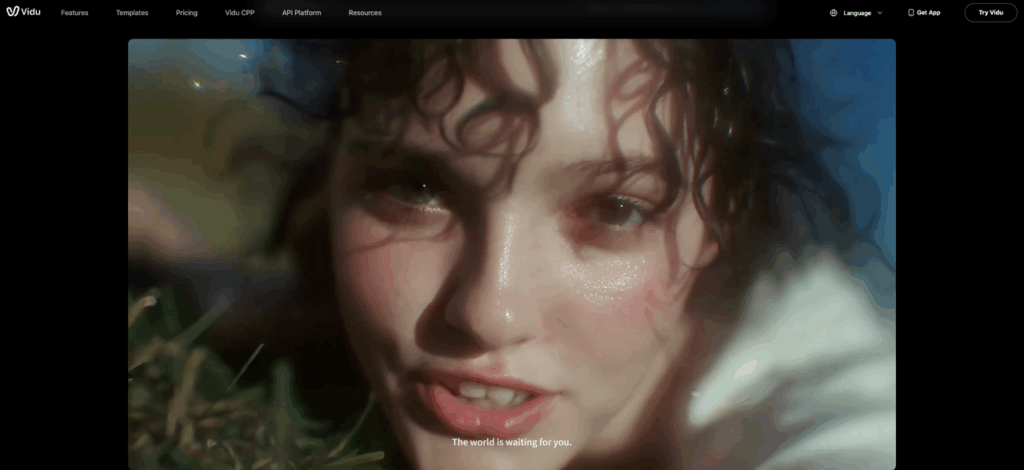
These are the mix cues that most consistently reduce chaos:
- “Voice front and center. Background 30% volume.”
- “Dialogue clear, SFX tucked under.”
- “No clipping, no distortion.”
- “Keep peaks gentle, like a social ad mix.”
And if the model keeps drowning the voice in ambience:
- “Office ambience extremely subtle, barely audible.”
For our marketing designers, the goal is usually ‘sounds good on phone speakers’. So we add:
- “Optimized for smartphone playback, clear mids, not boomy.”
Is it real mastering? No. But it gets us to a “credible temp cut” fast, which is half the battle on tight timelines.
Troubleshooting (noisy mix, wrong voice, lip mismatch)
Okay, the honest part: Vidu Q3 audio will sometimes hand us audio that’s almost right, and that’s the annoying zone.
Here are the issues we keep seeing, and what we do about them.
Problem: The mix is noisy or hissy
- What we try:
- Add: “Clean studio recording, no hiss, no hum.”
- Remove: extra ambience descriptions (street + crowd + wind = mush)
- Lower the background explicitly: “Background ambience at 15–20%.”
- If it’s still messy: we treat it as scratch audio and replace in post.
Problem: Wrong voice vibe (too dramatic / too old / too ‘radio’)
- What we try:
- Add: “Conversational, friendly, natural, not announcer.”
- Add: “Slight smile in voice” or “matter-of-fact”
- Keep the script short. Long paragraphs tend to drift.
Problem: Voice changes mid-clip
- What we try:
- Use one speaker unless we truly need two.
- Repeat the constraint: “Same voice throughout.”
- Avoid switching emotions too hard (calm → yelling → whispering).
Problem: Lip mismatch
This is the big one if you’re aiming for believable talking-head.
- What we try:
- Keep dialogue lines shorter (1 sentence at a time)
- Reduce fast pacing: “slow to medium pace”
- Avoid tricky words and brand names
- Our practical workaround:
- Use shots where the mouth isn’t the hero: over-the-shoulder, profile, cutaways, hands, product closeups.
- If we need on-camera speech, we plan for a post VO pass.
Problem: Pronunciation is wrong (brand names, place names)
- What we try:
- Provide a simple phonetic hint in parentheses.
- Or rewrite the line. Seriously, sometimes the easiest fix is changing “XQZ Suite” to “the XQZ platform.”
One more trust note: if you’re generating anything that sounds like a real person or could be mistaken for one, be careful. Understanding how AI voice synthesis works — including its risks — is essential reading before you use it in client-facing work. Label synthetic audio internally, and don’t use it in ways that could mislead. That’s just good practice (and it keeps projects from getting weird).
QA checklist for publish-ready audio
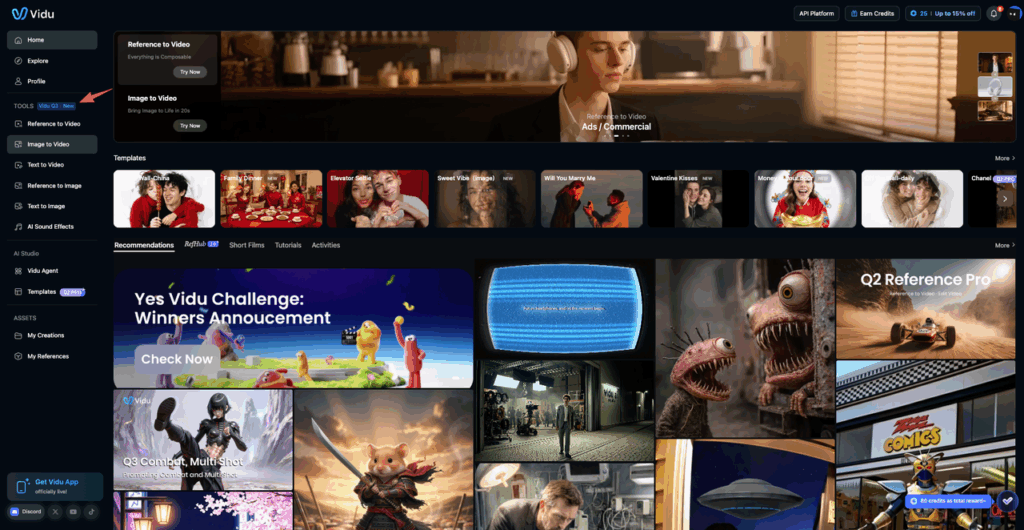
If we’re sending a clip to a client or posting it publicly, we run this quick checklist. It’s saved us from the “why does the VO sound like it’s underwater?” moment.
Content + clarity
- Dialogue is understandable on phone speakers
- No mispronounced names (products, people, cities)
- No accidental weird lines (we listen once with eyes closed, catches a lot)
Mix + levels
- Voice is the loudest element
- Background is present but not distracting
- No harsh peaks / distortion on loud consonants (P, T, K)
Sync + editability
- Any visible talking matches well enough (or we’ve added cutaways)
- There’s room for captions without covering key visuals
- We can replace audio later if needed (we keep the timeline flexible)
Brand + safety
- Music vibe matches brand (or we used no music)
- No “sounds like a celebrity” energy
- We’re not sharing sensitive client info in prompts
If we fail more than two boxes, we stop arguing with the clip and do a clean VO + music pass in post. That’s not a defeat, it’s just a smart cutoff.
Where do you usually get stuck with audio generation—dialogue wording, mixing, or voice consistency? We’re constantly learning how AI creators navigate the messy middle of video production, from script pacing to ambient sound. Test your best audio prompts in PromeAI today. We’d love to hear if our platform supports your workflow for product explainers and walkthroughs.
Frequently Asked Questions (Vidu Q3 Audio)
What is Vidu Q3 audio and what does “native audio” mean?
Vidu Q3 audio refers to Q3 generating sound as part of the video — dialogue, background ambience, and sometimes a simple music-like bed — based on your prompt. “Native audio” is great for fast concept cuts, but it’s not a full DAW export with stems, perfect mastering, or guaranteed lip-accurate speech.
How do you prompt Vidu Q3 audio for better dialogue and voiceover?
Treat Vidu Q3 audio like you’re writing a script, not describing an outcome. Use speaker labels, tone tags, pacing notes, and short lines with natural pauses. Add performance cues (like “smile in the voice”) plus one “don’t want” line (e.g., “No music” or “Not announcer”).
How can I add timed SFX and background music in Vidu Q3 audio without random whooshes?
Anchor sounds to clear moments and intensity. For Vidu Q3 audio, include timing cues like “0:03 soft click on button press,” texture notes (“paper rustle,” “distant traffic”), and a don’t-do list (“no jump scares,” “no heavy bass”). For BGM, specify “low-volume, no vocals, no strong melody.”
Why does Vidu Q3 audio sometimes sound noisy, too loud, or inconsistent between clips?
Mix variability is common: one clip can be whispery while the next is loud. Reduce chaos by adding mix cues such as “voice front and center,” “background 15–30%,” and “no clipping or distortion.” If it’s still hissy, request “clean studio recording, no hiss/hum” and simplify ambience descriptions. For a technical understanding of why AI-generated speech behaves inconsistently, reviewing how leading platforms approach audio modeling can help set realistic expectations.
How do I fix lip-sync or talking-head mismatch with Vidu Q3 audio?
For Vidu Q3 audio, keep dialogue short (one sentence at a time), avoid fast pacing, and skip tricky brand names. Use shot choices that hide mouth detail (profile, cutaways, hands, product closeups). If on-camera speech must be believable, plan a post-recorded VO pass instead of fighting the model.
Recommended Reads
Leave a Reply