Nothing kills a creative high faster than a Slack message from Legal asking, “Hey, did we actually clear the rights for that AI video?” If you’re exploring Vidu commercial use for client projects, you’ve probably felt that hesitation. We all want to use tools like Vidu to generate stunning 12-second teasers or architectural flythroughs, but the fear of hidden privacy clauses or copyright gray areas is real.
Hi, I’m Millie, and I’ve been there. Instead of guessing, my team and I ran a live experiment: we dropped a Vidu-generated clip into a real client deck and documented every compliance hurdle we faced. This isn’t legal advice—it’s a battle-tested checklist for designers who need to ship work without waking up in a cold sweat.
Quick note: we’re not lawyers. We’re the people who get Slack messages like “Can we put this in the campaign… today?” and need a repeatable way to say yes (or no) with receipts.
The 3 questions creators must answer (rights, privacy, moderation)
Commercial use with generative video usually breaks on three questions. If we can answer them clearly, we’re good. If we can’t, we pause.
1) Rights: do we have permission to use what we generate?
We ask:
- Are we allowed to use outputs in client work, ads, or products?
- Do we still own our inputs (our sketches, storyboards, product photos)?
- Is there anything in the terms that limits commercial usage (for example: “personal use only,” attribution requirements, or restrictions on logos/celebs)?
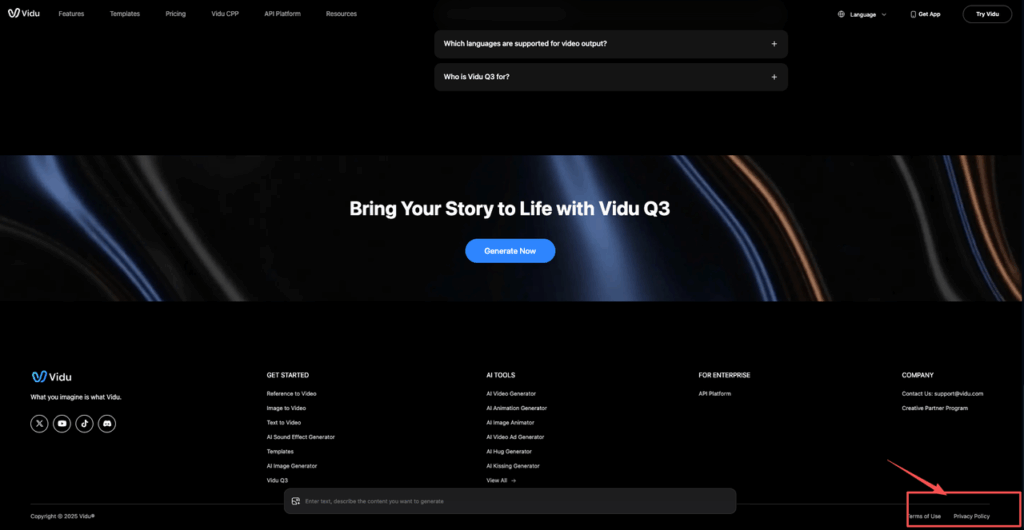
Start by reading Vidu’s official Terms of Service — this is the authoritative source for what’s permitted in commercial contexts.
And we get specific. “Commercial” for us includes:
- Paid social ads
- Brand film / product teaser
- In‑app onboarding video
- Website hero loop
- Investor deck visuals
2) Privacy: what happens to the stuff we upload or type?
If we’re working with anything client-related, we need to know:
- Does the platform store prompts/uploads, and for how long?
- Can they use our content to train or improve their models?
- Can we delete project data?
We always go straight to Vidu’s Privacy Policy to verify data retention, storage, and training clauses before onboarding any client project.
If the policy is vague, we treat it like it’s stored and reused until proven otherwise.
3) Moderation: what if the model creates something that violates policy, or our brand?
Even “safe” prompts can drift. We’ve seen harmless product prompts generate:
- accidental look‑alike celebrity faces
- weird logo-ish marks
- background text that looks like a real label
So we need to know:
- What content is disallowed by the platform (and how strict enforcement is)
- Whether there’s a reporting / appeal path
- Whether our team has an internal brand-safety review before publishing
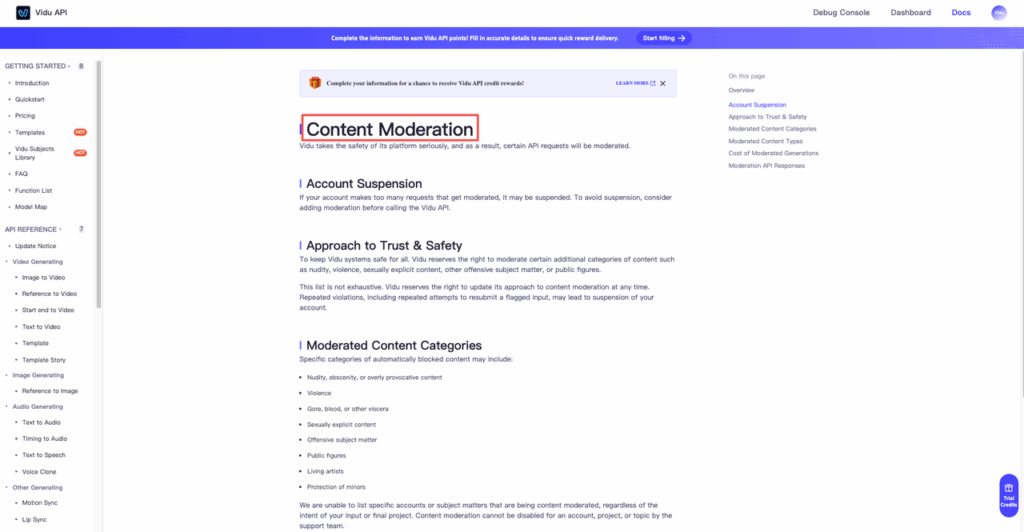
For the full breakdown of what’s permitted and prohibited, review Vidu’s Content Moderation Policy — it’s the clearest reference for category-level rules.
If we had to boil it down: rights keep us legal, privacy keeps us trustworthy, moderation keeps us employed.
What to verify in Terms/Policies (inputs/outputs, storage, reuse)
For vidu commercial use, we treat the Terms/Policies like a pre-flight checklist. We’re looking for a few clauses that decide whether a client can safely use the final video.
Here’s what we verify, every time Vidu updates policies or we switch accounts/plans:
Inputs vs. outputs: who owns what?
We look for explicit language on:
- Ownership of inputs: do we keep rights to uploaded images/video, brand assets, and prompts?
- License to the provider: does Vidu get permission to host/process our inputs? (Normal.) Do they also get permission to reuse them? (This is the big one.)
- Rights in outputs: are we granted a license/ownership that covers commercial use?
If there’s ambiguity, we screenshot the relevant clause and keep it with the project notes. (Sounds paranoid. Saves time later.)
Storage and retention: where does the data live and how long?
We check:
- Whether prompts/uploads are stored by default
- Retention duration (if stated)
- Whether we can delete assets/projects
- Whether deletion is immediate or “within X days”
Why we care: a lot of professional design work includes unreleased product info, private architecture plans, or campaign concepts. The answers live in Vidu’s Privacy Policy.
Reuse / training: can they use our stuff to improve the model?
This is often the deal-breaker for client work.
We look for:
- Training on user content (opt-in vs opt-out)
- Model improvement language (“may use content to improve services”)
- Any separate enterprise policy that changes this
If the official policy page is the source of truth, we link it in our internal doc (so later we can point to exactly what we relied on).
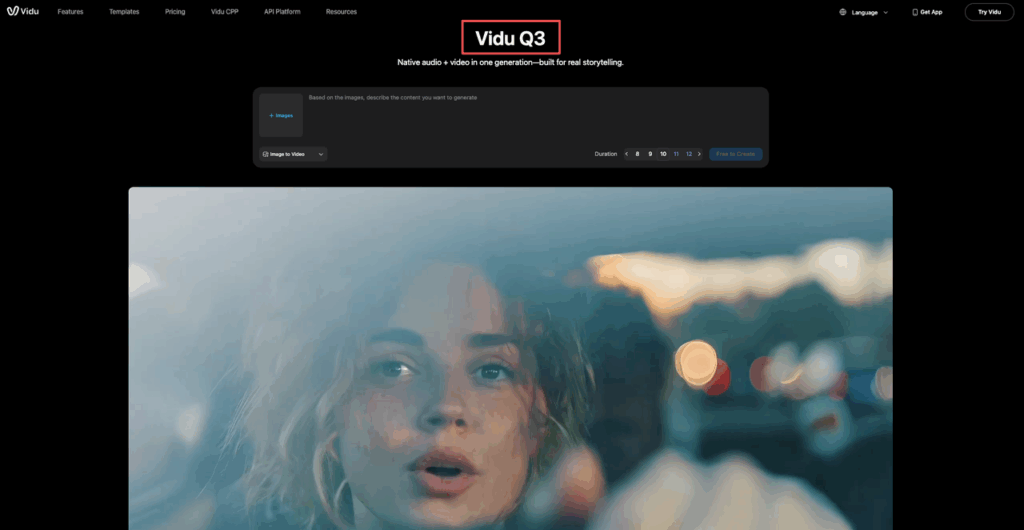
Reference point: Vidu Q3 is the official product hub — from there, click through to any linked Terms/Privacy/Policy docs to ensure you’re reading the most current version.
Team workflow: account roles + asset handling
This is where things get real in a studio.
Our practical rules:
- One “client-safe” workspace/account: used only for approved assets and sanitized prompts.
- Separate R&D account: where we play, test styles, and do messy iteration.
- Role-based access: only the producer/lead exports finals and downloads source files.
- Asset handling:
- We store source prompts + settings in a shared doc
- We export finals to the client’s approved storage (Drive/Dropbox/DAM)
- We don’t leave client finals sitting in random personal downloads folders
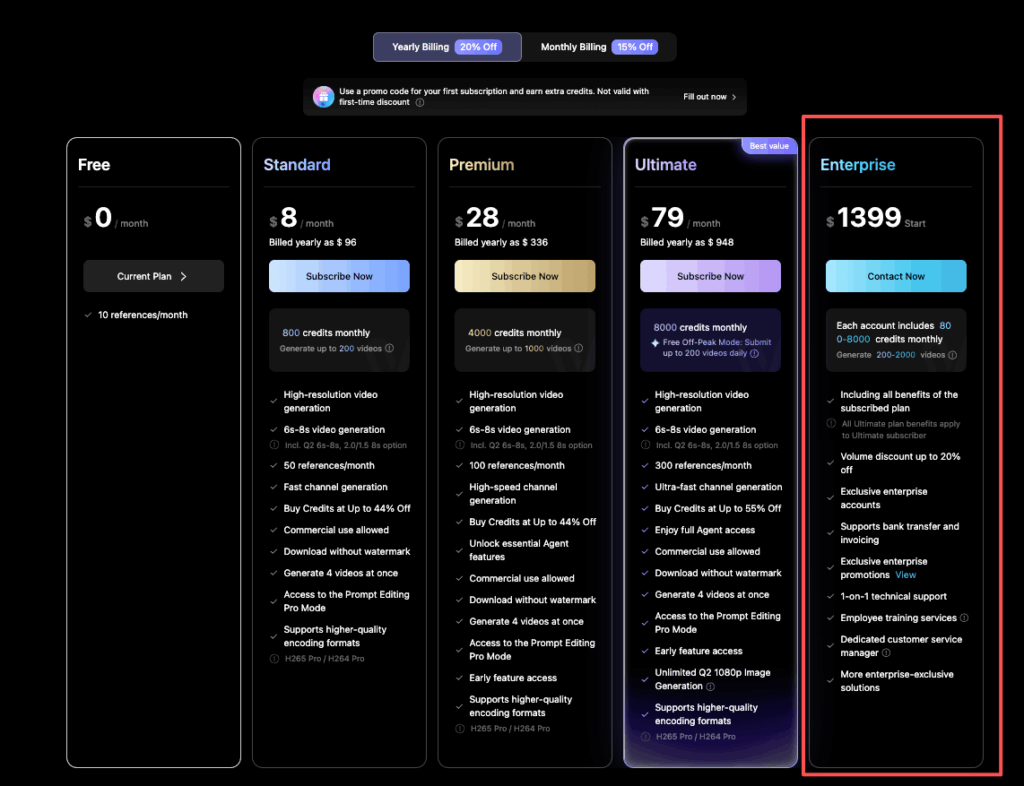
If Vidu offers org/team controls, we use them — check Vidu’s pricing and plan tiers to see what organizational features are available at each level. If it doesn’t, we create process controls ourselves (naming conventions and who’s allowed to upload what).
Privacy-safe prompting (avoid sensitive personal data)
If we want commercial outputs we can defend, we prompt like we’re writing on a whiteboard in a public hallway.
Meaning: we assume prompts could be seen, stored, or reviewed, even if we hope they won’t be.
What we avoid putting in prompts (even “just for a test”)
- Real names + identifying details (“John Smith, lives at…”)
- Emails, phone numbers, order IDs
- Medical info or HR stuff
- Unreleased product codenames + specs
- Floorplans tied to a specific address (architecture folks: this is a big one)
What we do instead (same creative intent, safer inputs)
- Swap real people for descriptors: “mid‑30s founder, confident, natural smile”
- Swap real locations for vibe: “sunlit modern kitchen, Scandinavian minimal”
- Use placeholders for brands: “generic beverage can with blue label (no text)”
A copy-paste “sanitized prompt” pattern we use
When we’re generating something ad-adjacent, we structure prompts like seasoning, start simple, then add flavor:
- Subject: product + materials
- Scene: lighting + environment
- Camera: lens feel + movement
- Constraints: “no logos, no readable text, no celebrity likeness”
Example:
“Minimalist product ad shot of a matte black wireless earbud case on a reflective surface, soft studio lighting, shallow depth of field, slow push-in camera, premium feel, no logos, no readable text, no faces.”
It’s boring on purpose. And it keeps us out of trouble.
If we need to include brand elements, we do it later in post (After Effects, Premiere, Figma motion mock, whatever your stack is), using official assets we’re licensed to use.
Moderation & brand safety workflow
Platforms have moderation rules. Brands have stricter rules. Clients have the strictest rules.
So our workflow has two lanes:
Lane 1: Platform compliance (don’t get blocked)
We read Vidu’s Content Moderation guidelines and avoid categories that trigger:
- sexual content
- hateful/harassing content
- instructions for wrongdoing
- illegal content
Even if we’d never intentionally generate that, sometimes a prompt with “edgy poster” energy veers weird.
Lane 2: Brand safety (don’t ship something lawsuit-y)
This is the stuff that slips through moderation but still causes problems:
- Accidental trademark look-alikes
- Fake labels with “almost real” ingredient lists
- Faces that resemble public figures
- Background signage that looks like a real business
Our fixes:
- Add constraints: “no logos, no brand marks, no readable text”
- Generate on clean backgrounds, add typography later
- If a shot keeps producing suspicious marks, we change the art direction (seriously, it’s faster than trying to wrestle one stubborn scene)
The 10-minute review we do before anything leaves the building
Two people, quick pass:
- Zoom in on every frame (text, labels, signage)
- Check hands/faces for uncanny issues (ads die in comments when faces look off)
- Check for unintended “claims” (medical/fitness claims can be a compliance nightmare)
If we’re producing regulated-industry content (health, finance, kids), we add an extra reviewer and a written approval note.
For general AI safety guidance and policy framing, we also keep an eye on OpenAI’s public policy resources as a baseline reference. Even when we’re using another tool, the categories are a useful sanity check.
Pre-publish checklist + documentation
This is the part that makes “vidu commercial use” feel boring, in a good way.
Before we publish or deliver to a client, we capture a tiny paper trail. It’s not for bureaucracy. It’s for the inevitable “Can we prove we did this responsibly?” question.
Our pre-publish checklist (copy/paste)
- We confirmed Vidu’s current Terms of Service, Privacy Policy, and Content Moderation Policy for this account (saved in project notes)
- Our input assets are licensed/owned (photos, fonts, music, logos)
- Prompts contain no personal data and no confidential client specifics
- Output contains no logos, no look‑alike trademarks, no readable text (unless approved assets)
- Faces: either (a) none, or (b) clearly synthetic and not a public figure
- Music/SFX: licensed for commercial use (or added later from approved library)
- Two-person brand safety review completed
- Final export stored in the client’s approved location
The “documentation pack” we keep (takes 5 minutes)
- Screenshot/PDF of relevant policy sections (date-stamped)
- Final prompt(s) + key settings we used (so we can reproduce)
- Notes on what assets were uploaded and where they came from
- Reviewer names + date (yes, literally just “Reviewed by ___ on ___”)
We’ve structured our platform to give you the receipts you need. Sign up for PromeAI for free, check our commercial terms, and see if we’re the right fit for your studio’s workflow.
Frequently Asked Questions about Vidu Commercial Use
Is Vidu commercial use allowed for client work, ads, or product marketing?
Vidu commercial use can be workable, but don’t assume it’s automatically permitted. Verify Vidu’s current Terms of Service for your account: what rights you get in outputs, whether any “personal use only” limits exist, and whether there are restrictions around logos, celebrities, or attribution before shipping paid work.
Who owns the prompts, uploaded assets, and generated outputs in Vidu commercial use?
For Vidu commercial use, the key is the input vs. output language in Vidu’s Terms of Service. Confirm you retain ownership of your inputs (brand assets, photos, storyboards) and that Vidu’s license is only to host/process—not reuse. Then confirm you receive clear commercial rights to the outputs.
Does Vidu store prompts or uploads, and can it use them for training?
Treat this as a privacy and confidentiality risk until proven otherwise. Check Vidu’s Privacy Policy for storage defaults, retention periods, deletion options, and whether training opt-in/opt-out clauses apply to your account type.
What can go wrong with moderation and brand safety when using Vidu commercially?
Even safe prompts can drift into risky output—celebrity look-alikes, logo-ish marks, or background text resembling real labels. Follow two lanes: comply with Vidu’s platform Content Moderation rules and run an internal brand-safety review. Add constraints like “no logos, no readable text, no celebrity likeness,” and zoom in frame-by-frame before publishing.
What’s a safe prompt template for Vidu commercial use (especially for ads)?
Use “sanitized prompts” that avoid personal data and confidential client specifics. A practical structure is Subject (product/materials), Scene (lighting/environment), Camera (movement/lens feel), plus Constraints (“no logos, no readable text, no faces/celebrity likeness”). Add brand typography and official assets later in post to reduce risk. For platform-level rules on what’s permitted, reference Vidu’s Content Moderation Policy before finalizing any campaign brief.
Recommended Reads
Leave a Reply