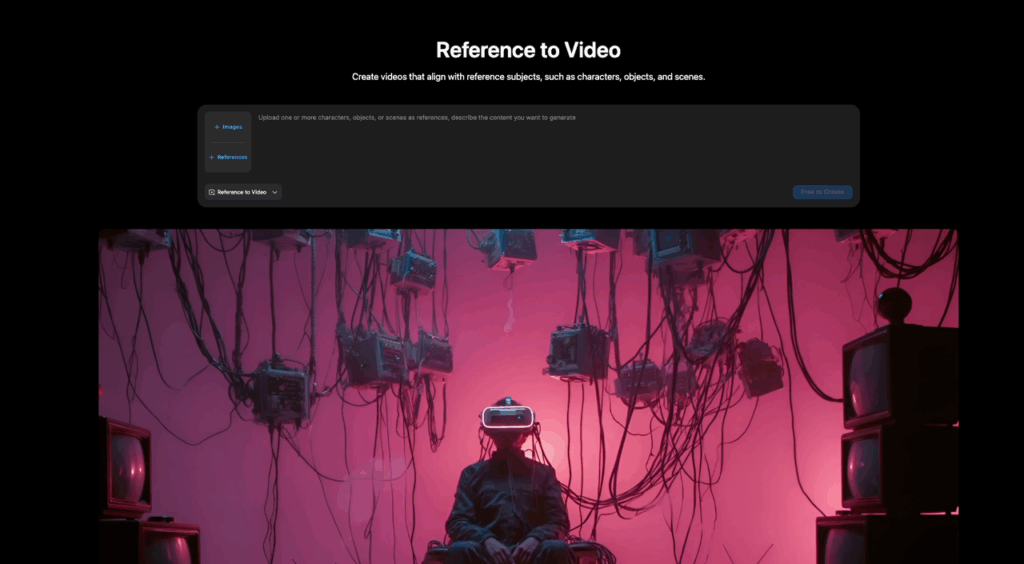
Picture this: You feed an AI model a single static image of a sneaker on a white sweep. You ask for a 6-second video. Usually, you’d brace yourself for the color blocking to shift or the logo to melt into sludge. But this time, the sneaker just… turns. Cleanly. Same vibe, same details, zero hallucinations. That was my exact experience testing Vidu Q3‘s Reference-to-Video capabilities this week. As a creator who is tired of cherry-picking one good clip out of fifty bad ones, this felt like a turning point. I’ve spent the last few days stress-testing Character, Product, and Scene modes to see if Vidu Q3 is finally the character consistency tool we’ve been waiting for.
Definitions + what each mode optimizes for
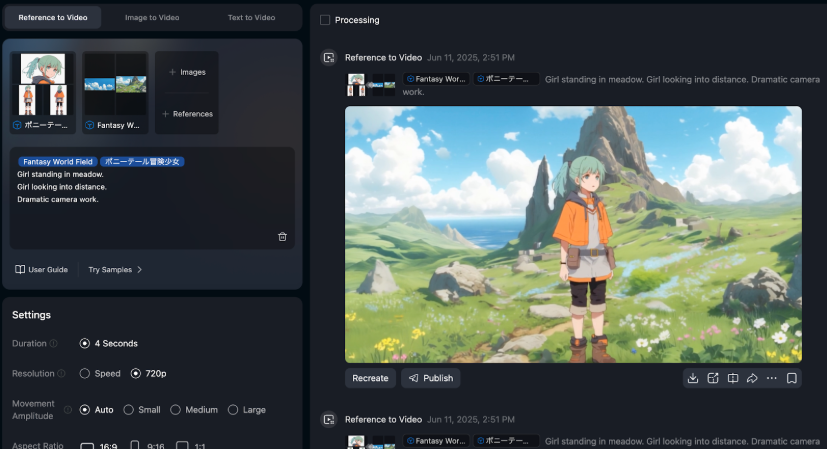
Think of Vidu “reference to video” like giving the model a north star. The reference isn’t a frame-by-frame storyboard, it’s more like: “Stay close to this identity while you animate.”
In our testing, the modes (and how they feel) can be summarized like this:
- Character reference: Optimizes for identity consistency (face, hair silhouette, outfit vibe).
- Best when we need the same person across shots.
- Tradeoff: it can get stubborn about changing wardrobe or extreme poses.
- Product reference: Optimizes for shape + material cues (edges, proportions, finishes, label placement).
- Best for ecomm-ish clips and ad inserts.
- Tradeoff: reflective materials can “swim” unless we lock lighting in the prompt.
- Scene reference: Optimizes for layout + environment continuity (room geometry, background composition, overall palette).
- Best for architectural walk-through vibes or consistent set continuity.
- Tradeoff: small decor details may drift if we push big camera moves.
If you’re deciding fast: Character = “same person.” Product = “same object.” Scene = “same place.”
One transparency note: we’re describing behavior from our real tests over the last week, but Vidu ships updates quickly. If something feels “different” on your side, it probably is.
Best use cases (ads, character consistency, scene changes)
Where this has been oddly useful for professional design work is the stuff that normally kills time: “Can we see the same thing… but in three variations?”
Here are the big three use cases we keep coming back to:
- Ads (quick iterations that still look intentional)
- We can generate 5–10 short variations while keeping the product recognizable.
- Great for: hook tests, different backgrounds, different camera energy.
- Character consistency (brand mascots, presenters, UGC-style actors)
- If marketing wants “the same person” across a mini-campaign, reference helps a lot.
- We’ve used it to maintain: hairstyle silhouette, outfit color story, and facial vibe. Learn more about how to maintain character consistency in AI videos.
- Scene changes without losing the ‘set’
- For architects and environment designers: keep the room language stable while changing time of day, weather, or camera path.
- For product designers: keep the studio sweep consistent while changing lighting style.
3 reference packs that work (character / product / scene)
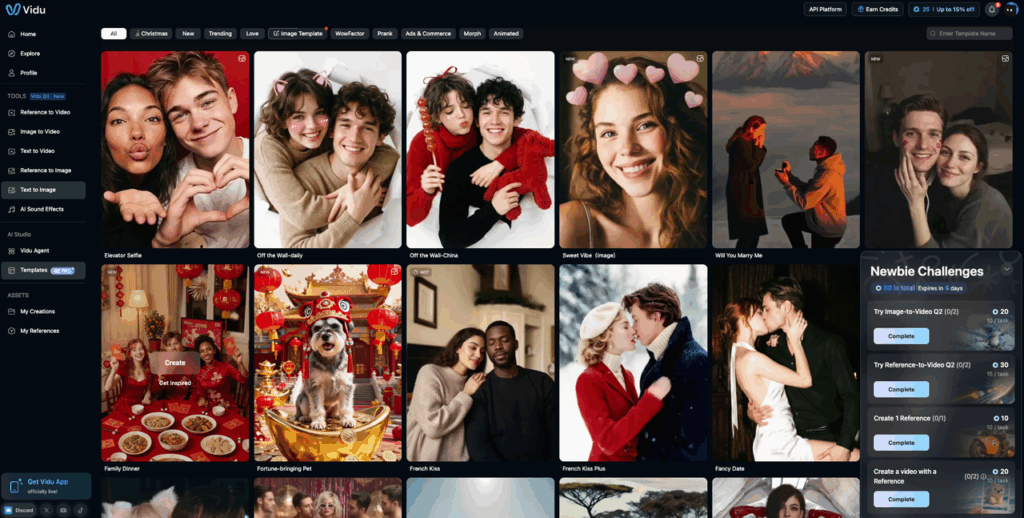
We’ve had the best luck when we don’t rely on a single image as the entire truth. Instead, we prep little “packs” that cover angles and constraints. If you want to skip straight to ready-made starting points, Vidu’s template library is worth a look.
1) Character pack (3–5 images)
- 1x straight-on face (neutral expression)
- 1x 3/4 view (adds depth cues)
- 1x full-body (outfit silhouette)
- Optional: 1x “style anchor” (the vibe you want: gritty street photo vs. clean studio)
2) Product pack (4–6 images)
- 1x hero angle (marketing shot)
- 1x side profile (protects proportions)
- 1x top/label close-up (protects text/branding)
- 1x material cue (macro of texture: brushed aluminum, knit, leather)
- Optional: 1x packaging shot if you want it to appear later
3) Scene pack (3–6 images)
- 1x wide establishing view (layout anchor)
- 1–2x corner angles (geometry checks)
- 1x material palette board (wood/stone/paint cues)
- Optional: 1x lighting reference (golden hour vs. overcast)
If we had to pick one “rule”: give the model at least one reference that protects what you care about most (logo, face, room geometry). Otherwise it’ll improvise.
Prompt patterns per mode
Prompting here is like seasoning fries. Too little, it’s bland and wanders. Too much, it gets salty and weird. We’ve been using short, structured prompts that tell Vidu what to preserve and what’s allowed to change.
Below are patterns we keep reusing.
Character mode prompt pattern
- Prompt: “Same character as reference. Maintain facial features and hairstyle. 6s video. Medium shot. [action]. [camera]. [lighting]. Clean background.”
- Example: “Same character as reference. Maintain facial features, hairstyle, and outfit colors. 6s. Medium shot. Smiles slightly, turns head left to right. Slow handheld camera, 35mm look. Soft window light, warm tone. Minimal background.”
Product mode prompt pattern
- Prompt: “Same product as reference. Keep logo placement and proportions. 6s. Studio product video. [camera move]. [light style]. Background [color].”
- Example: “Same product as reference. Keep proportions, texture, and logo placement. 6s studio product video. Slow 180° orbit, smooth turntable feel. High-key softbox lighting with gentle specular highlights. White seamless background. Crisp, premium look.”
Scene mode prompt pattern
- Prompt: “Same environment as reference. Keep room layout and materials. 6s. [camera path]. [time of day]. [weather/atmosphere].”
- Example: “Same environment as reference. Keep layout, furniture placement, and material palette. 6s. Slow dolly forward from doorway into living room. Golden hour light rays through window, dust motes visible. Cinematic, steady camera.”
Two small things that improved our hit rate:
- We explicitly say “same [character/product/environment] as reference” up front.
- We call out what must not change (logo placement, layout, hairstyle). Otherwise Vidu treats those as optional.
And if you’re doing marketing work, add the deliverable language: “Vertical 9:16, ad-ready framing, space for headline at top.”
(If you’re curious about reference features and limits, keep an eye on Vidu Q3 official updates.)
Common failure modes + fixes
We love this feature, but it’s not a free lunch. Here are the failures we’ve hit (repeatedly), plus the fixes that actually helped.
- Failure: Identity drift (character slowly becomes a cousin)
- What it looks like: face shape changes by second 4–6, hairline creeps, outfit pattern mutates.
- Fixes: Use a stronger character pack (add a front-facing neutral shot). Reduce extreme motion: ask for “subtle head turn” instead of “dances wildly.” Add: “Maintain facial features throughout the entire clip.”
- Failure: Logo/text corruption on products
- What it looks like: brand marks wobble, letters become nonsense.
- Fixes: Don’t ask for aggressive zooms or fast spins. Add a close-up reference specifically for the logo. Prompt: “Logo must remain readable and unchanged.”
- Failure: Shiny materials ‘swim’ (reflections crawl like oil)
- Fixes: Choose softer lighting: “diffused softbox, minimal harsh specular.” Reduce camera motion: reflections + motion = chaos.
- Failure: Scene geometry warps during big camera moves
- What it looks like: doorframes bend, walls breathe.
- Fixes: Use shorter, simpler camera paths (slow dolly, small orbit). Prompt: “Straight lines remain straight. Architectural realism.” Add a second wide reference angle to lock the layout.
- Failure: The model nails the look but misses the action
- Fixes: Put the action in a single verb phrase: “walks forward,” “turns head,” “product rotates.” Avoid stacking actions, pick one.
Also: keep privacy in mind. If your references include real people or client products that aren’t public, treat uploads like you would any cloud tool — check your client policies and Vidu’s content moderation guidelines before using sensitive material.
Consistent AI video shouldn’t be a gamble. If you are exploring solutions for professional design work, start a free trial with PromeAI. Verify our generation quality with your own images and see if we fit your production pipeline.
Quick decision tree
If we’re in a hurry (which we always are), this is the quick picker we use:
- Do we need the same person across multiple clips?
- Yes → Character reference
- No → next question
- Is the hero asset a specific object with details that can’t change (logo, silhouette, buttons, ports)?
- Yes → Product reference
- No → next question
- Are we trying to preserve a space/layout while changing vibe (lighting, weather, camera move)?
- Yes → Scene reference
- No → we might not need reference at all (try pure text-to-video first with Vidu’s AI image animator)
Our “last-mile” tip: if a clip is almost there, don’t restart from scratch. Keep the reference pack, keep the prompt structure, and change only one thing at a time (camera motion or lighting or action).
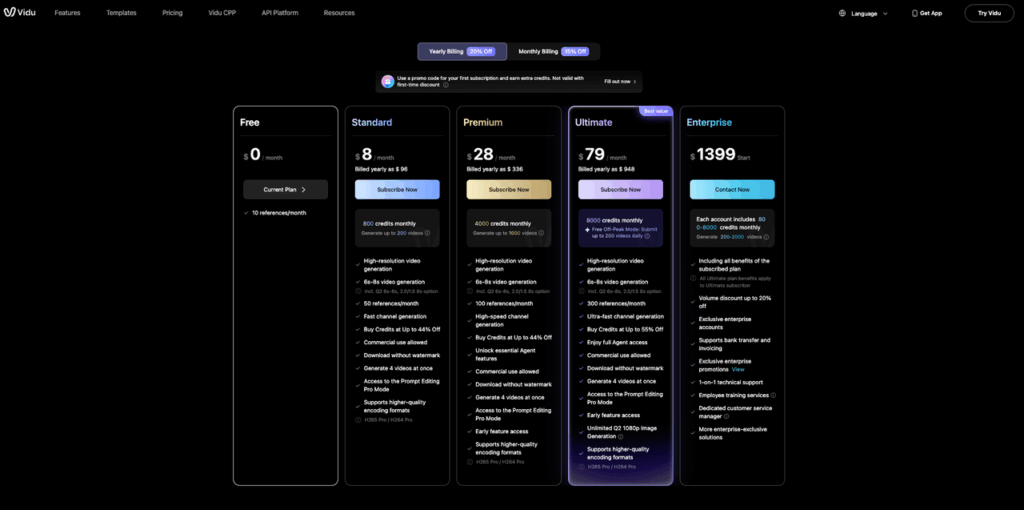
Now we want to know where this breaks for you: what’s your most annoying consistency problem right now, faces, logos, or rooms? And if you’re just getting started, check out Vidu’s pricing plans to find the right tier for your workflow.
Frequently Asked Questions about Vidu Reference to Video
What is Vidu reference to video in Vidu Q3?
Vidu reference to video is a way to anchor a generation to a specific identity. You provide reference images and Vidu Q3 uses them as a “north star” to stay close to the same character, product, or scene while animating a short clip—without turning the reference into a strict storyboard.
Which mode should I use for Vidu reference to video: Character, Product, or Scene?
Use Character reference to keep the same person (face, hair silhouette, outfit vibe) across clips. Use Product reference to preserve an object’s proportions, materials, and logo placement. Use Scene reference to maintain a space’s layout, palette, and environment continuity while you change lighting, weather, or camera path.
How many reference images work best for Vidu reference to video?
Small “reference packs” tend to be more reliable than a single image. A character pack is often 3–5 images (front face, 3/4 view, full body, optional style anchor). Product packs do well at 4–6 images (hero, side profile, logo close-up, material macro, optional packaging). Scenes often need 3–6 images (wide, corners, palette, optional lighting ref).
What prompt pattern helps Vidu reference to video stay consistent?
Lead with what must stay the same, then specify the deliverable. A dependable pattern is: “Same [character/product/environment] as reference. Maintain [non-negotiables]. 6s. [shot/camera move]. [lighting]. [background].” Calling out “logo placement,” “room layout,” or “facial features throughout the entire clip” improves hit rate.
Why does Vidu reference to video corrupt logos or turn text into gibberish—and how do I fix it?
Text and logos often break under aggressive motion, fast spins, or tight zooms. Improve results by adding a logo close-up to your product pack, asking for slower camera movement, and explicitly stating “Logo must remain readable and unchanged.” High-key, diffused lighting also helps reduce distracting specular flicker.
Recommended Reads
Leave a Reply