I had a napkin sketch sitting on my desk from a client call. Literally a napkin. Scribbled walls, a vague furniture arrangement, and an arrow pointing somewhere labeled “big window vibes.”
I uploaded it to PromeAI’s sketch renderer. No cleanup, no Photoshop touch-up, no redrawing in SketchUp.
The output? A warm, sun-drenched living room render that my client immediately said “yes” to.
That’s when I stopped treating “polished input = good output” as a rule.
What “Simple” Actually Means for AI Rendering
Let’s get one thing clear first: simple doesn’t mean bad. For AI rendering tools like PromeAI, “simple” just means low-detail input — a sketch with minimal shading, rough proportions, and not much spatial nuance.
The AI isn’t looking for perfection. It’s looking for signal. Give it enough structural signal, and it fills in the rest.
But here’s where most people get confused: not all types of simple drawings give equally strong signal.
Line-Based vs. Shaded Drawings
A clean line drawing — think pen-on-paper outlines, quick pencil strokes — actually tends to work better than a half-shaded sketch in many AI tools.
Why? Because shading introduces ambiguity. The AI reads those gray tones as depth cues and can misinterpret them. A flat, confident outline says “wall here, opening there” in a language the model understands.
Loose shading with no structure? That’s where things get weird.
Structural vs. Decorative Detail
Structure is the backbone. Where the walls are, where the floor meets the ceiling, what the form of a garment’s shoulder looks like.
Decorative detail — tiles, fabric texture, window mullion patterns — can be left out entirely. The AI will generate those based on your text prompt. In fact, adding too much decorative detail in a rough sketch can confuse the output more than help it.
Rule of thumb: draw the structure, describe the decoration.
Which Simple Drawing Types Render Well
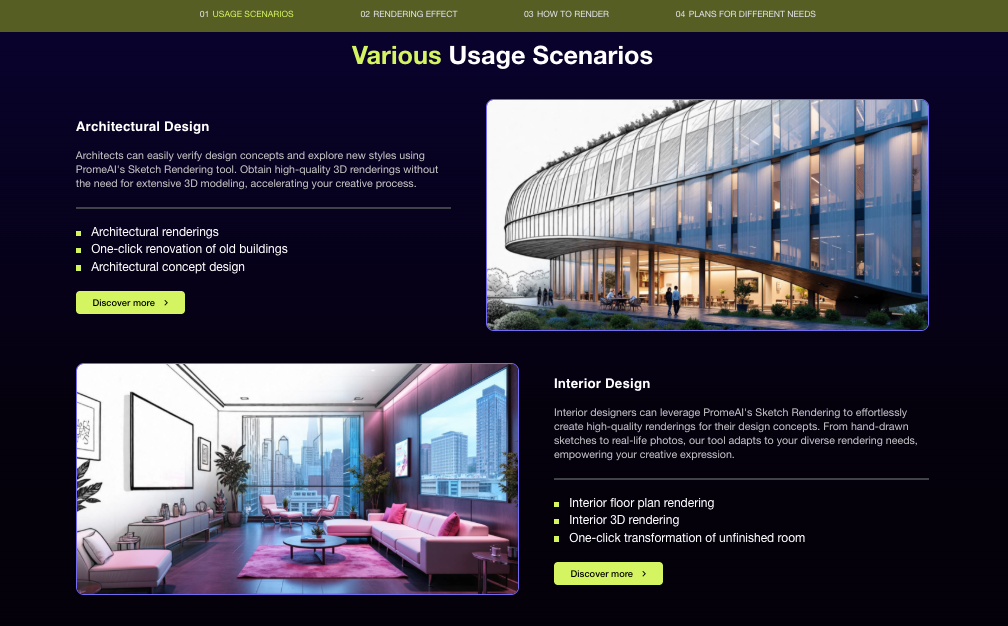
After testing several sketch types across design fields, here’s what I found actually works.
Architecture Floor Plan Sketches
Basic floor plans — even hand-drawn with rough room proportions — translate surprisingly well. The AI is good at “reading” enclosed spatial relationships. A rectangle labeled “bedroom” with a smaller square for a closet is enough.
What helps: keeping lines distinct and rooms clearly bounded. Overlapping scribbles break the spatial logic the model needs.
Interior Layout Sketches
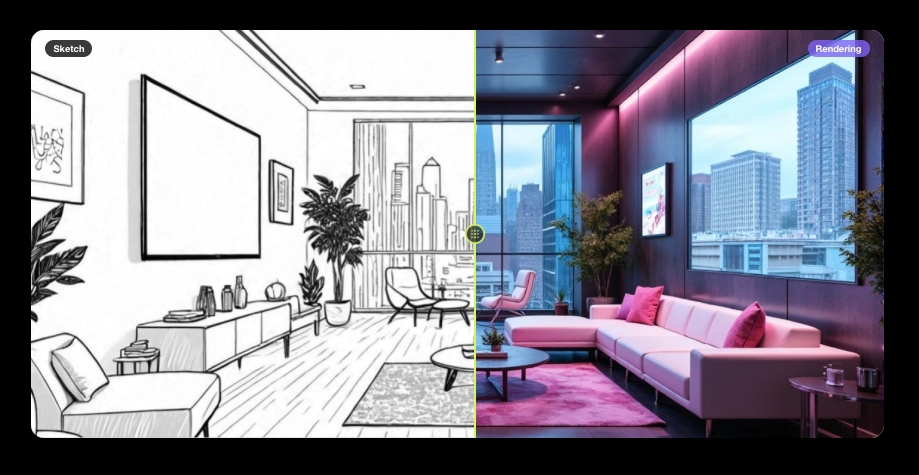
Top-down layout drawings work well. Eye-level perspective sketches — a quick couch shape, a rug outline, a window on the wall — also produce strong results when the proportions are at least roughly correct.
The AI uses your sketch as a geometry guide and your text prompt as the style guide. So a messy sketch + a sharp prompt (“Japandi, warm tones, low furniture, morning light”) still gives you a usable output. Tools like PromeAI’s AI interior design generator handle this kind of input particularly well.
Fashion Silhouette Outlines
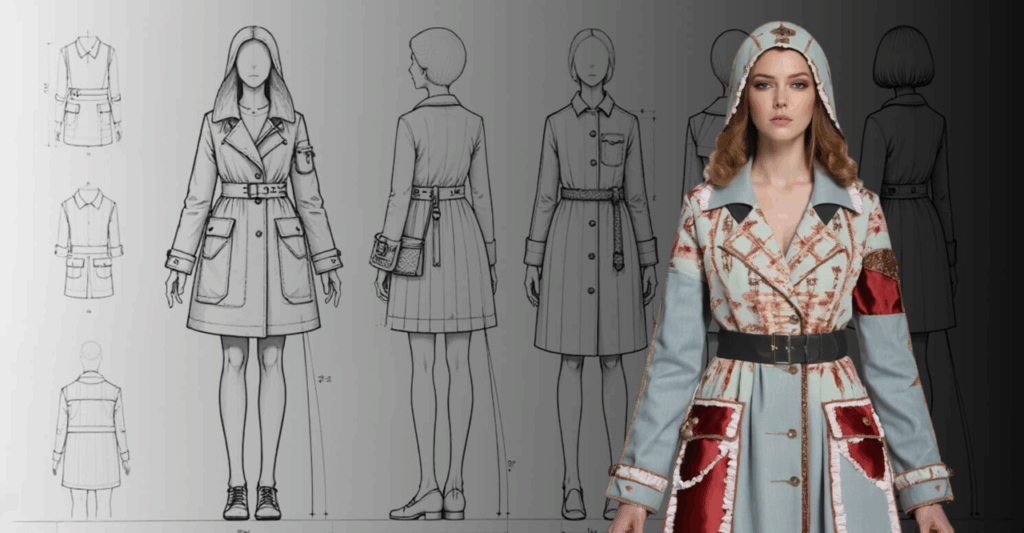
This one surprised me. A simple front-facing silhouette — just the garment outline on a body shape — is often enough. PromeAI’s model can extrapolate fabric drape, texture, and fit from a line drawing if the garment’s core shape reads clearly.
Collar shape, sleeve length, hem line, waist seam: get those four things in your sketch and you’re usually fine.
Product Form Sketches
For product designers and e-commerce teams working on 3D object visualization, a basic 3/4-view product sketch works well. Clean outlines, rough proportion, maybe a quick indication of surface breaks (like where a handle meets a body).
Don’t bother drawing material texture. Just describe it in the prompt: “matte ceramic, warm ivory glaze.”
Which Simple Drawings Struggle (and Why)
Okay, real talk. Not everything uploads well.
Very sparse sketches — like three lines suggesting a shape — often produce outputs that don’t match your intent. The AI has too much to guess and ends up generating something plausible but wrong.
Mixed-perspective drawings are a problem. If part of your sketch is top-down and part is eye-level, the model gets confused about the spatial logic and tends to flatten or distort the result.
Highly textured backgrounds in your sketch — like graph paper, textured sketchbook pages, or heavy pencil shading on the paper itself — can bleed into the model’s interpretation. The AI can’t always tell where your drawing ends and the page begins.
And very abstract concept sketches — pure mood, no structure — are better fed to a text-to-image prompt than a sketch-to-render tool. The sketch renderer is built for spatial and structural inputs, not emotional gesture drawings.
Preparing Simple Sketches for Better Results
You don’t need to redraw anything. But a few small steps go a long way.
- Use good contrast. Dark lines on a clean white background, or light lines on dark paper scanned with exposure adjustment. The AI reads contrast as structure.
- Straighten your scan or photo. A tilted sketch adds a rotation error that can distort the render output.
- Crop tightly. Remove excess blank space around the sketch. You want the drawing to fill most of the frame.
- Add a short, specific prompt. Don’t just upload and click render. Your prompt is doing half the work. “Contemporary kitchen, white oak cabinets, concrete countertop, pendant lighting” paired with a rough floor sketch gives you a very different output than no prompt at all.
- Use the style strength slider conservatively. Start at 60–70% style strength. Too high and the AI ignores your sketch. Too low and it over-interprets every pencil texture.
This approach aligns with how ControlNet-based AI image generation works under the hood — the model uses your sketch as a structural conditioning signal, not a pixel-perfect blueprint.
Cross-Vertical Examples
Architecture Result
Input: A hand-drawn building elevation sketch, approx. 10 seconds of work, front-facing. Prompt: “Modern residential facade, dark timber cladding, large windows, flat roof, landscaping” Result: A clean, buildable-looking exterior render. Proportions held. Client-presentation quality in about 90 seconds total.
What the AI added: material texture, window reflections, sky, soft shadows, planting.
Interior Result
Input: A napkin sketch (yes, literally) of a living room layout, top-down view. Prompt: “Warm Scandinavian living room, boucle sofa, wooden floor, afternoon light through west-facing window” Result: A warm, specific, styled render. Not perfect — the rug shape was a little off — but the overall spatial logic was correct and the mood hit exactly right.
What the AI added: furniture detail, material, lighting direction, window view.
Fashion Result
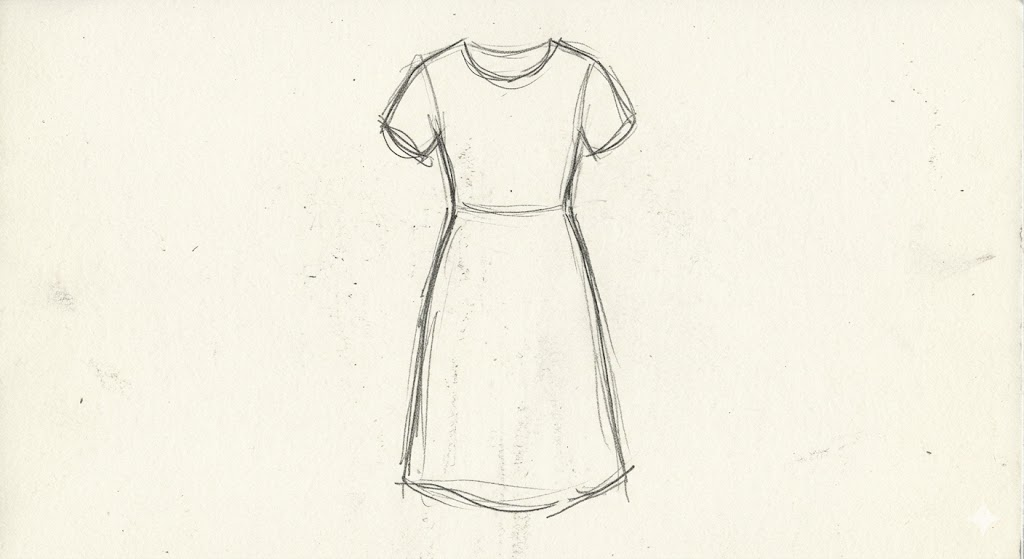
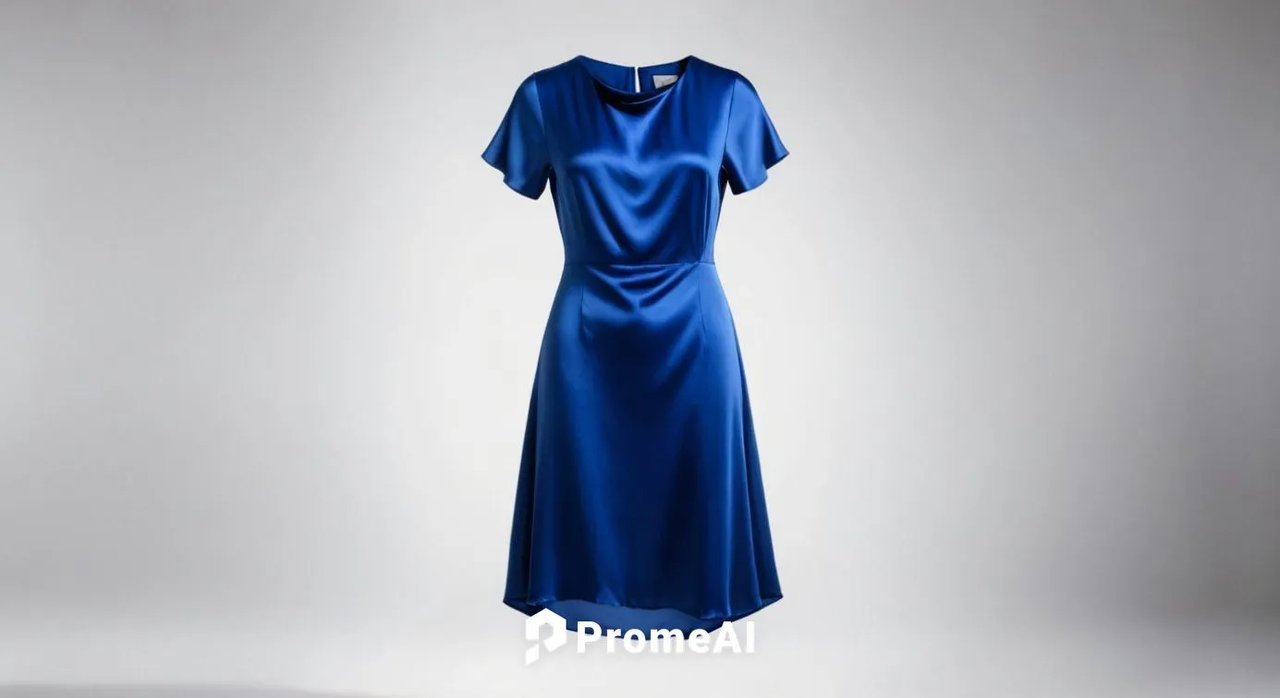
Input: A pencil outline of a midi dress silhouette, flat front view, 30 seconds of drawing. Prompt: “Fluid silk dress, cobalt blue, subtle bias cut drape, editorial lighting, white background” Result: The garment shape was maintained. The material feel was convincing. Good enough for a mood board or early client direction deck.
What the AI added: fabric physics, texture, shadow, model-like context.
Limits of Simple Inputs
I want to be honest here, because a lot of content about AI tools oversells the “it just works” narrative.
Simple sketches have a ceiling. When you need construction-accurate elevations, precise material specifications, or production-ready technical drawings, you still need proper CAD or 3D software as the source. No napkin sketch is getting you there.
Proportional errors compound. If your sketch has a door that’s twice the right height, the render will have that too — just dressed up beautifully. The AI amplifies your input, it doesn’t correct your spatial reasoning.
Results vary by complexity. Single-room interiors and single-elevation facades work well. Multi-building compositions or complex garment construction details? Hit or miss.
As McKinsey’s research on generative AI in product design points out, AI is a powerful accelerant for early-stage ideation — but it’s no substitute for the technical rigor required in production workflows.
The value is not “replace your workflow.” The value is speed up the early stages — the ideation, the direction-setting, the “is this even the right path?” conversations that happen before you open your proper software.
Use it there, and simple sketches become surprisingly powerful inputs.
FAQ
Q1: Does a very rough sketch still produce a usable render? It depends on how much structural information is in it. If there’s a clear spatial or form logic — even rough — the AI usually produces something workable. Purely abstract gesture sketches tend to struggle.
Q2: Should I add shading or keep it outline-only? Generally, clean outlines outperform half-shaded sketches for AI rendering. Shading adds ambiguity the model can misread. If you do shade, make sure it’s consistent with a single light direction.
Q3: Which design fields benefit most from simple sketch inputs? Architecture, interior design, and fashion silhouettes tend to produce the most predictable results. Product design works well for simple forms. Very intricate or jewelry-level detail is harder to translate from simple inputs.
Q4: How much will AI “fill in” missing detail from a simple drawing? A lot — but it uses your text prompt to decide what to fill in. The sketch gives it structure; the prompt gives it style and material direction. Both matter equally.
Q5: Is there a minimum resolution or quality for the sketch file? There’s no official hard minimum, but in my testing, anything below 600px on the shortest side starts losing fidelity in the output. A phone photo of a clean sketch at 1200px+ consistently works well. For a deeper dive into how AI sketch-to-render tools are reshaping creative workflows, Fast Company’s coverage is worth a read.
Where do you usually get stuck when trying to turn sketches into renders? Drop it in the comments — I’ve probably hit the same wall and found a workaround. Or I’ll test it. That’s literally what I’m here for.
Recommended Reads
Leave a Reply